Grant permissions to create tickets in Support
Start from: The Mapal OS Configuration panel.
- Select User management > User profiles.
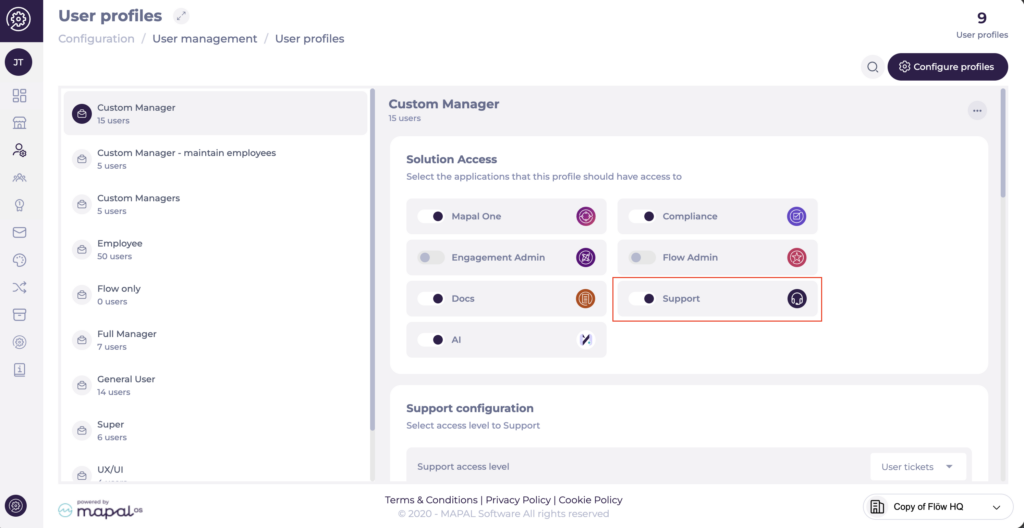
- In the list of active profiles, select the role to which you want to grant access.
- From the Solution Access tab, enable the Support product.
By enabling this product, all users assigned to that profile will be able to create tickets to contact the Mapal Support team.
Define the ticket visibility level for the profile. You can choose between the following options:
- User tickets: The user will only be able to view and track the tickets they have personally created.
- Operator tickets: The user will be able to view and track all tickets created both by themselves and by other users with access to the Support product.
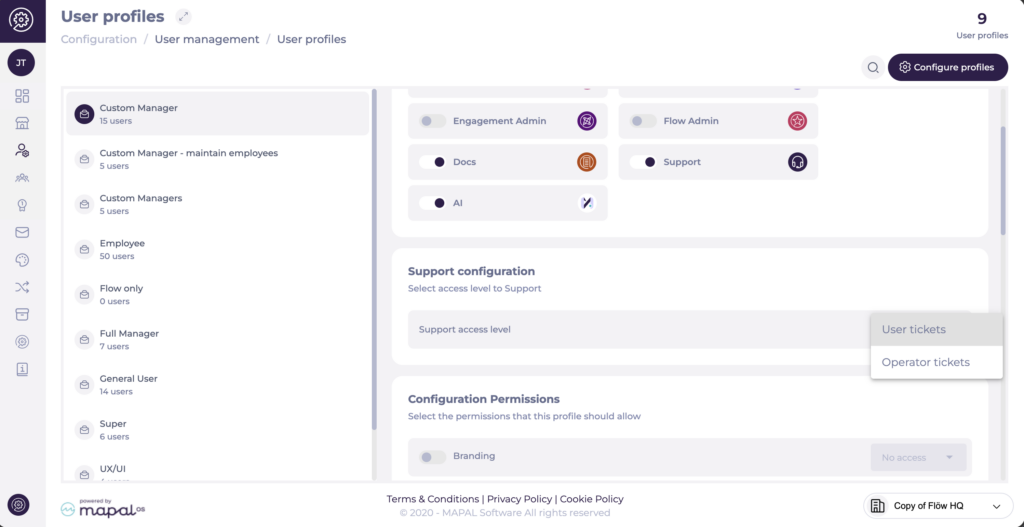
Changes are saved automatically and applied immediately.
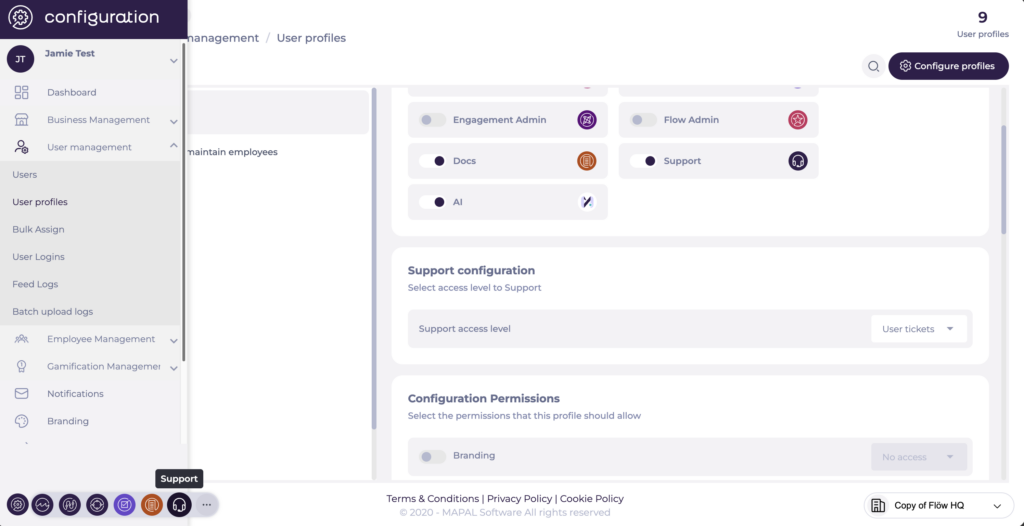
Once the configuration is complete, users with that profile will be able to access the Support product from the bottom navigation bar and start using it.
Watch a short demo of this process here: Grant access to Mapal support.
Once you have completed this step, you will be ready to access support. For more information, see Access and submit requests to Mapal support.