


Start from: The Cashrec dashboard.
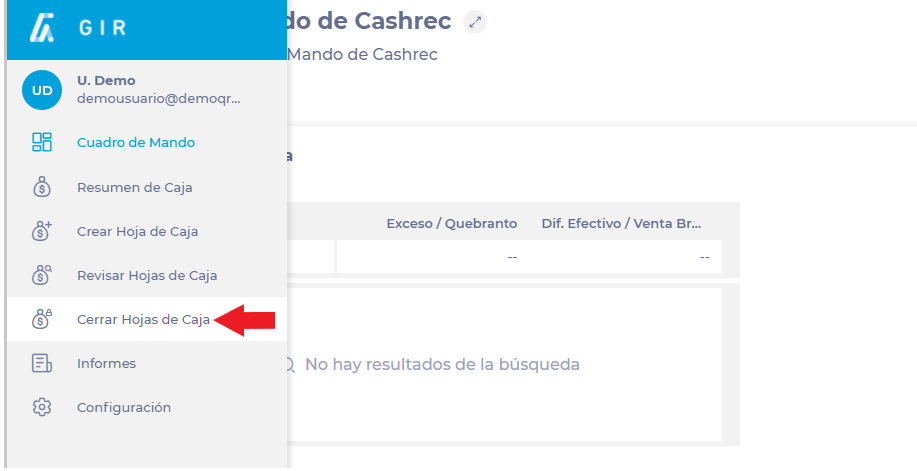
- Navigate to Close Cashrec from the Cashrec menu.
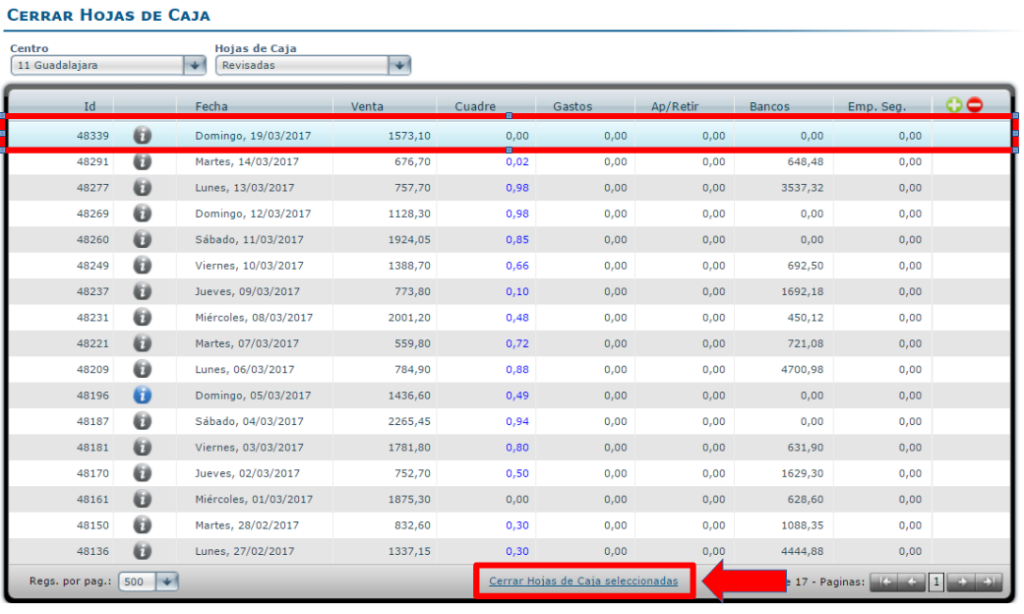
- In the Sheets list, use the Status filter to select Reviewed so that you only see sheets that are ready to be closed.

- Locate the day or days you want to finalise.
- Select a single cash sheet, or select multiple sheets at once using standard multi-select (for example, Ctrl or Shift on your keyboard).
- Select Close selected cash sheets.
- Once closed, each cash sheet:
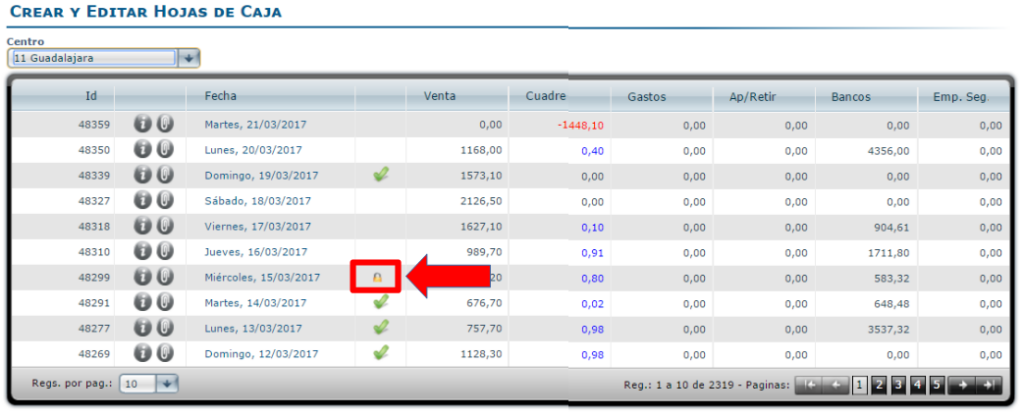
- Is locked from further editing.
- Shows a padlock icon next to the date in the Create / Edit Cash Sheets screen, indicating that the day is final.
Note: Only cash sheets with Reviewed status should be closed. To understand how to review and validate daily sheets, see Validate daily cash sheets.
