


Start from: The Compliance overview.
- Navigate to Tasks > Areas / Checklists.
- Select the specific checklist where you want to publish the task.
- Select + Create task in '[name of the checklist]'.

- In the New Task screen, complete the General Setup.
- Scroll down to Answer options and set the Answer Type to Button.
- Select the relevant form from the Start form dropdown list. This action will link the task to the chosen form and create a new revision of that form when the answer is triggered.
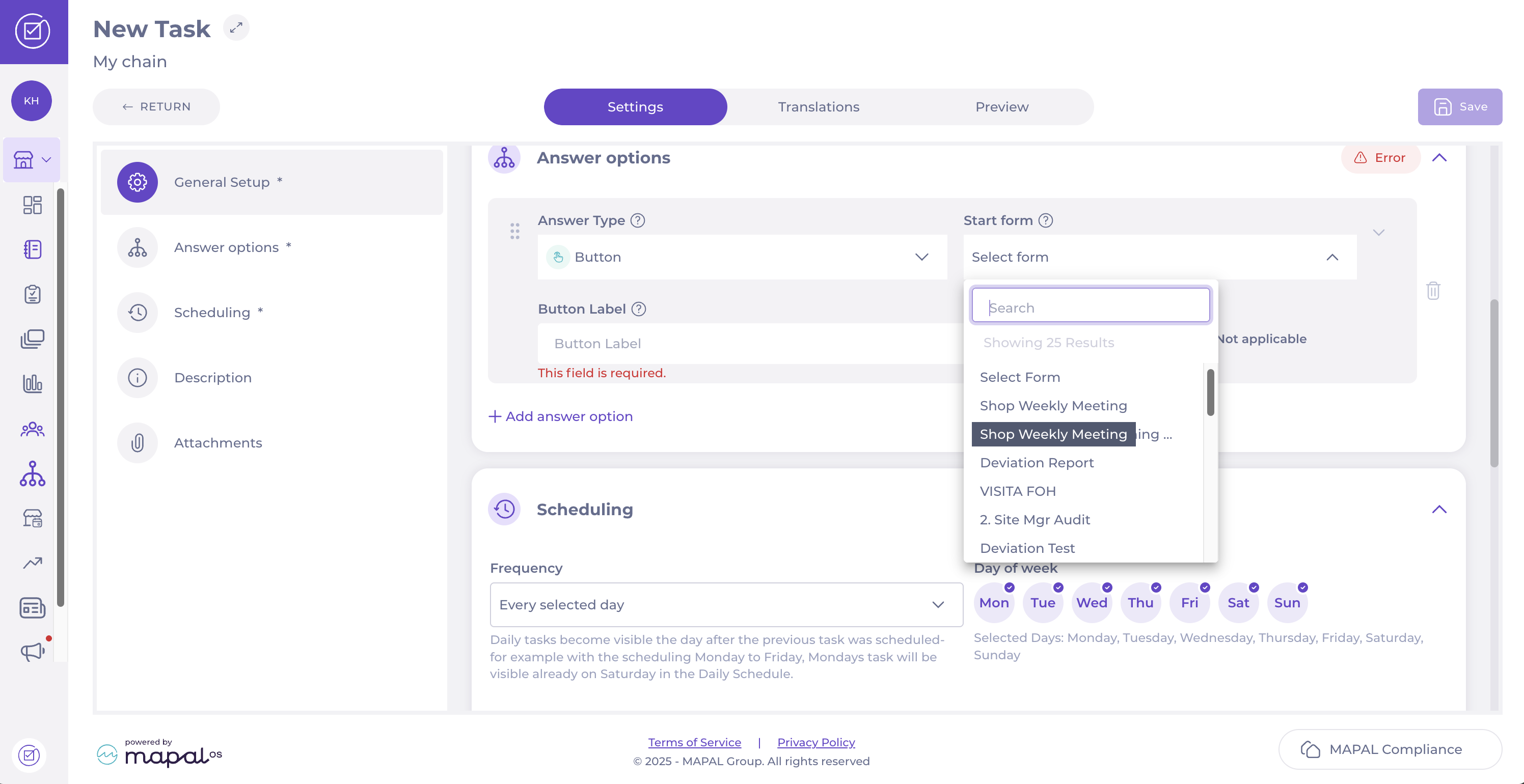
- In the Scheduling step, define the Frequency or choose the Days of the week you want the task and form to appear in the Daily Schedule.
- Once you have completed the steps, select Save in the top right-hand corner to finalise and activate the task.
