Publish and share your Studio lessons

Start from: The Flow Learning dashboard.

Publishing a lesson

Before sharing externally, you must publish the lesson:

Note: Publishing does not lock editing — you can continue making changes. You can unpublish at any time, instantly disabling all links/exports.

Stage changes

Staging ensures SCORM packages (and other exports) don’t update automatically. Instead, you can publish updates in one batch when ready.

Ways to share a lesson

Once published, you can share in several ways depending on the use case:

1. LMS Delivery

2. Links & Reviews

3. Exports & Embeds

4. Quick Access Options

Note: SMS is only available for US numbers.

Best Practices

Smart Analysis in Engagement

Start from: a supported page in the Engagement product.

Notes: Smart Analysis is a tool, not a final decision-maker. Always verify key results using the data visible in your system. AI may occasionally provide incomplete or incorrect responses. If in doubt, cross-check with learner records or reports.

Smart Analysis in Engagement

Smart Analysis is an AI-powered tool built into the Engagement module and powered by the Mapal Assistant. It helps you quickly interpret the data on screen by summarising results, highlighting trends, and identifying common themes—without needing to export reports or manually analyse responses. This saves time and supports better decisions in your internal communications strategy.

Where it is available

Smart Analysis is currently available on the following Engagement screens:

Note: Additional Engagement screens may be supported in future updates.

How to access Smart Analysis

The Smart Analysis icon appears next to the filters on supported screens.
Select the icon to open the assistant.

For full instructions, see Access the Mapal AI Assistant.

What users can do with it

Smart Analysis in Engagement can help you make better use of your internal communications data by revealing patterns, summarising activity, and comparing results over time — all from the current screen view.

You can use it to:

Things to keep in mind

Manage news and posts within Engagement

Start from: The Engagement dashboard.

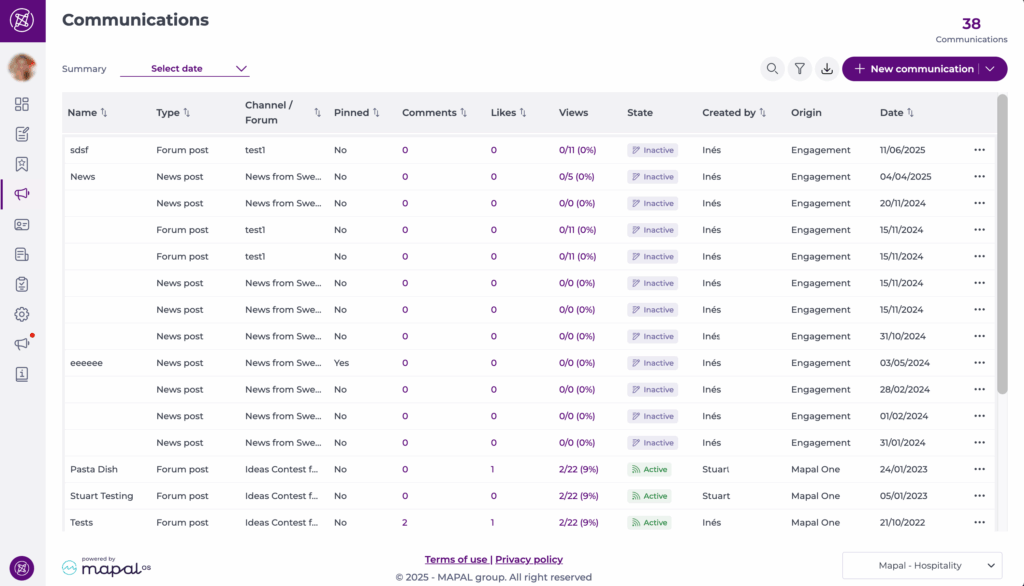
Understanding publication origin

Posts are created in either Engagement or Mapal One. The origin determines how the post can be previewed or edited.

To identify a post’s origin, refer to the Origin column on the Publications view.

Engagement-origin posts

You can both view and edit Engagement-origin posts.

To manage these posts:

Mapal One-origin posts

Mapal One-origin posts are view-only once published.

To view these posts:

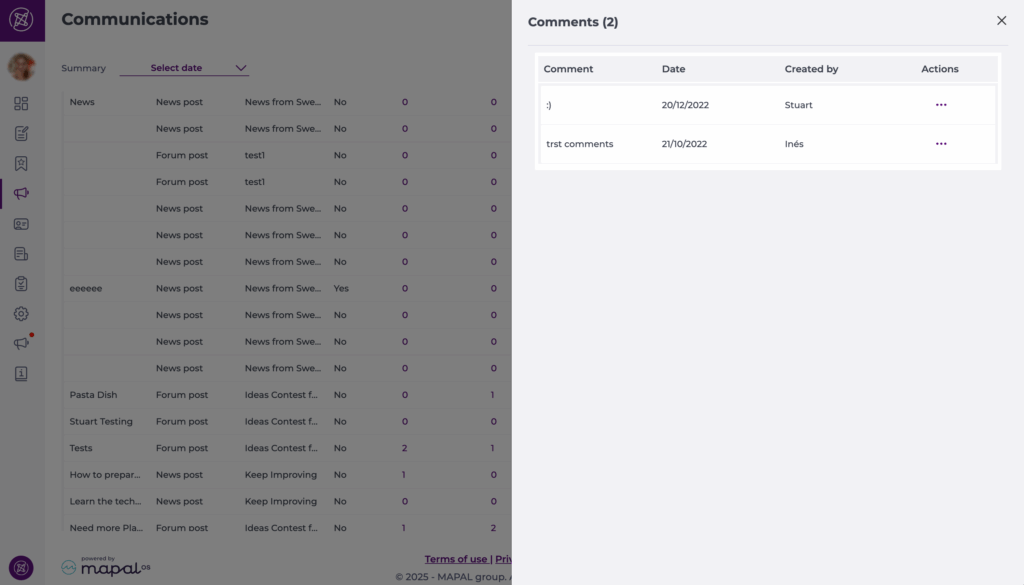
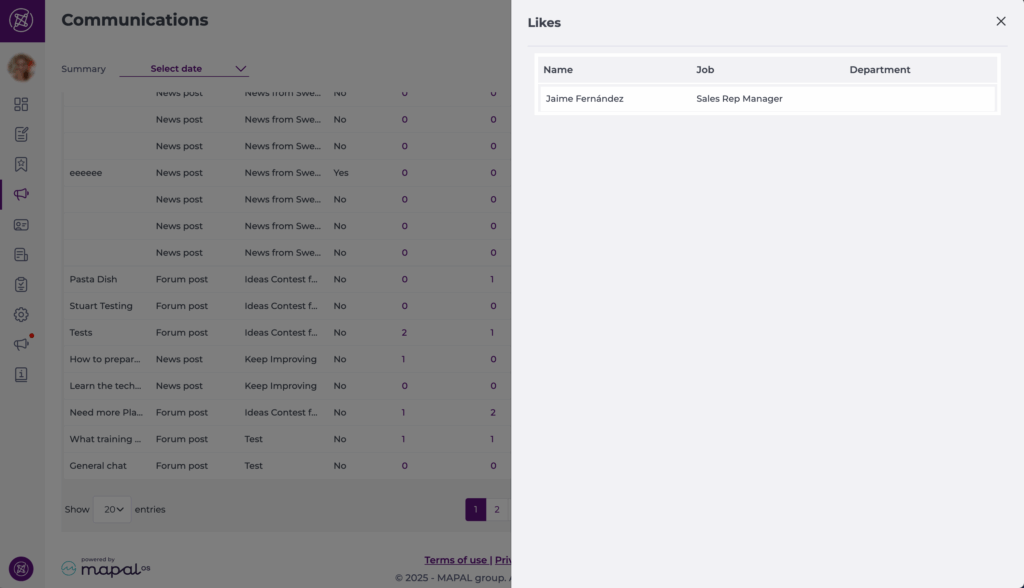
You can also moderate comments, and download metrics for both options. 

Note: Mapal One-origin posts cannot be edited after publication.

Write communications using ‘Create with AI’

Start from: The Engagement dashboard.

Note: If you do not see the Create with AI button, contact your Mapal Customer Success Manager.

Note: You can further edit the AI-generated text after accepting it to make it more personal or aligned with your company’s tone of voice.

Add or remove job titles and departments from a Noticeboard

Start from: the Flow Learning dashboard.

  • Navigate to Communications > Noticeboard.

  • Change the Group by view to Branch.

  • You can use the Filter or the Search function to find the specific noticeboard item you wish to edit.

Adding Job Titles and Departments

To make a noticeboard item visible to more employees:

  • Locate the desired item.
  • Select the Options icon (three dots) next to the item.
  • Select Edit.
  • Scroll to the bottom of the editing window to find the Job titles and Departments lists.
  • Tick the boxes next to the job titles and/or departments you want to add.
  • Close the window or confirm the action (changes are saved automatically).

The item will now be visible to all learners assigned to any of the selected job titles or departments.

Removing Job Titles and Departments

To restrict visibility of a noticeboard item:

  • Locate the desired item.
  • Select the Options icon (three dots) next to the item.
  • Select Edit.
  • Scroll to the bottom of the editing window to find the Job titles and Departments lists.
  • Untick the boxes next to any job titles and/or departments you wish to remove.
  • Close the window or confirm the action (changes are saved automatically).

Once removed, the item will no longer be visible to learners associated with those job titles or departments.

Note: These changes must be made individually for each branch. If the same message exists across multiple branches, you'll need to update each one separately.

Manage chat moderation for flagged messages

Start from: the Engagement dashboard

Note: Only Engagement admins with the Can moderate reported messages permission can access the Reported messages page and take moderation actions. This permission does not require full Level 0 access, making it suitable for local or regional moderators.

Close shifts

Start from: The Workforce module.

  • Select Scheduling > Close Weekly ROTAs from the main menu .

  • Select the Work Center whose shift you wish to mark as Closed.


The weekly shift listing, in addition to the Closed column, shows two other columns with Done ? or Not Done ? marks. Ideally, these lines should ideally be marked as Done ? before proceeding to Close the shift.

  • Completed: This mark states that the shift template was created and finished properly with no errors, so it is ready for review.
  • Reviewed: This mark establishes that the shift has gone through the relevant approval flow and is ready to be approved.

Notes: A shift that is not previously marked as Completed and Reviewed may be closed. However, this would imply that the shift has probably not gone through the necessary approval flow before publication.

To mark the shift as completed, see Mark shift as finished.

To mark the shift as reviewed, see Review shifts.

  • To make a preliminary review of the shift and its changes, select the arrow icon in the shift field.
  • To clear and reset all shift data, select Restart in the shift field.
  • To mark the shift as closed, select the empty field in the Closed column.
  • After a brief loading screen, a closed padlock icon will appear in the Closed field, signifying that the shift has been closed.


When the shift is closed, the Restart button disappears and no edits can be made to the shift configuration.

Notes: The shift can be reopened for editing by selecting the Closed padlock icon, which will disappear from the field to indicate that the shift has been reopened.

Share information on a site and its child sites

??Notes: actions performed on the Easilys platform are subject to user access permissions. If you are unable to carry out the actions described in the articles, it may be because you do not have the necessary permissions activated on your user profile. Contact the Support team, or your administrator, for help.
 

  • Select Home from the main menu. 

You will be redirected to the Information area of the Home page. 
 
If the message you wish to modify is no longer visible because its period has expired, you can, if your rights allow it, make it appear by activating the "Show all" option. 

A screenshot of a chat<br><br>Description automatically generated 
 
This space lets you share messages with your team. 

These messages can be categorized into four types: Danger, Warning, Success, and Information. The type influences the message's positioning in relation to others and its color. 
 
Messages can be programmed for selected periods. 

Create a message 

  • Select +

A screenshot of a chat<br><br>Description automatically generated 

The "Add information" window appears on screen. 


  • Select the type of information in question by clicking on the small arrow next to the "Type of information" heading: Danger, Warning, Success, Information, and Video

A screenshot of a computer<br><br>Description automatically generated 

  • Then select the authorized site type. 

Notes: If an information sheet is created on a child site, the information does not go back to the parent site. This information sheet will only be visible on the child site and its own child sites if the corresponding site types are selected. 

  • Add a start date to indicate when the message should be visible. 

  • Add an end of validity to indicate when the message should no longer be visible. (If you don't, the message will be visible indefinitely). 


  • Then enter your message in the Message field

 
Notes: your message may contain a few HTML tags to improve its layout. You can use an html text and layout converter as a help

  • Then select Accept

Edit a message 

  • Select Home from the main menu. 

You will be redirected to the Information area of the Home page. 

  • Select the 3 small dots in the message box you wish to modify. 

A screenshot of a chat<br><br>Description automatically generated 

  • Select Modify

The "Editing information" window appears on screen. 

  • Make the desired changes. 

  • Select Accept to update the modified information. 

A screenshot of a computer<br><br>Description automatically generated 

Delete a message 

  • Select Home from the main menu. 

You will be redirected to the Information area of the Home page. 

  • Select the 3 small dots in the message box you wish to modify. 

A screenshot of a computer<br><br>Description automatically generated 

  • Select Delete

Notes: choosing Delete will automatically delete the message. So make sure you're sure of your choice before selecting this option. 

Completing surveys in Smarthub

Start from: The main screen of Smarthub.

Notes: The operator can configure the survey to be displayed when clocking in or out.

Notes: You can navigate through the questions using the Previous and Next buttons.

Once you have completed the questions, you can either exit the system or return to the home screen, depending on the survey configuration.

Get started with Mapal One

Start fromthe Mapal One dashboard.

On the general dashboard, you’ll see an overview of your required and recommended training, external links, appraisals, external training, etc. You can also access these specific sections by selecting them from the main menu.

Schedule

This is your learning calendar, where you can view training deadlines, allowing you to efficiently manage your time to ensure you complete everything as due. You’ll see a dot marking the dates in which you have training deadlines. Use the filter icon to view your learning by date or type.

Learning

This section shows all learning content assigned to you.

Required by you

  • Select Learning > Required by you in the main menu.

In this section you can see all the mandatory training that your managers have assigned you. These must be completed within a time period, which your manager will have set. 

  • Use the progress bar above to see your progress as you work through the content.
  • Use the Filter options to find specific pieces of training based on course, due date, type or completion status.

Recommended for you

  • Select Learning > Recommended for you in the main menu.

In this section you can see all the training content assigned to you that is part of your learner journey and must be completed, but that don’t have a strict deadline. 

  • Use the Filter options to find specific pieces of training based on course, due date, type or completion status.

Career

This section shows all training content that is part of your career development. These include appraisals, workbooks and career mapping, where you can view your company’s career paths and the training you would need to complete to work your way up to the role you aspire to.

Feed

This section shows any news items your managers have issued to you. 

External links

This section displays any external links to relevant learning pieces that your manager may have issued to you.

Library

In this section you can view any noticeboard items issued to you and download your certificates from the learning items you have completed.