Permissions et actions : Personnel 2.0
Point de départ : Le module Workforce.
- Accédez à Configuration > Rôles.

L'écran Personnel 2.0 dispose de plusieurs permissions disponibles :

Veuillez noter que dans la plupart des cas, une combinaison de permissions est nécessaire. C'est-à-dire que pour pouvoir modifier ou gérer une section, il faut également en accorder l'accès.
Gestion RH
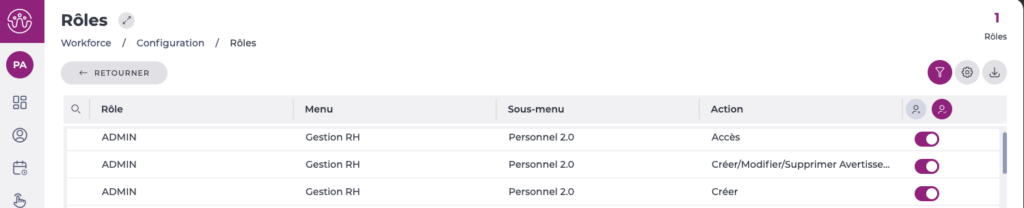
- Accès : Permet l'accès à l'écran et la visualisation depuis la grille. Lors de l'accès à un employé, seules les sections Contrôle de présence et Documentation sont visibles.
- Créer/Modifier/Supprimer des avertissements : Permet de gérer les avertissements de l'employé depuis la section Informations d'emploi.
- Créer : Permet d'ajouter de nouveaux employés dans l'effectif.
Gestion des données personnelles

- Modifier les données personnelles : Permet la visualisation et la modification de la section Données personnelles et de tous les champs disponibles selon la configuration de la fiche de l'employé.
Gestion des périodes de travail
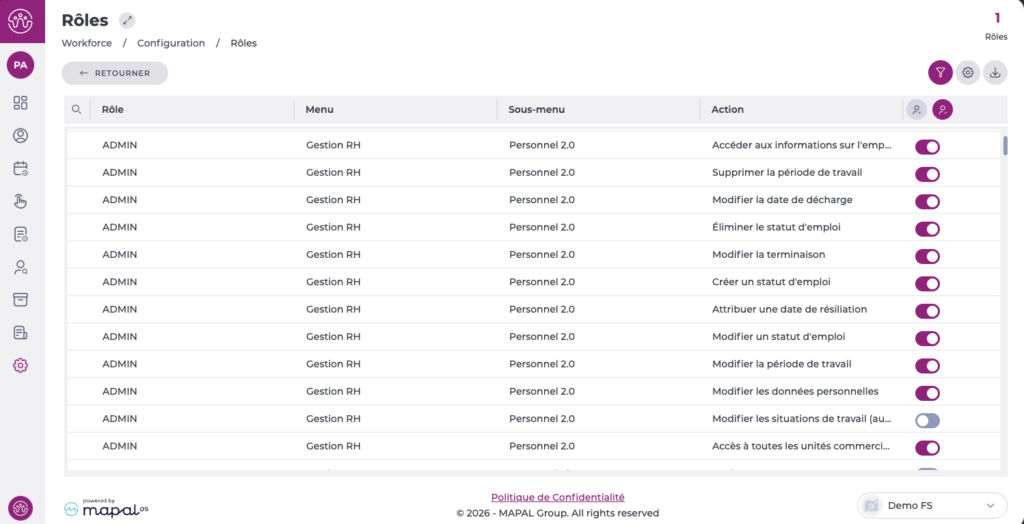
- Accéder aux informations sur l'employé : Permet la visualisation des informations d'emploi de l'employé, des périodes et des situations.
- Créer une période de travail : Permet la création de nouvelles périodes de travail.
- Modifier la période de travail : Doit être combiné avec les permissions de date d'embauche ou de fin de contrat pour que la modification soit possible.
- Supprimer la période de travail : Permet de supprimer des périodes de travail pour l'employé sélectionné.
- Modifier la date de décharge : Permet de modifier la date d'embauche de la période. Doit être combiné avec la permission Modifier une période de travail.
- Attribuer une date de résiliation : Permet d'indiquer une date de fin de contrat pour la période ainsi que le motif de la résiliation. Doit être combiné avec la permission Modifier une période de travail.
- Modifier la terminaison: Permet de modifier la date de fin de contrat de la période. Doit être combiné avec la permission Modifier une période de travail.
Gestion des situations d'emploi
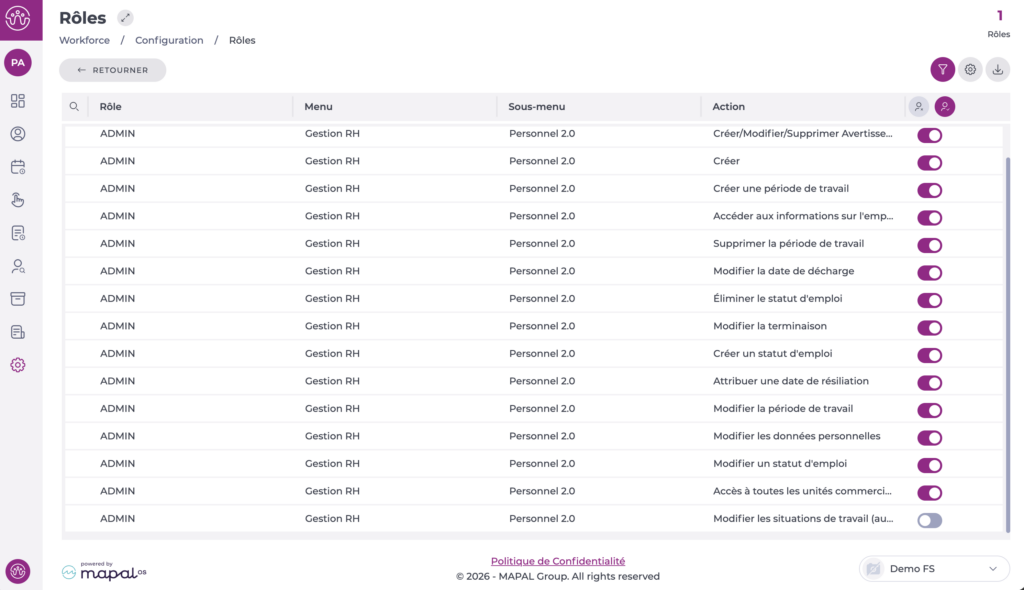
- Créer un statud d'emploi : Permet la création de nouvelles situations d'emploi. L'accès aux informations d'emploi doit être activé.
- Eliminer le statud d'emploi : Permet de supprimer des situations d'emploi pour l'employé sélectionné.
- Modifier une statud d'emploi : Permet de modifier les restrictions de travail dans la situation d'emploi sélectionnée.
- Modifier les situations de travail (permissions uniquement) : Permet de modifier toutes les données relatives à la situation d'emploi. Dans ce cas, pour un contrôle total des modifications, la permission doit être désactivée.
Gestion du contrôle de présence
- Accès à toutes les unités opérationnelles pour l'attribution des pointages : Permet d'attribuer des centres aux employés pour pointer, même si l'utilisateur ne dispose pas de la permission de visualisation de tous les centres.