Correct negative stock
Negative stock is generally caused by an inconsistency between stock incomings and outgoings: for example, outgoings have been recorded while the corresponding incomings have not yet been recorded in the application.
Start from: The Easilys menu
How can negative stock occur?
Case 1: Duplicate outgoings recorded
Example
You want to record an outgoing of Boisson jus de pomme bio on 03/12/2023, but you carry out the operation late, on 04/12/2023. You record the outgoing, then realise that the date is incorrect.
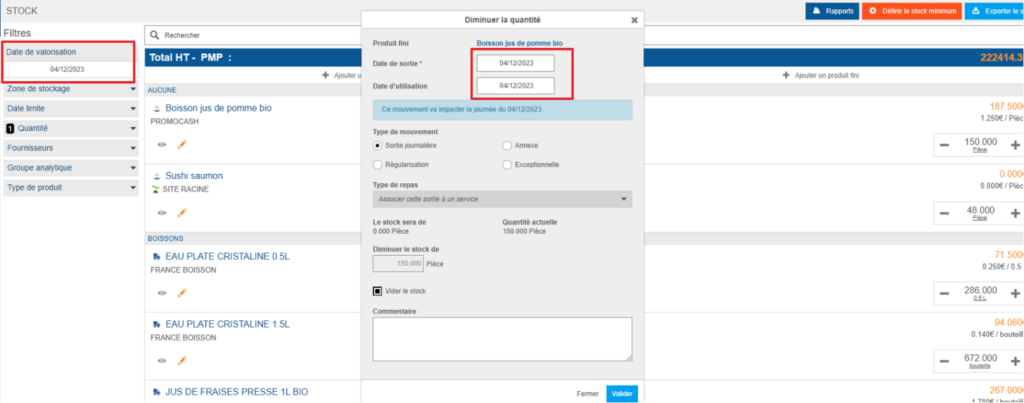
You record the outgoing again, this time setting the valuation date to 03/12/2023. The product Boisson jus de pomme bio is offered to you again, because the application does not take into account future outgoings already entered when the valuation date is modified. It is therefore possible to record an outgoing for the same product a second time.
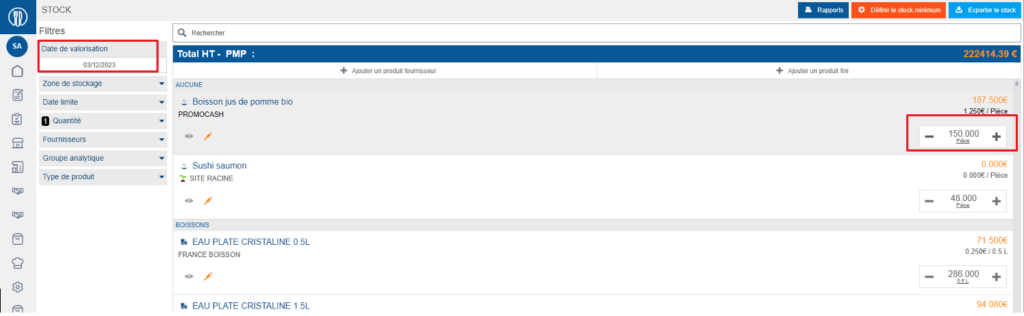
This is incorrect, because one outgoing too many is recorded. The outgoing made in error on 04/12/2023 should have been deleted, and the outgoing then recreated correctly on 03/12/2023.
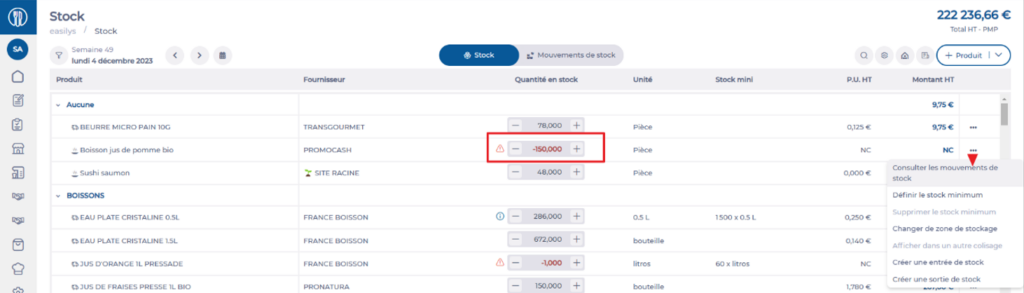
The previous version of the stock screen did not highlight this type of inconsistency, because the quantity calculation stopped at 0. The Stock V2 screen now displays these discrepancies so that they can be corrected.
Correct the error
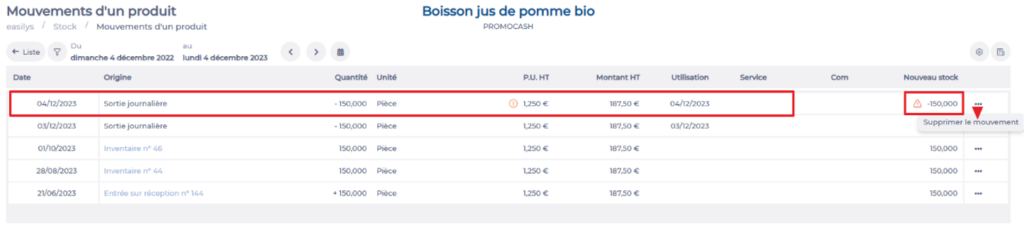
- Consult the product in Stock > Stock V2. In this example, the product Boisson jus de pomme bio shows a stock of -150.
- Consult the stock movements to identify the extra outgoing.
- Delete the outgoing concerned.
Case 2: Reception modified after an outgoing has been recorded
Example
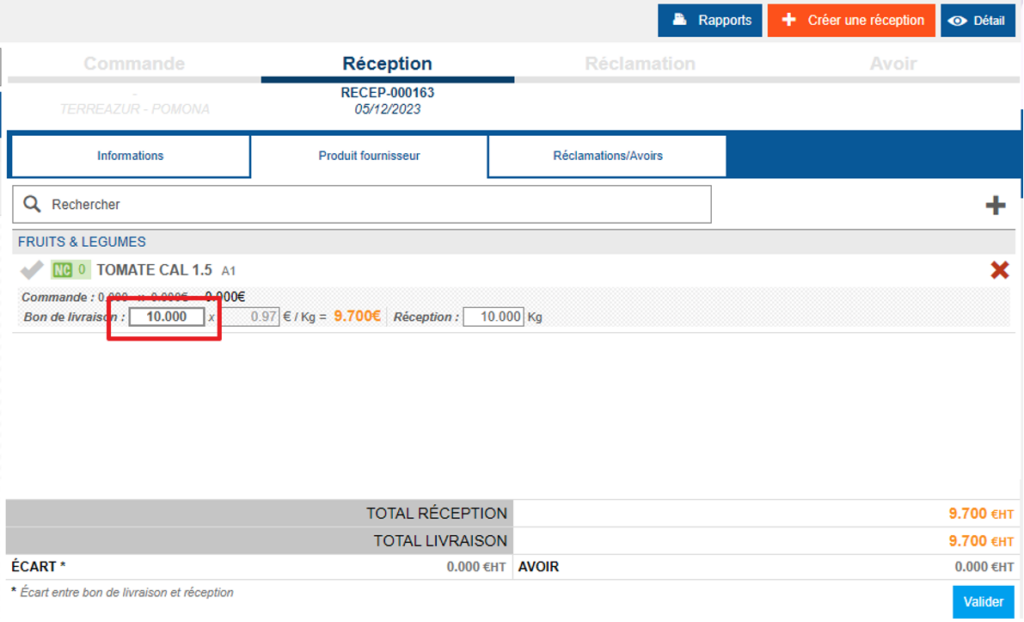
You record an incoming of 10 kilos of tomatoes.
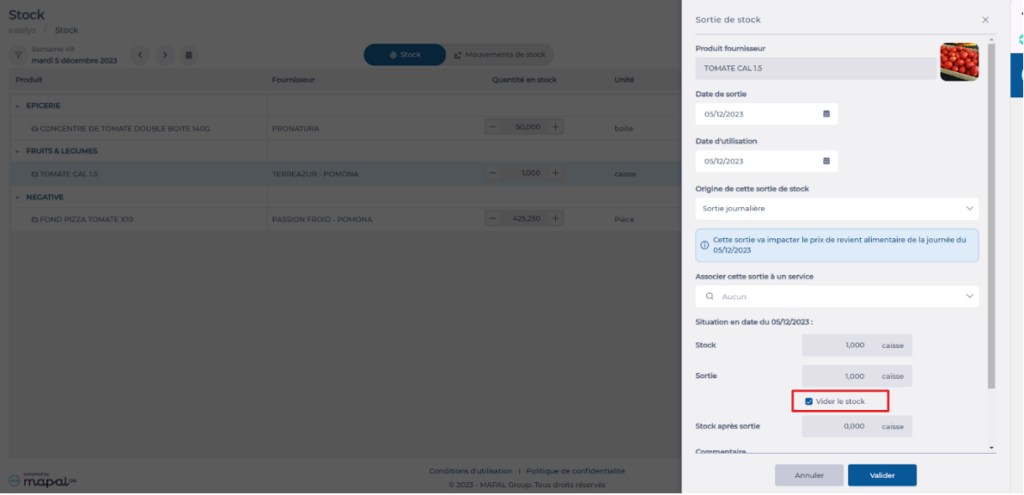
You then go to the stock to record an outgoing using the Empty stock action.
You subsequently realise that you did not receive 10 kilos, but only 8 kilos. You reopen the reception to correct the quantity, but without deleting the stock outgoing already recorded.
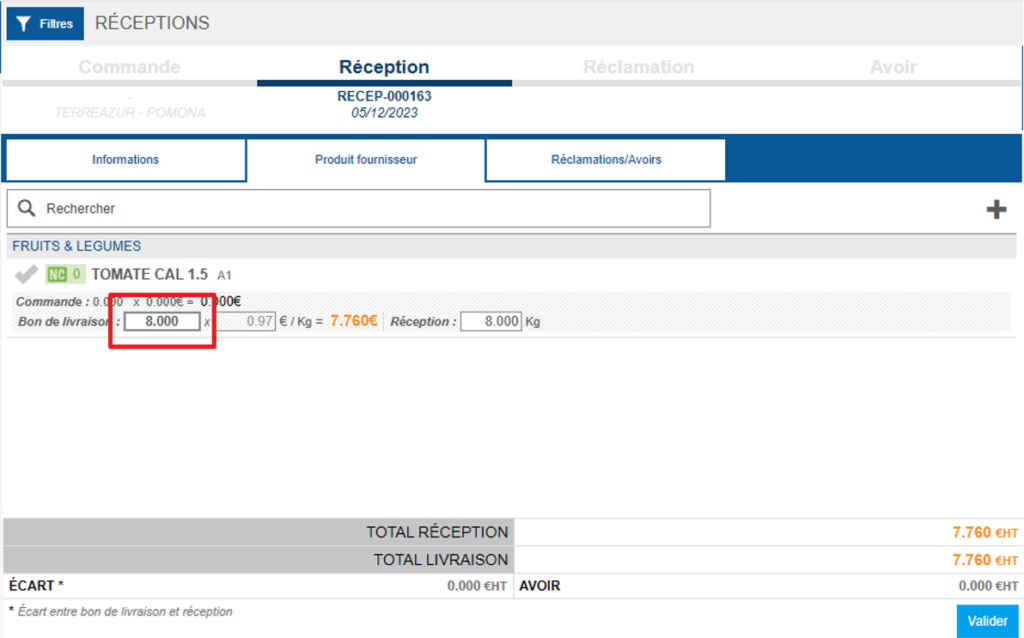
The stock therefore retains an outgoing of 10 kilos (here stored in cartons), while the reception now contains only 8 kilos, which generates a negative stock of -2 kilos.

Correct the error
- Delete the stock outgoing concerned, in the same way as in the first example.
- Recreate the outgoing with the correct quantity.