Select the Company > Suggestion Box from the main menu.
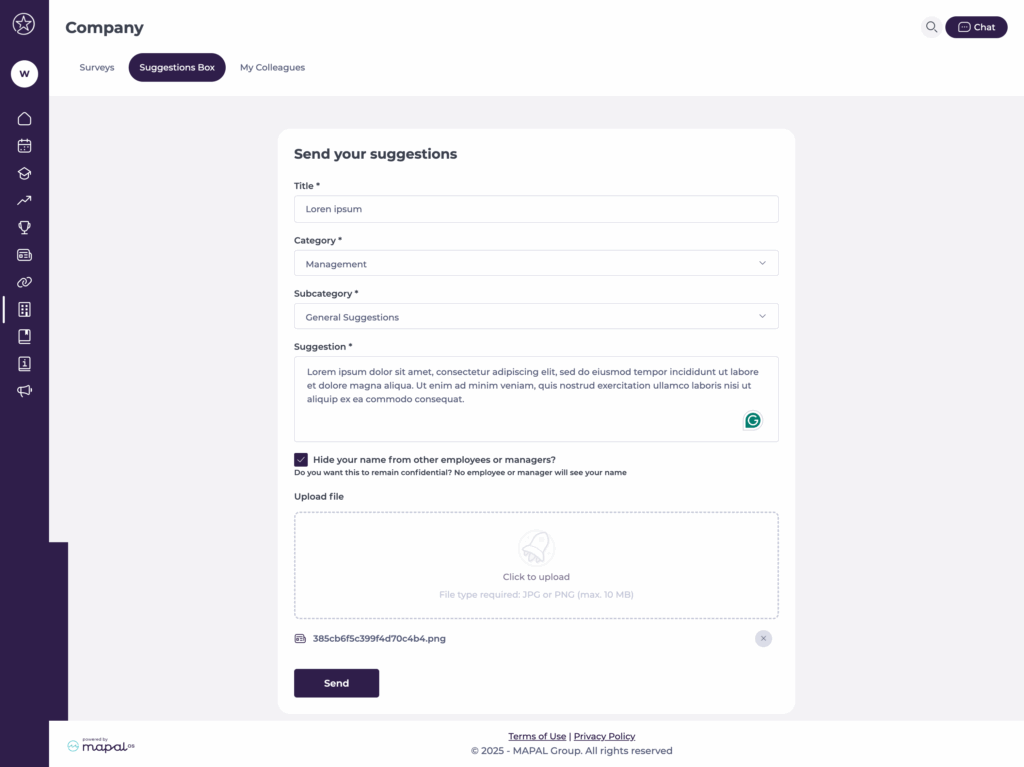
You will now see a form with all the fields necessary to submit your suggestion.
Send a suggestion
Assign a Title to your suggestion.
Choose the relevant Category and Subcategory based on the topic or department.
Enter your Suggestion in the provided field.
If desired, select the option Hide your name from other employees or managers? to submit anonymously.
You can use the Upload file field to attach documents, images, or supporting materials to your suggestion.
Supported file types:
Images: JPG, PNG
Documents:PDF, Word (.doc / .docx)
Spreadsheets: Excel (.xls / .xlsx)
Data files: CSV (.csv)
File size limit: Each file must not exceed 10 MB. Note: If you try to upload an unsupported file type or a file that exceeds the size limit, an error message will appear indicating that the file cannot be uploaded.
Select Send to submit the suggestion.
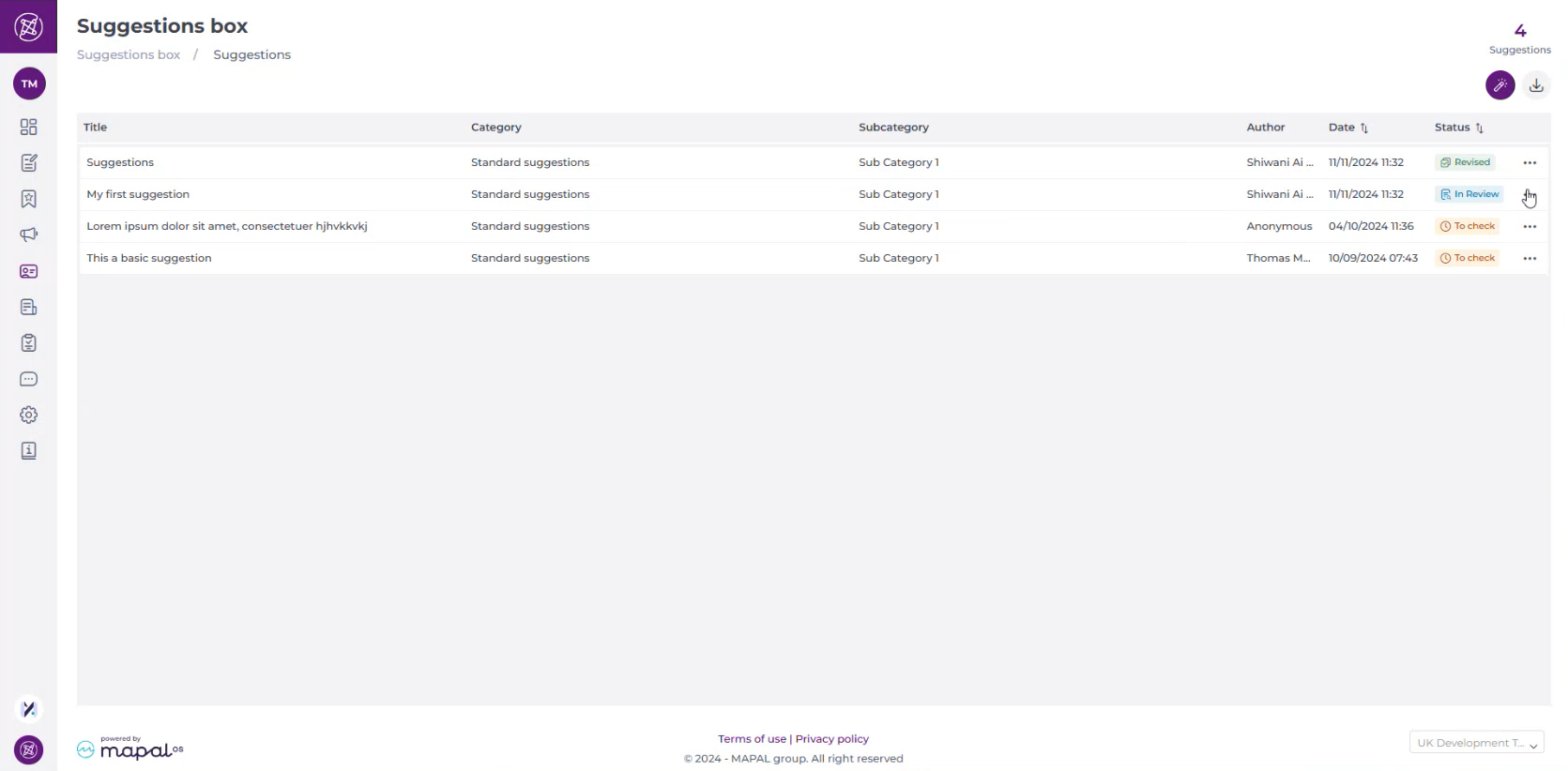
Once submitted, suggestions are reviewed by the appropriate managers. Employees may receive notifications acknowledging their submission and providing updates on any actions taken.
Create suggestion boxes
Start from: The Engagement Dashboard.
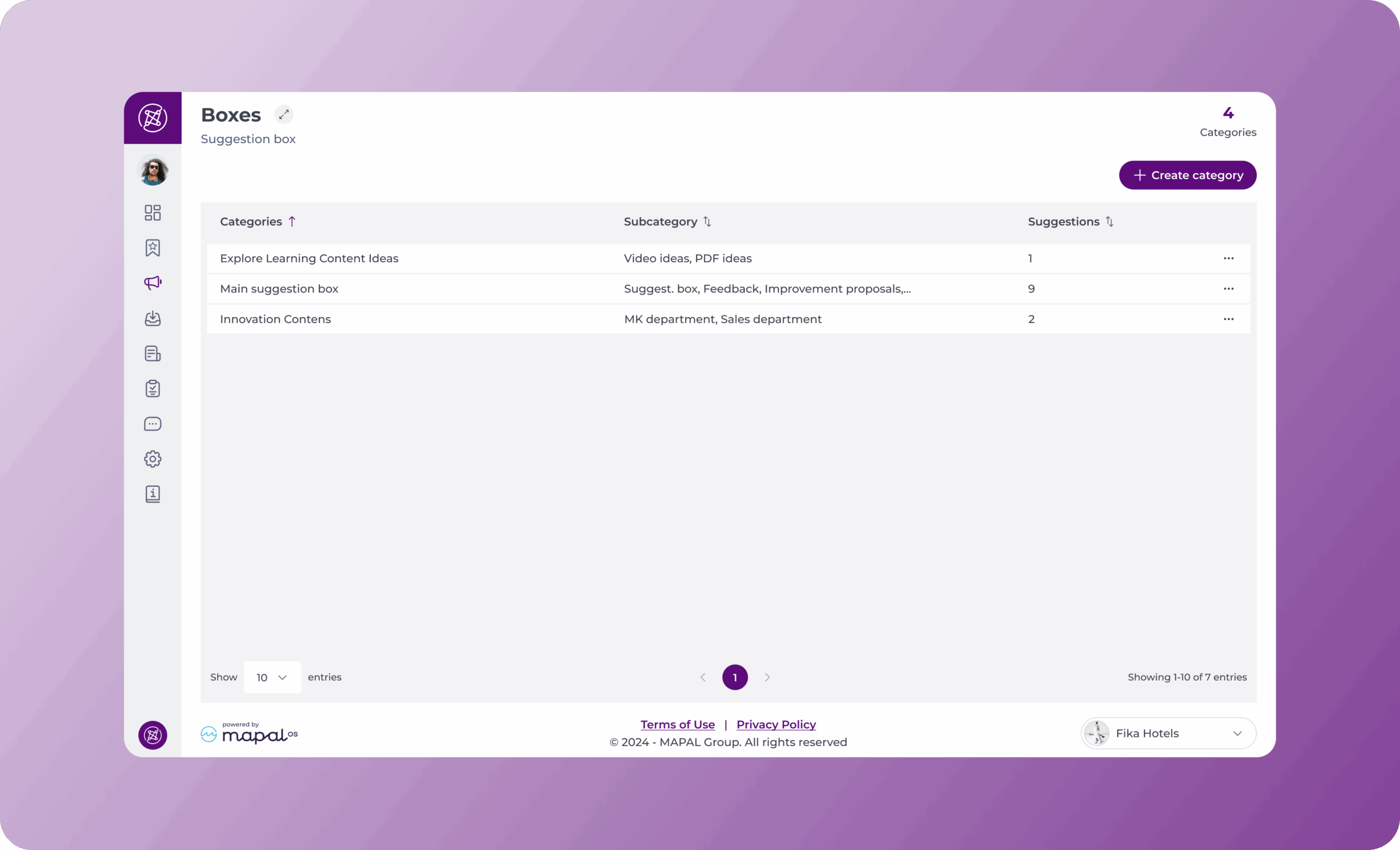
Navigate to Suggestions Box > Boxes.
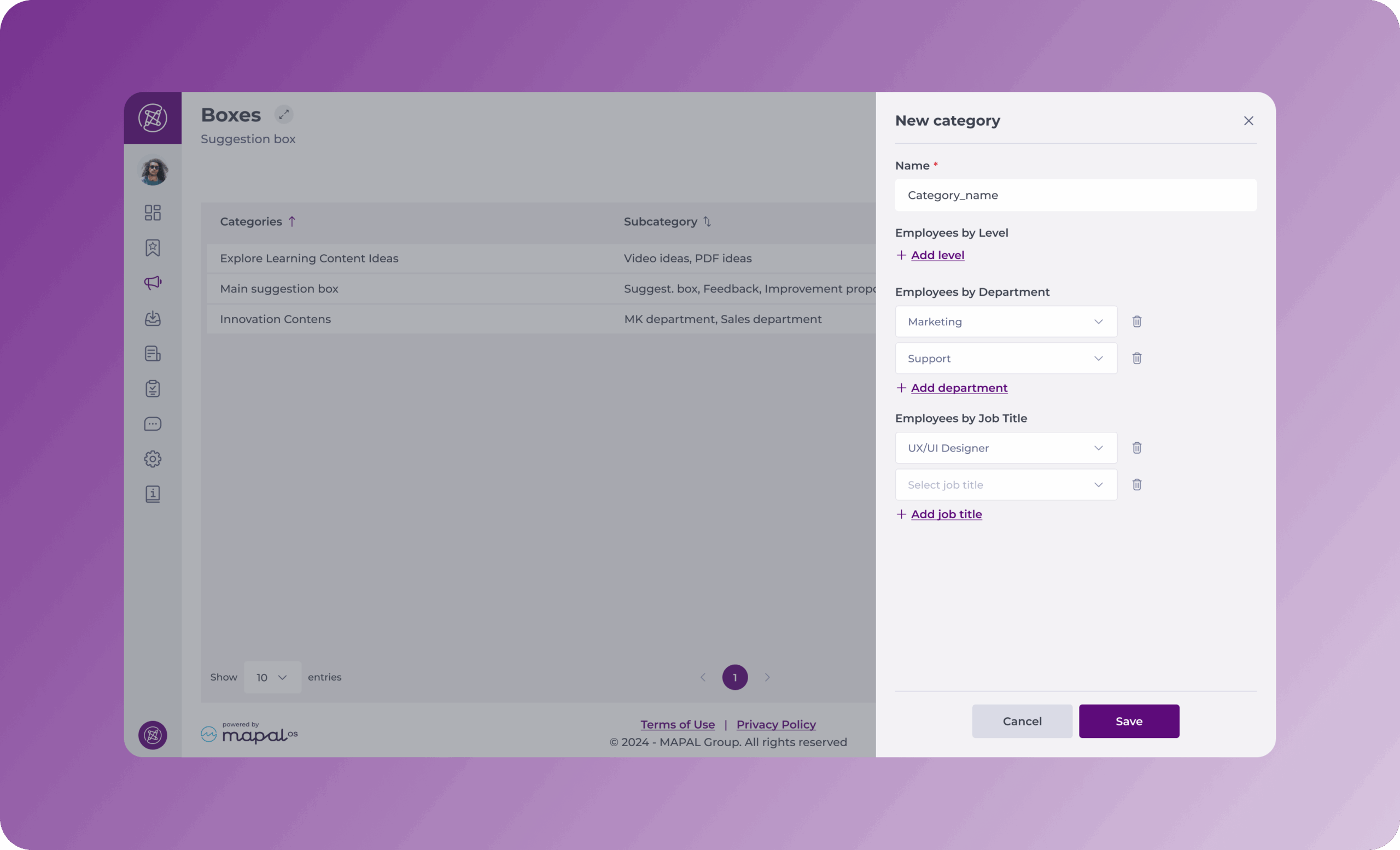
Select Create category.
Complete the two following sections:
1. Which employees can view the category?
Choose the employees by levels/department/job using the dropdown menus.
2. Name
Enter a name for your box category.
Select Save.
Add a subcategory to a box category
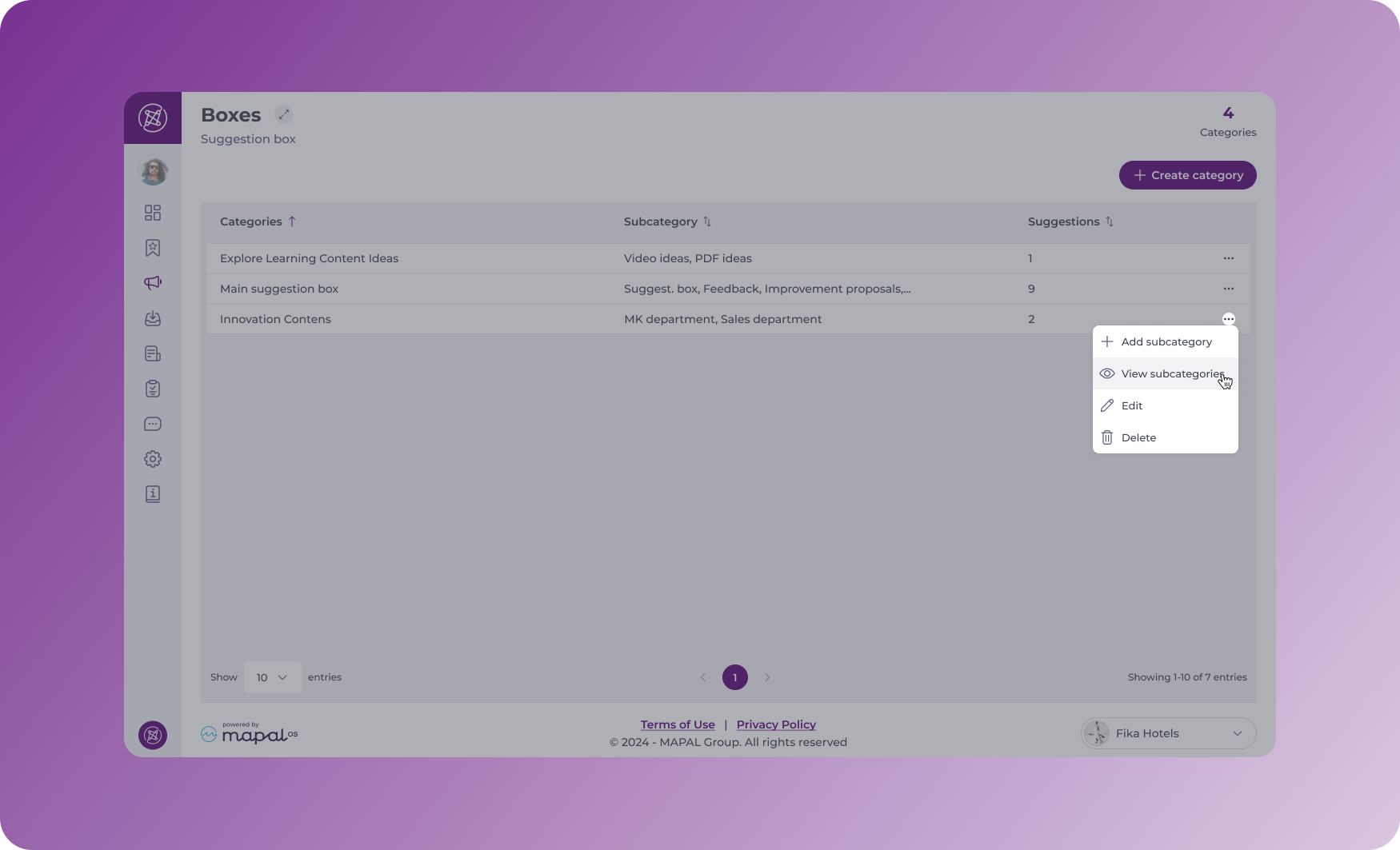
Select the three dots next to the Category you wish to add the subcategory to.
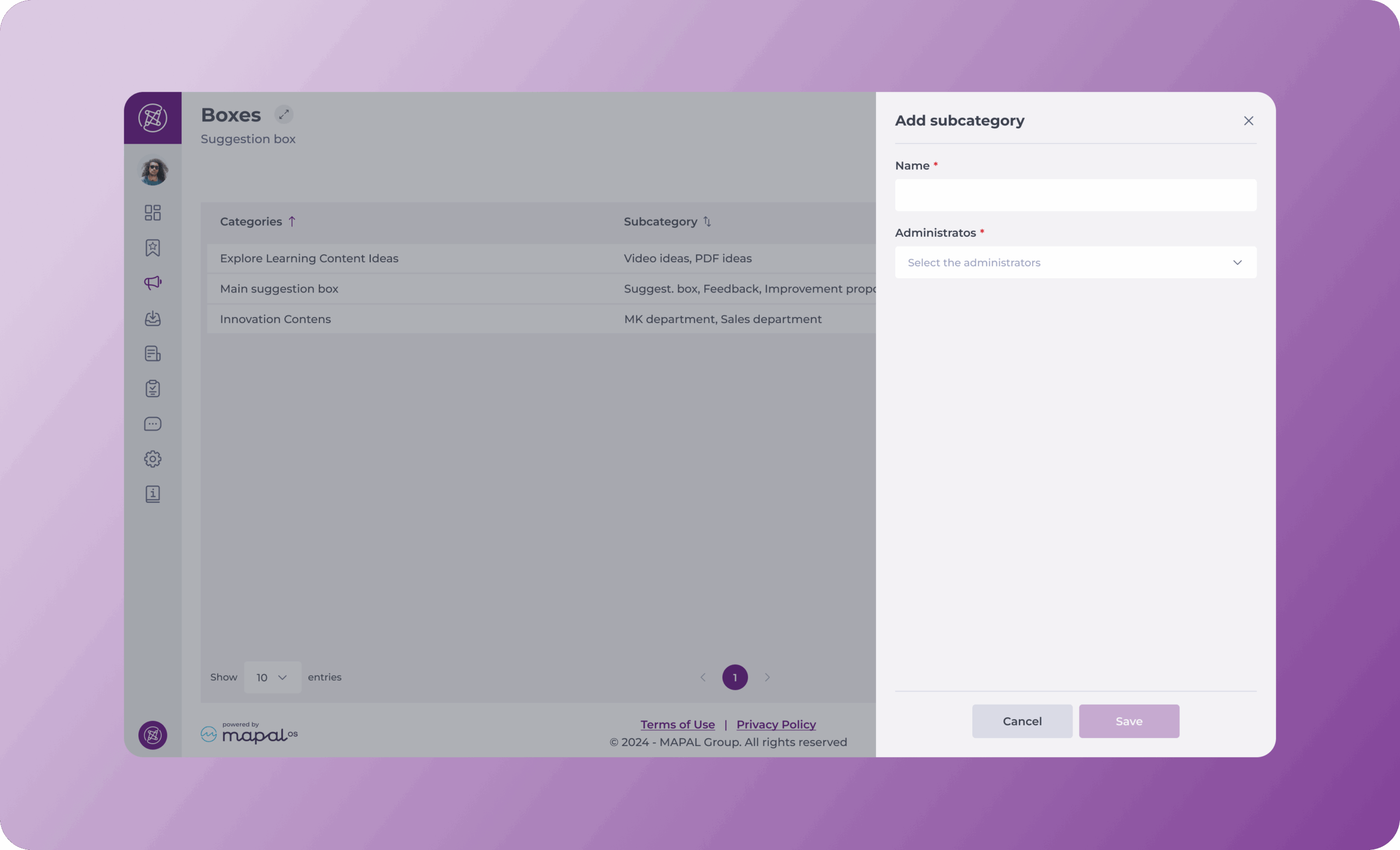
Select Add subcategory.
Complete the fields in the pop-up form that appears.
Enter a name for the subcategory.
Select a manager to manage this subcategory in the Administrators.
Note: Only Administrators will be able to view the suggestions made by users.
Create a suggestion
Suggestion boxes are created and managed through Engagement, but employees can submit their suggestions directly in Mapal One under Company > Suggestion Box.
Note: only designated administrators per subcategory can see suggestions received in those boxes. When a user shares a suggestion, administrators will be notified by email, so they can consult the suggestion.