Start from: The Easilys menu.
- Select the Equipment > Equipment tabs.
- Select Create available at the top right of the screen.

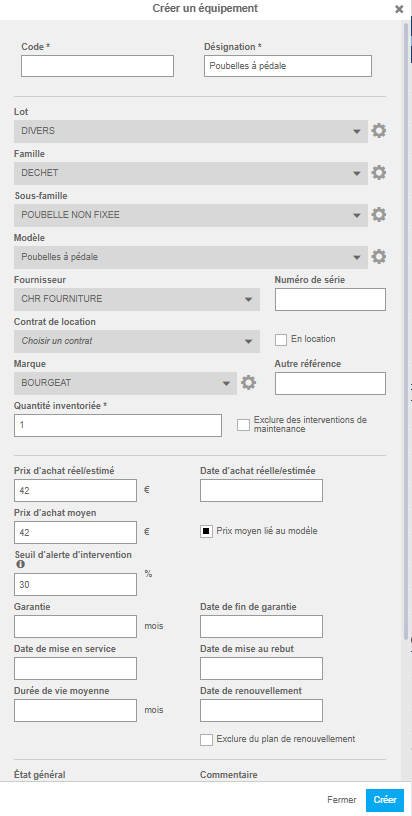
The "Create equipment" window then appears on the screen.
- Complete the requested information. Those followed by a * are mandatory to be able to create the equipment record.
- Optional: Create a batch, family, sub-family and model by selecting the gear wheel as needed.
- Select Create at the bottom right of the window.
The equipment record is now available in the left part of the "Equipment" screen.
By selecting it, the details are displayed on the right.
- Additional information can then be added such as the equipment photograph.
Note: Refer to article Add a visual to the equipment record for more information on adding an image to the equipment record.