


Start from: The Reputation dashboard.
Benchmark Groups
Benchmark groups are a crucial tool for comparing performance across different centres. By organizing centres into benchmark groups, businesses can set specific comparison standards and track performance trends over time.
This feature allows for tailored analysis, helping to identify strengths and areas for improvement at a more granular level. Benchmarking within groups provides insights that support strategic planning and operational optimization.
Creating a Benchmark Group
- Navigate to Configuration > Online > Benchmark Groups.
- Select + New.
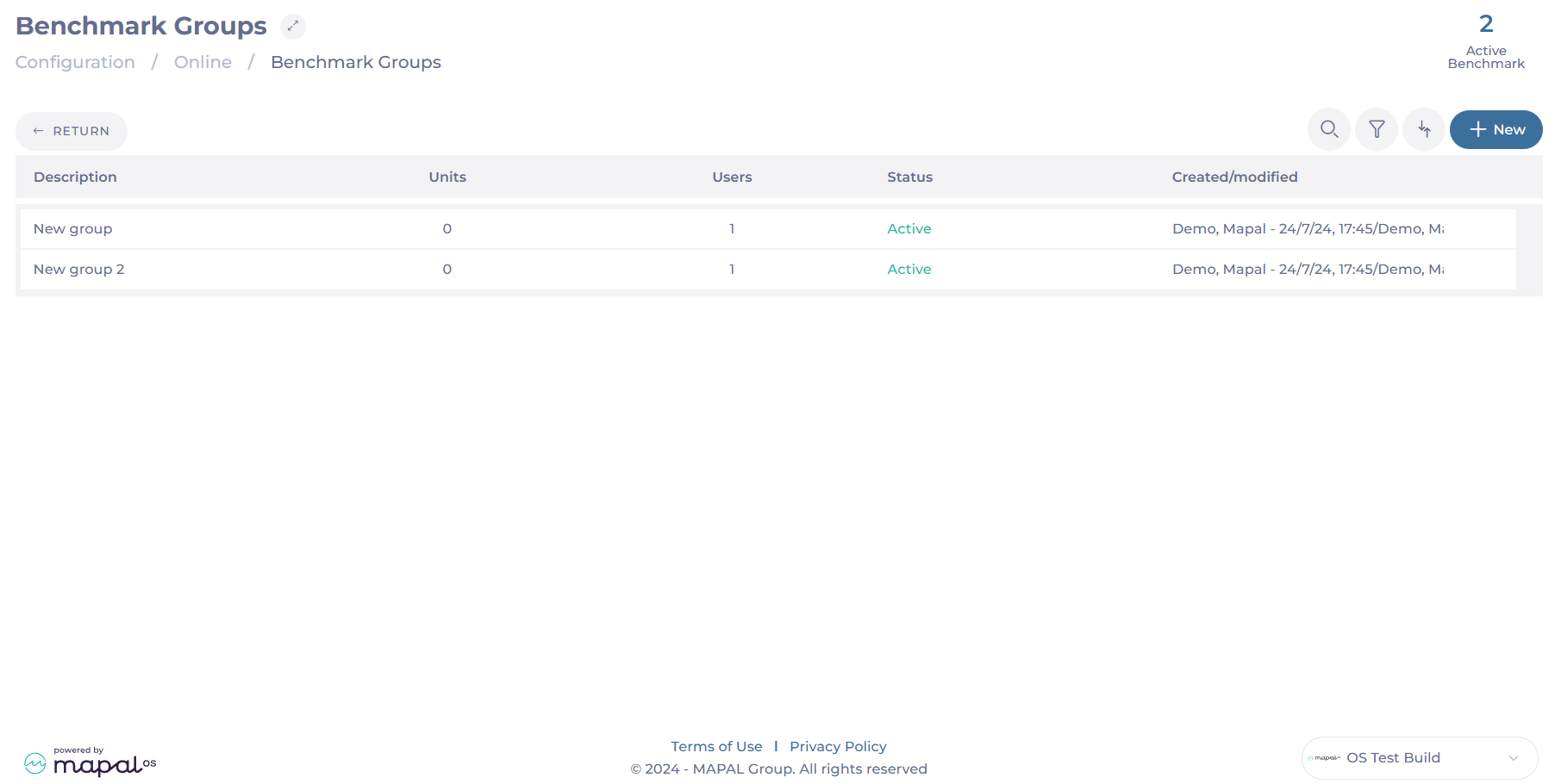
- Enter the name for the new group in the Description field.
- Open the Selection of Centers tool and select the Units to include in this group.
Notes: To select multiple centres, hold down the CTRL button while clicking on the desired centres.
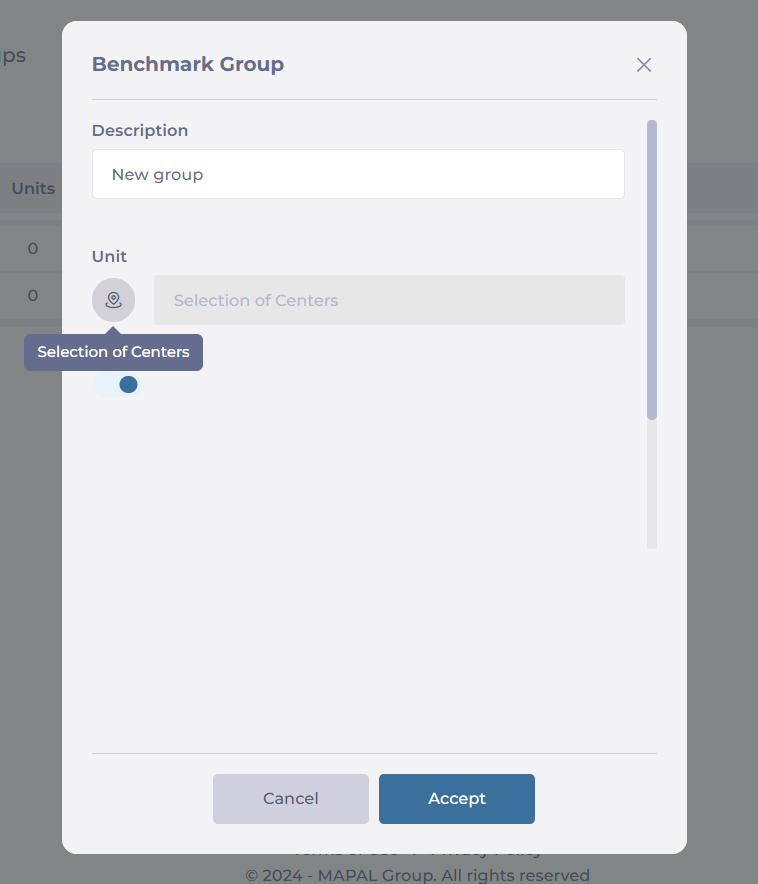
- Select Accept to save the new benchmark group.
Keep in mind that you can create multiple benchmark groups to compare different sets of centres. This flexibility supports various comparison needs, such as by region, performance level, or centre type.
Once created, these benchmark groups can be used throughout the platform for analysis, enabling tailored performance tracking, as shown below:

