


Start from: The Analytics dashboard
-
Navigate to Configuration > Exchange Rates.

-
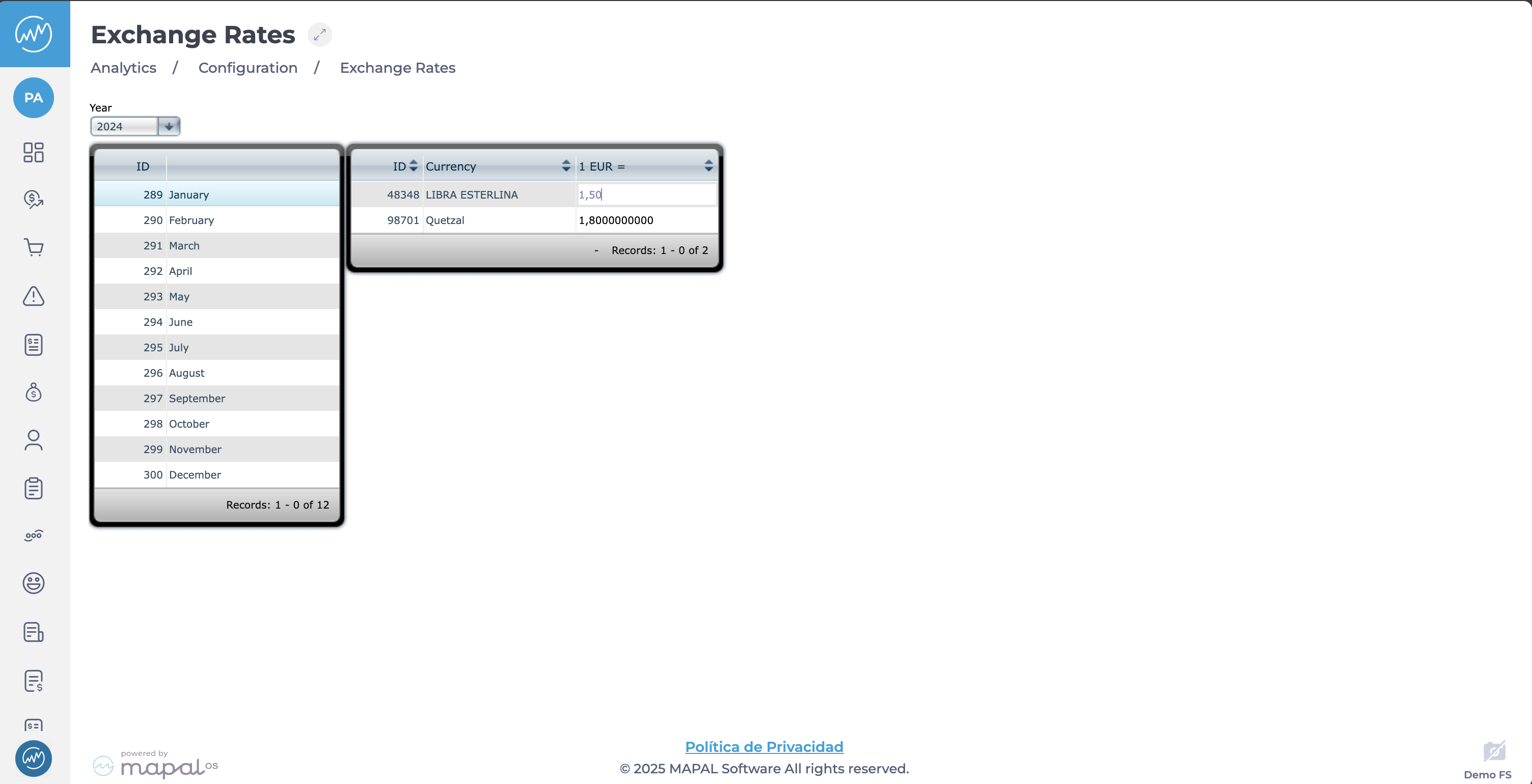
Here, you will see two tables: one for the months in the year, the other for currencies.
-
Use the Year selector to choose the year for which you want to review or update exchange rates.
-
Select a month from the list to see the exchange rate recorded for each period.
Manage currencies
-
Select a specific month from the table.
-
In the currency table, each row represents a currency pair, typically using the Euro (EUR) or another base currency.
-
Under the base currency column (1 EUR), enter or adjust the conversion rate of that currency for the selected month.

Note: This rate determines how values are converted from one currency to another in your reports and financial data.
