


Start from: The Mapal One dashboard.
- Select Time & Attendance from the main menu.
The Time & Attendance interface shows three key sections that allow you to mark and track your worked time easily:
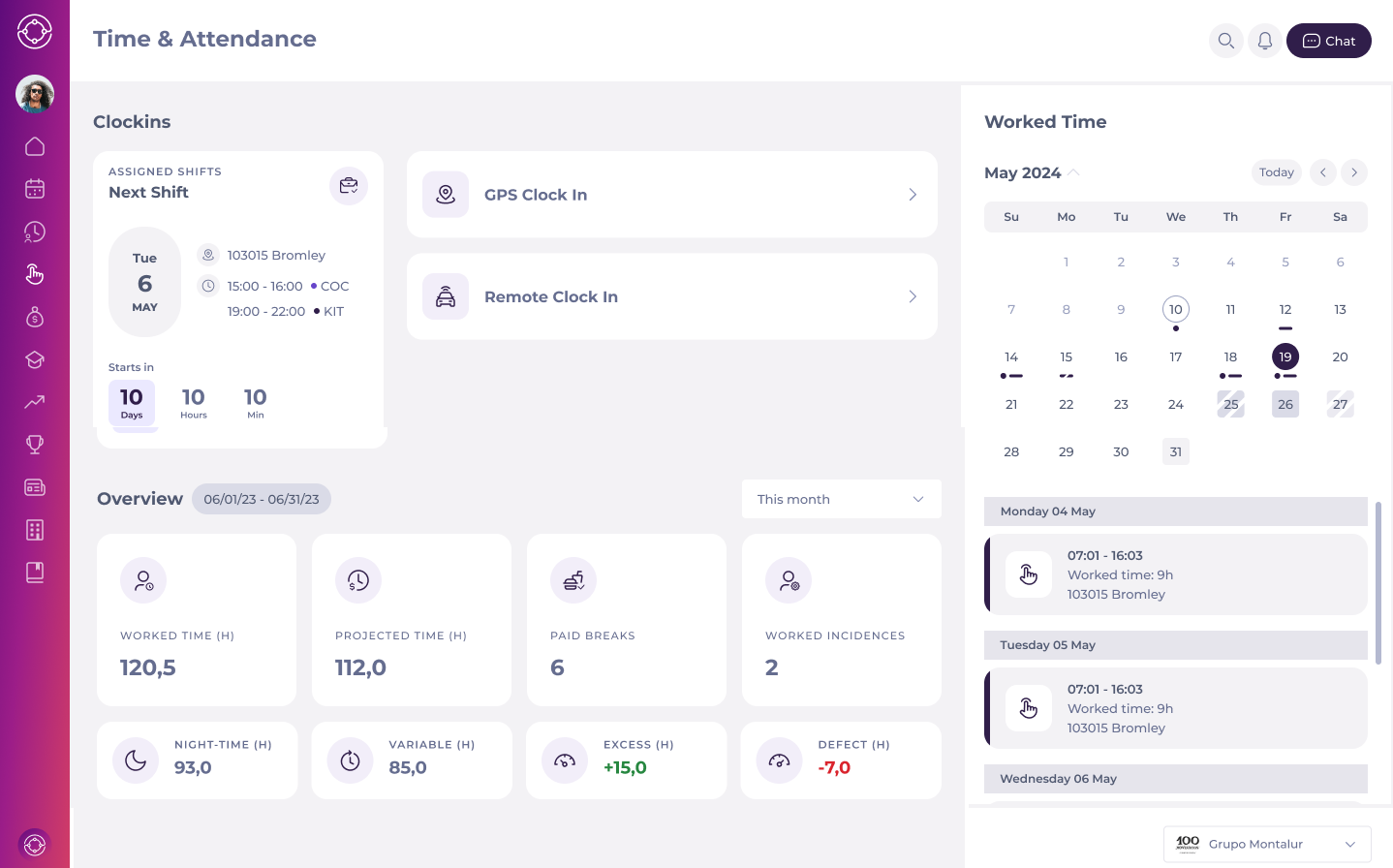
- Clock-ins: This section offers you options for GPS, QR, and remote clock-in methods. You can also monitor and adjust clock-ins and time records in real-time.
- Overview: Detailed view of overall worked time, projected time, paid breaks, and incidences during a certain period of time. This overview also shows specific types of hours such as night-time and variable hours.
- Productivity: Calendar view to log time and monitor productivity over time.
