


Start from: The Mapal One Dashboard.
- Select Career in the Main Menu.
- Select the Goals section.
On the Goals homepage, you should see three panels: Awaiting sign off, Goals in progress and Completed.
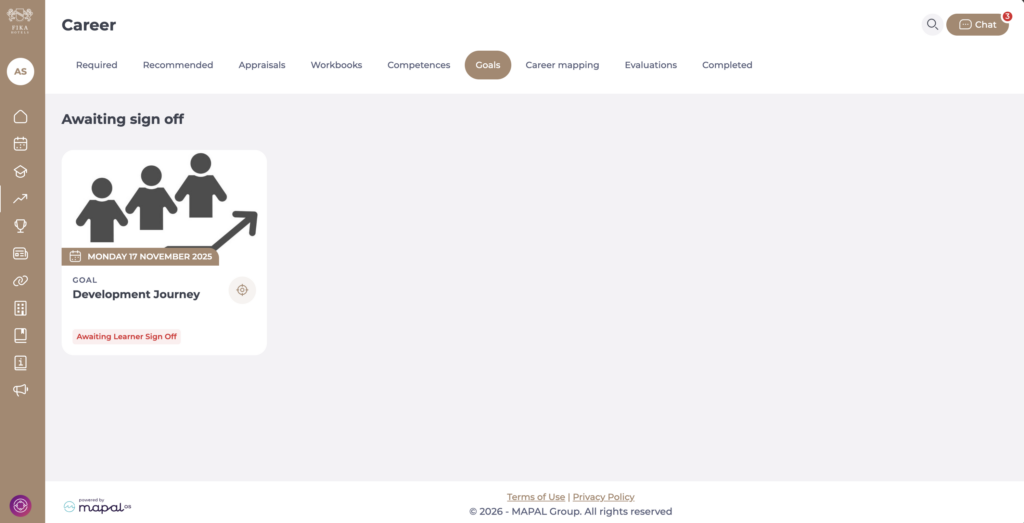
Awaiting sign off
Here, you can add objectives and tasks and update the weighting given to each, to ensure it is suitable for your progress.
Note: Both learner and manager will need to sign off on this stage, to move on to the progress stage. This applies to standard goals. Flexible goals do not require sign off and can be edited continuously.
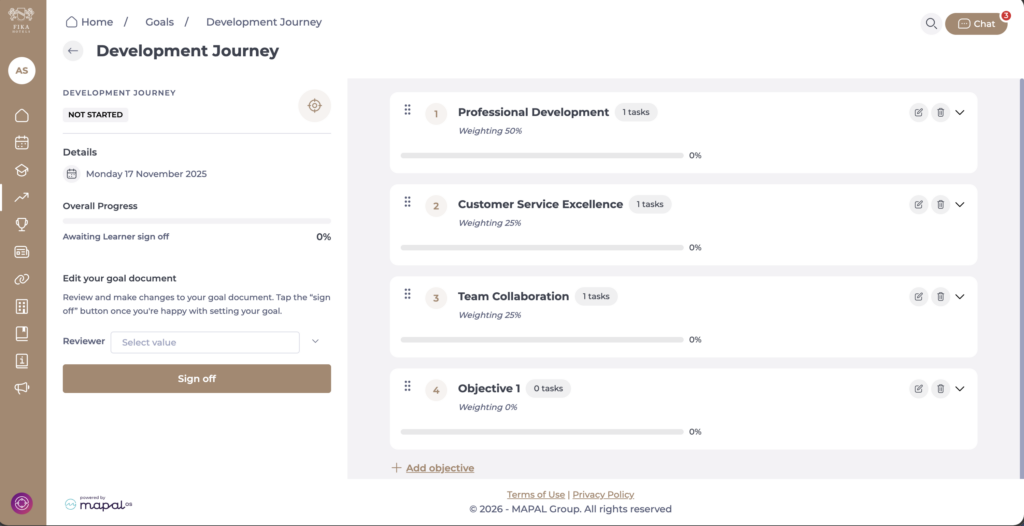
Goals in progress
Here, you can update the progress made within each task and work to achieve the complete percentages by the end of the check ins. You can also update your reviewer in this progress state, depending on the objective within a certain check in.
Note: For flexible goals, you can update objectives, tasks and progress at the same time, without locking or sign off, allowing you to refine your goals throughout the process.
Completed goals
Here, you will see all goals that have been marked as complete.
