


Start from: The Mapal OS Dashboard.
- Select the Configuration tool.
You will now have access to the Configuration Dashboard.
Note: Users with access to maintain Business Units Groups can access them via the menu.
- Select Business Management > Business Units Groups.
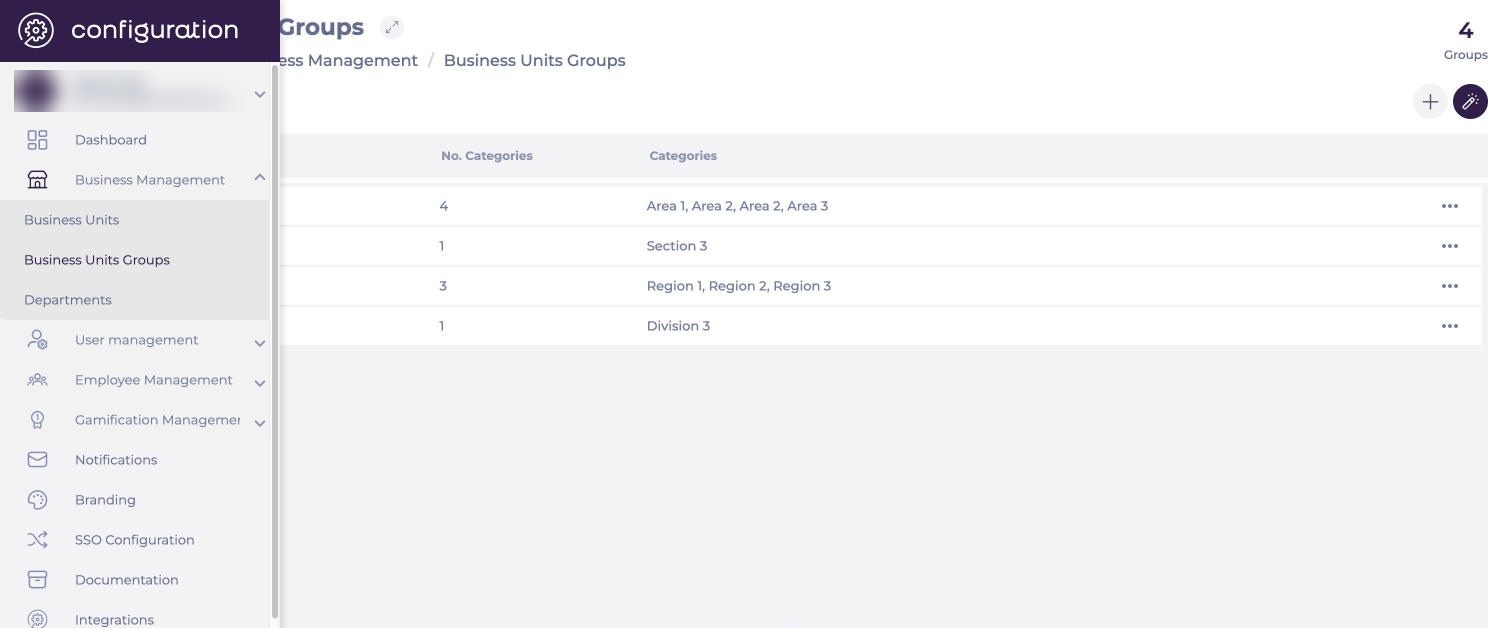
Adding a business unit group
- Select Add (the + icon).
A New Business Units Groups pop-up window appears:
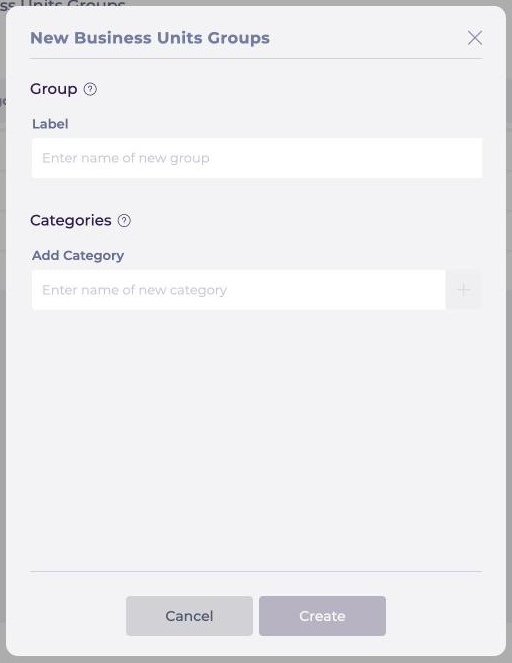
- Name the group (Label).
- Add the categories that should be linked to that group (Add Category).
- Select Create.
Note: Business unit groups can be assigned to Business Units for users who can also maintain Business Units.
Permission details
- Users with access to view Business Units Groups can open existing groups but cannot edit them.
- Users with no access to Business Units Groups cannot view or maintain business unit groups.
Business unit groups in Flow Learning
To ensure business unit groups sync correctly with Flow Learning, managers must use specific labels. The following labels are recognised and supported in Flow:
- Region.
- Area.
- Division.
- Section.
