


Start from: The Mapal Manager dashboard.
- Navigate to Shift Finder.
- Select an existing shift request from the list.
Note: Loading a request does not change its status.
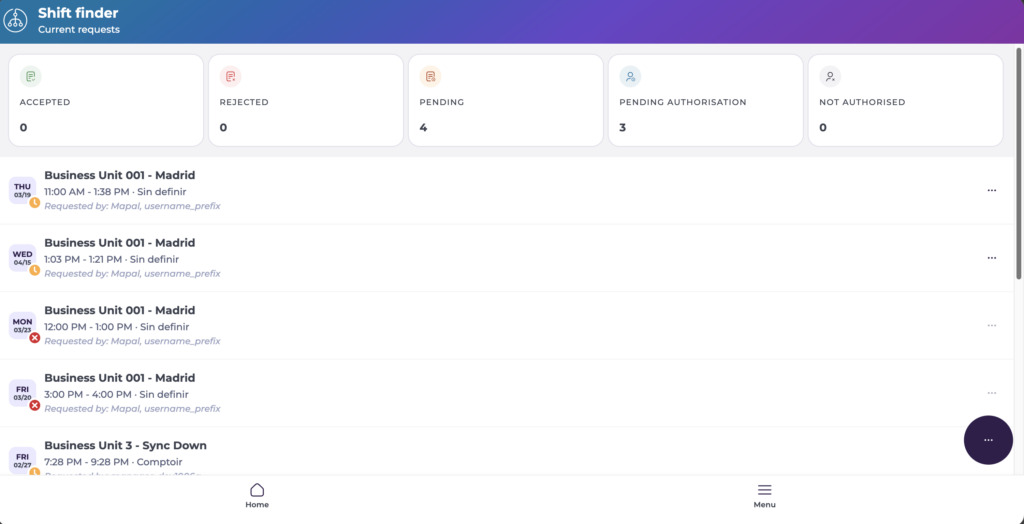
What the Request Detail view shows
Each request displays the following information:
- Business unit
- Business Day
- Shift time
- Expiration
- Requested by
- Authorised/Unauthorised by
- Status
- Comments
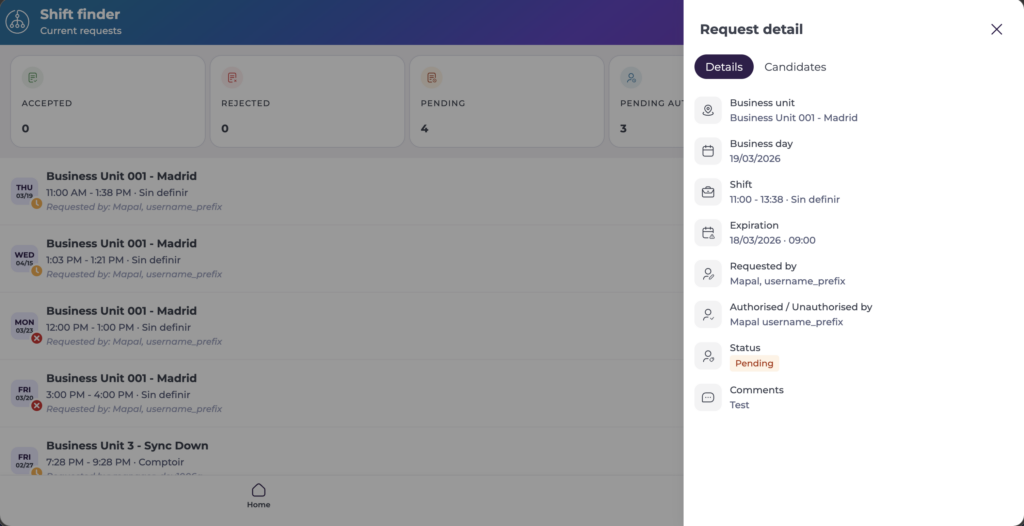
Review candidates
- Select the Candidates tab.
- Review the list of eligible employees for the shift, including their availability and suitability. The tab header shows the number of candidates selected so far against the total number of candidates available.
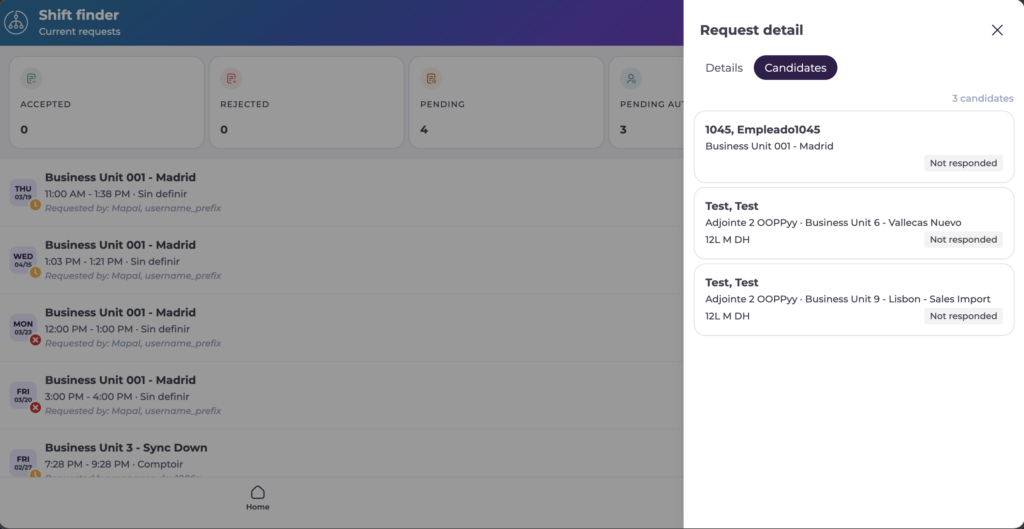
Available actions
From the Request Detail view, you can take the following actions on a request:
- Select Approve to authorise the request.
- Select Reject to decline the request. A reason may be required.
- Select Delete to remove the request entirely.
The status updates immediately and is reflected in the Shift Finder list. Accepted or rejected requests may move to the historic view.
Note: Available actions are permission-controlled and may not be available to all users. Changes made from the Request Detail view may also update related Workforce modules such as ROTAs.
