


Start from: The Mapal One dashboard.
Find Workbooks
- Select Career > Workbooks from the main menu.
- You will now see the Workbooks assigned on screen.
Note: you can also find Workbooks in the Required and Recommended sections of Career.

Access and complete a Workbook
- Select the specific Workbook tile you want to work on.
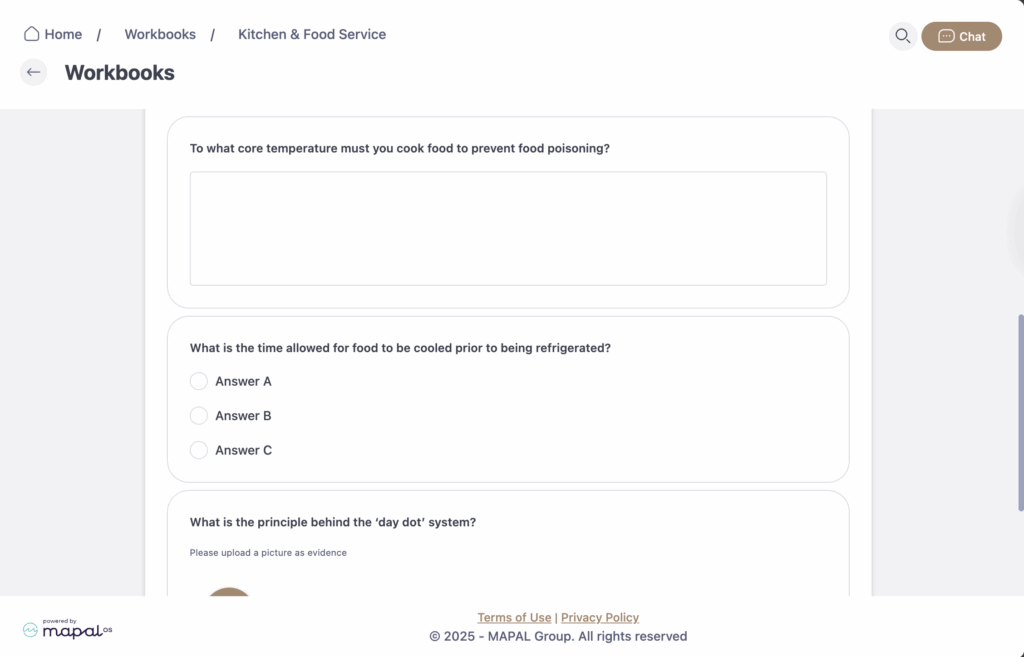
- The Workbook details will appear on screen. Each Workbook is structured into categories and questions:
- Categories: These are the main blocks or sections that organise the Workbook.

- Questions: Assigned to categories and can be of different types:
- Text: free-text answers.
- Select: choose from multiple predefined options.
- File/Image: upload your own files and images for review.
- Workbooks may also include documents, images, videos, or external links to support learning.
- Once you finish the activity, select Save progress to update your progress and continue to other activities.
