


Start from: The Mapal One Dashboard.
- Select Career > Competences in the main menu.
- Select the Competence you wish to view (for example, 'Leadership') and give a rating out of five stars.
- Optionally, enter a Comment in the text field to explain your rating or provide additional context. A live counter displays the remaining characters available (maximum 500 characters).
- If document uploads are enabled for this competence, select Upload to attach supporting evidence such as a video recording or step-by-step document showing how you achieved the competence.
- Select Submit.
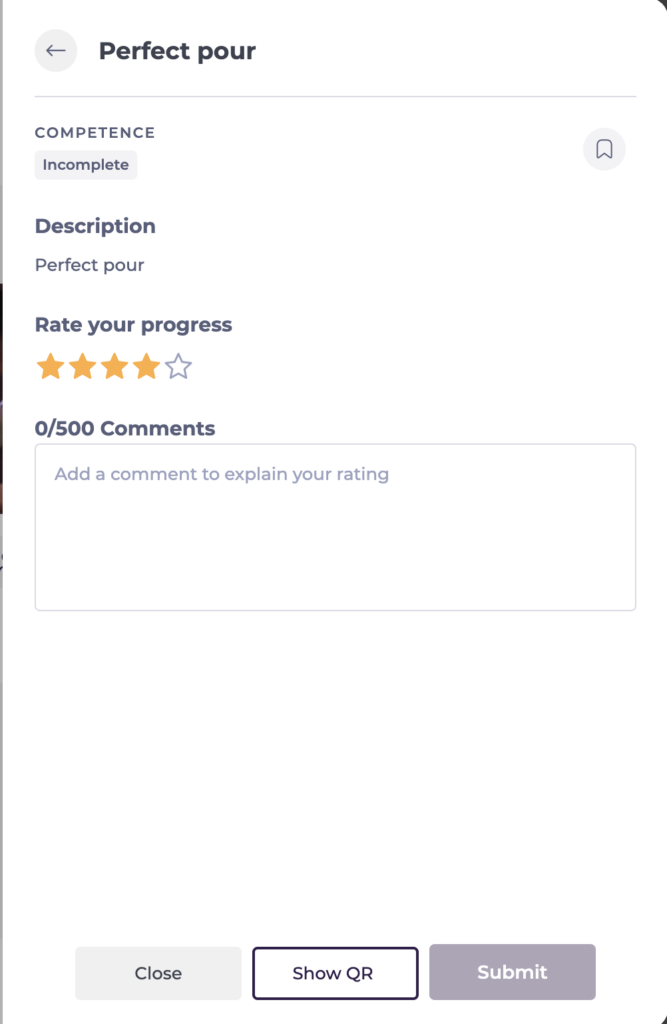
Once submitted, your rating, notes, and any uploaded documents will be visible to your manager when they Mark and rate your competence.
