


- Sync time between OS and Flow Learning
- Managing users
- User profiles
- Job Titles & Departments
- Troubleshooting with Feed Logs
- Similar records
Sync time between OS and Flow Learning
Managing users
User profiles
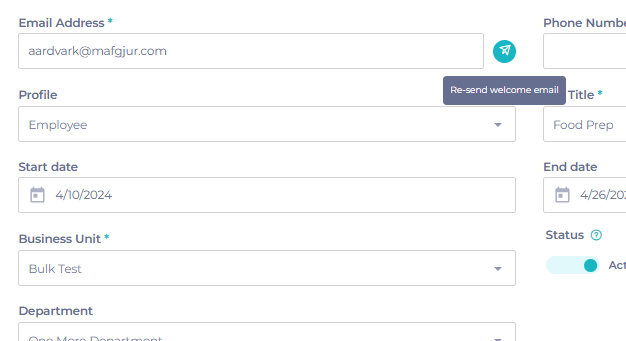
User profileswill already be setup for you when you first access the system. These pre-loaded user profiles should be configured to match the variety of permissions your users currently enjoy. Initially, all your users will be given"employee" status, with Mapal One access.
Training manager job titles
The Training Manager job titles feature in Flow allows learners to be automatically promoted to training managers if they are assigned a relevant job title (configured within Company > User Settings).
For OS source customers, this feature remains available in Flow, but users are not automatically updated with the relevant profile in Mapal OS.
Job Titles & Departments
Follow these guides to add new job titles and departments:
Note: Job titles and/or departments must match exactly with what is set up in your HR/Payroll system. This includes capitalisation and spacing to ensure accurate syncing.
Troubleshooting with Feed Logs
- Navigate to User management > Feed Logs.
Note: the job titles and/or departments should match exactly between HR/Payroll system and Mapal - this includes capital letters and spacing.
Common errors from Feed Logs
- Employee with external Identifier {external ID} not processed, Job Title with name {Job Title} does not exist - this indicates that the Job Title does not exist on your platform and is preventing successful import. Job Titles can be managed via Business Management > Job Titles
- Unable to add user to Department, Department with name {Department} does not exist - this indicates that the Department does not exist on your platform and this information is missing from the imported record. Departments can be managed via Business Management > Departments
- Unable to add user to Business Unit, Business Unit with Feed id {Business Unit Feed ID} does not exist - this indicates that the Business Unit identifier is incorrect. These can be managed via Business Management > Business Units.
- Employee with external Identifier {External Identifier} not processed. Another Employee is already assigned to the same User - this indicates that there is an existing employee/user record on the system with this external ID. The external ID can be updated for the existing record by going to Employees Management > Employees and updating the external ID field.
- Duplicate key error - appears when we receive a new employee record with the same email address as an existing one on the platform (active/linked to a user).
Similar records
There are a few things to bear in mind when it comes to importing similar records:
- External IDs should be unique for every employee. If two employees are imported with the same external ID, you will find one employee record set up on Mapal - in other words, the first record will be overwritten with the second.
- A new employee record with the same email address as an existing record will import - providing that the original user record has previously been deactivated.
Note: External IDs are controlled by 3rd party systems, and the exact relationship between ID and employee can differ depending on the system.
