


What is Mapal Manager?
Mapal Manager is a companion app to Mapal OS that focuses on day-to-day operations rather than full back-office configuration. It is designed for hospitality and retail environments where managers spend most of their time on the floor, not at a desk, and need quick access to the information that matters during service.
The app is powered by Workforce and Analytics data from Mapal OS, so shifts, attendance and sales information stay consistent across platforms. You use Mapal OS desktop tools to design structures, build rotas and run detailed reports, and Mapal Manager to see what is happening right now and act on it while you are on the move.
Who it is for?
Mapal Manager is designed primarily for:
- Site managers who need to stay on top of shifts, absences and sales while running service.
- Multi-site and area managers who move between locations and need quick snapshots of performance and staffing.
- Operations teams who rely on real-time visibility and fast decision-making rather than deep analysis.
In practice, it is most useful for anyone who regularly asks, “Who is on shift? Are we covered? How are we trading today?” while away from a laptop.
What problem does it solve?
Without a mobile tool, managers often have to:
- Go back to the office to open a laptop.
- Switch between different systems to check attendance, rota coverage and sales.
- Make staffing decisions with partial information during busy service.
Mapal Manager provides a single mobile place to:
- See who is on shift and whether they have clocked in correctly.
- Validate attendance and follow up on issues such as late or missing punches.
- Review today’s rota coverage before or during service.
- Approve or manage absences and open shift coverage requests.
- Check high-level sales performance to understand how the site is trading.
This reduces reliance on desktop access and supports faster, more confident decisions on the floor.
Main areas of Mapal Manager
Mapal Manager focuses on a small set of modules that matter most during service. Depending on your access, you will be able to see some specific opions.
Home Dashboard
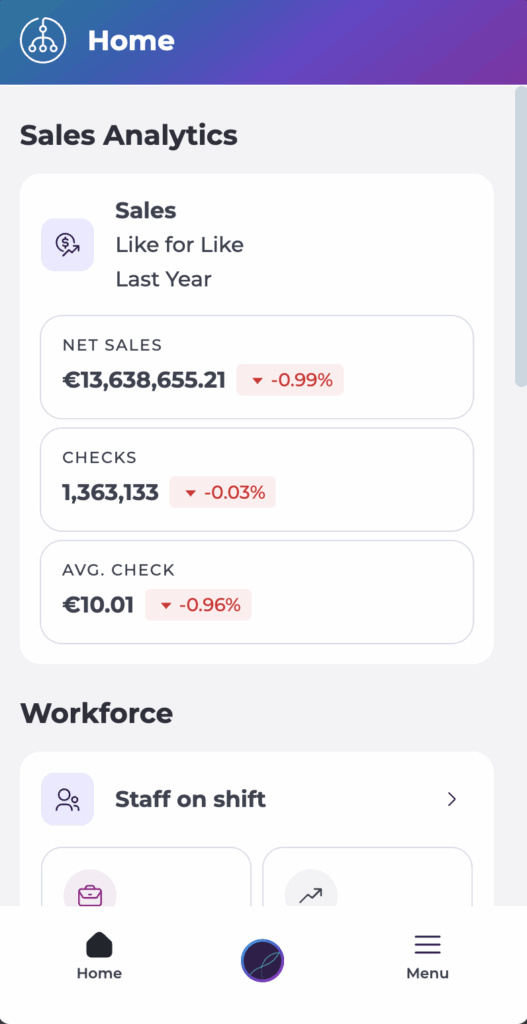
Gives an at-a-glance view of key sales metrics such as Net Sales, number of Checks and Average Check, plus workforce cards for Staff on Shift, ROTAs, Absences and Shift Finder, and quick links into the main operational modules.
Sales (Analytics)
Shows high-level sales performance for your sites, with simple grouping and comparison options so you can see how today compares to recent trading.
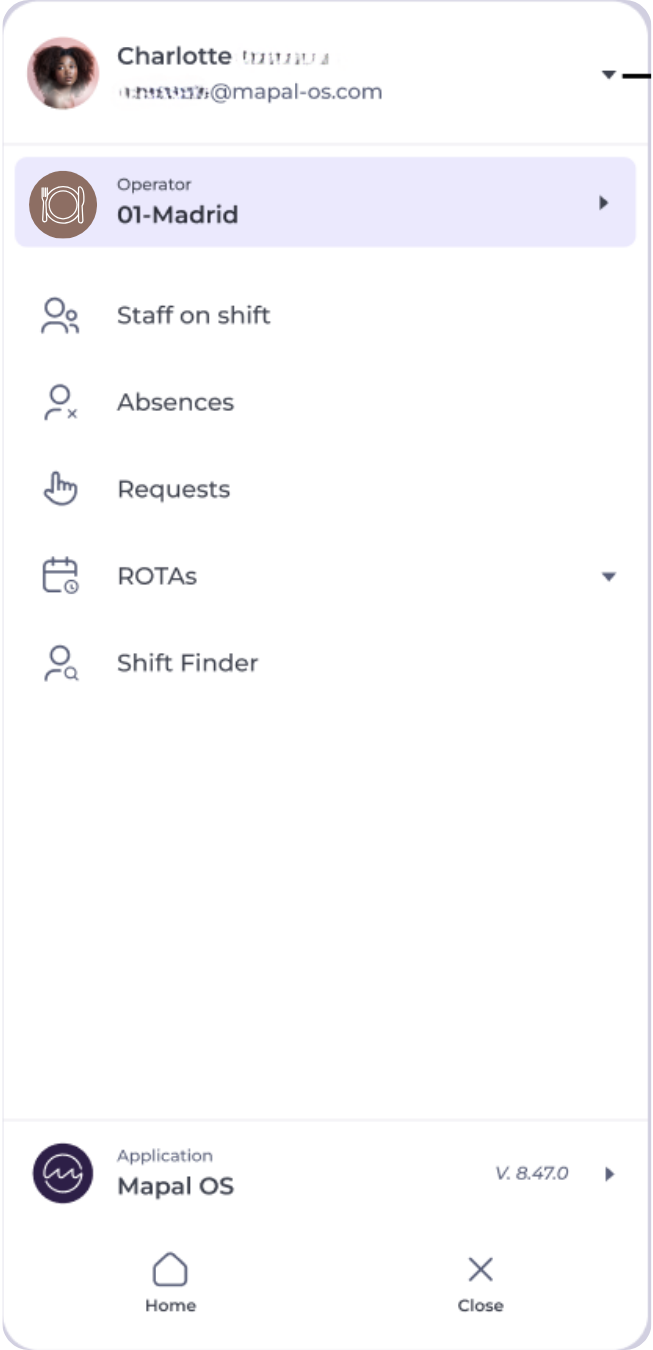
Staff on Shift
Provides a live list of who is currently clocked in at each site, highlighting exceptions such as missed or late clock-ins so you can take action quickly.
Absences
Allows you to view, create, edit and approve absence requests without needing to log in on desktop.
ROTAs
Shows rota status and daily staffing for each business unit, including who is planned on shift and any notes or comments relevant to that day.
Shift Finder
Helps you manage open shifts and coverage by listing open requests and candidate responses, so you can confirm coverage directly from your phone.
Requests
Provides a dedicated area to access and review absence requests. In a future update, this section will also include shift requests and employee shift preferences, consolidating all request management into a single place.
User Profile
Provides access to app information, legal documents, what's new content and logout options.
What Manager does not cover
Mapal Manager is intentionally focused on quick checks and actions rather than full configuration. It DOES NOT:
- Provide full ROTA building or complex ROTA editing.
- Handle payroll calculations or costed labour analysis.
- Replace detailed Analytics dashboards and custom reports.
- Manage deep configuration such as company structures, permissions or training setup.
Those activities remain in Mapal OS desktop tools, which act as the system of record.
When should I use Manager?
Typical scenarios where Mapal Manager adds value include:
- During service, to see who has arrived, who is missing, and whether you need to act on staffing gaps.
- When approving last-minute absences or open shift requests without leaving the floor.
- When visiting a site and needing a quick performance snapshot before speaking with the local team.
- When travelling between sites and wanting an overview of how each location is trading and staffed.
For instructions on accessing the app, see Access Mapal Manager with your Mapal OS account.
