Start from: The Mapal One dashboard.
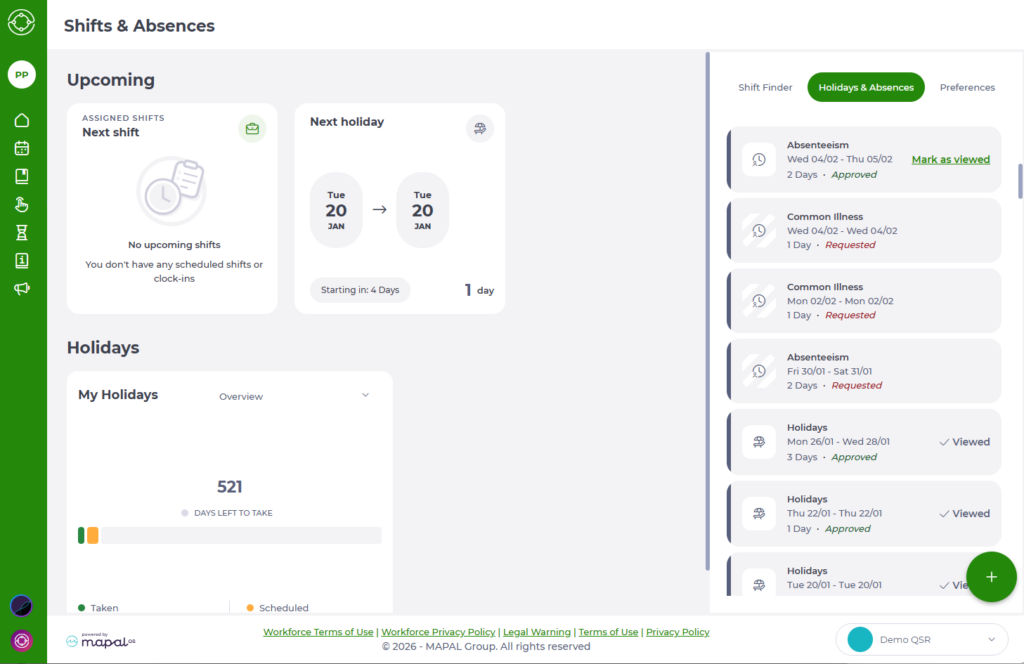
View assigned shifts and holidays
- Navigate to Shifts & Absences > Holidays & Absences.
- On the right-hand side of the screen you’ll see the Upcoming area, with tiles for assigned shifts and requests.
Notes: The shift and holiday information you see depends on the settings configured for your organisation in Workforce, including visibility rules and previous-year holiday settings. If Shifts or Holidays are disabled for you, the related information and actions are removed, though the rest of your schedule remains visible.
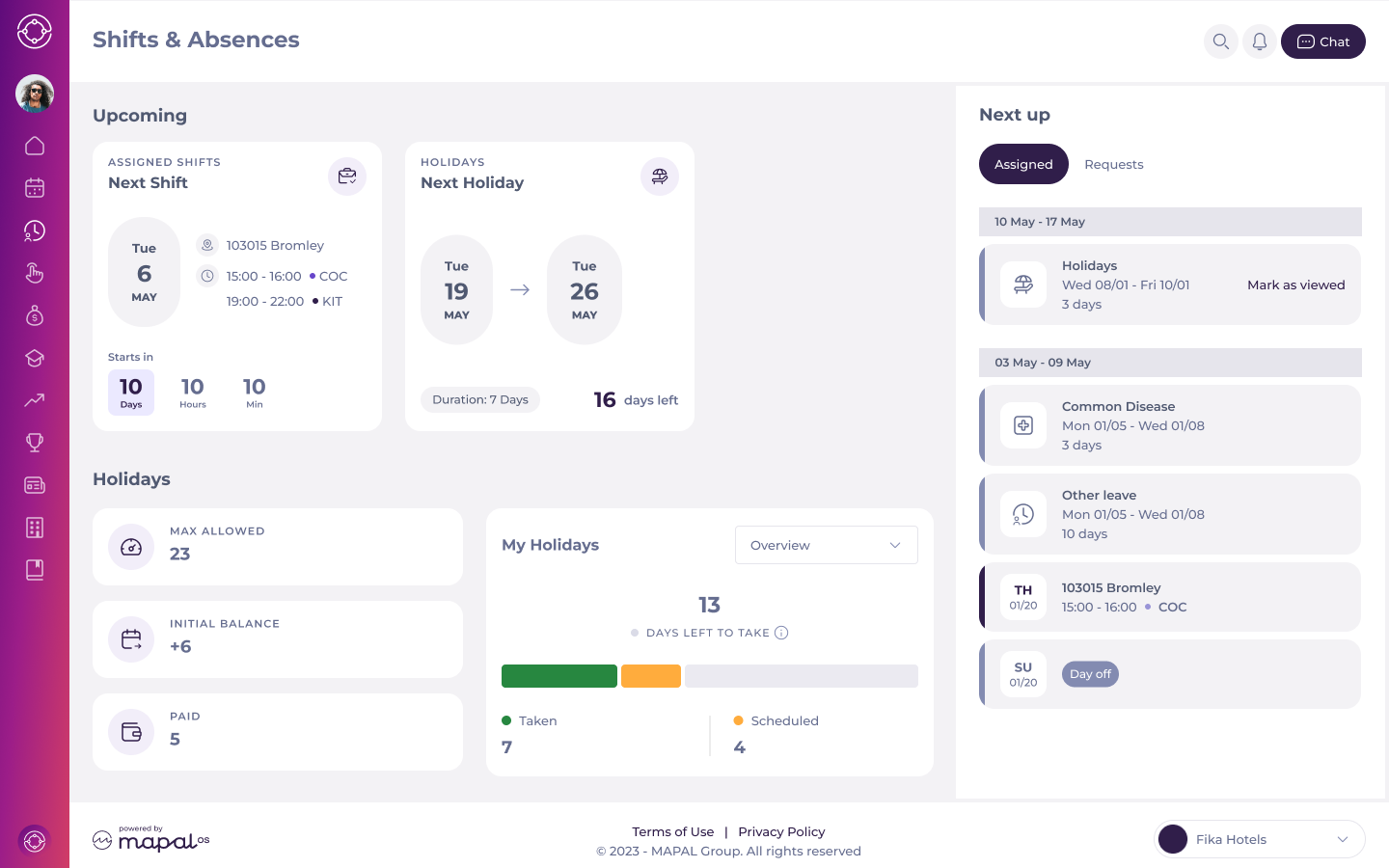
- The Shifts & Absences section shows independent event cards for:
- Upcoming shifts: next scheduled shift, including:
- Location
- Time
- Assigned role
- A countdown to the shift start
- Upcoming holidays: the next approved holiday, including:
- Duration
- Days remaining until the holiday begins
- Upcoming shifts: next scheduled shift, including:
Shift Recording
The Shift Recording feature allows companies to confirm that employees have acknowledged and seen their assigned shifts. This is important for compliance or operational purposes, especially in regions where this is a legal requirement.
This feature works as follows:
- A notification prompts users to confirm their assigned shifts.
- Users must acknowledge shifts directly on the platform by selecting the Confirm button before navigating away from the page.
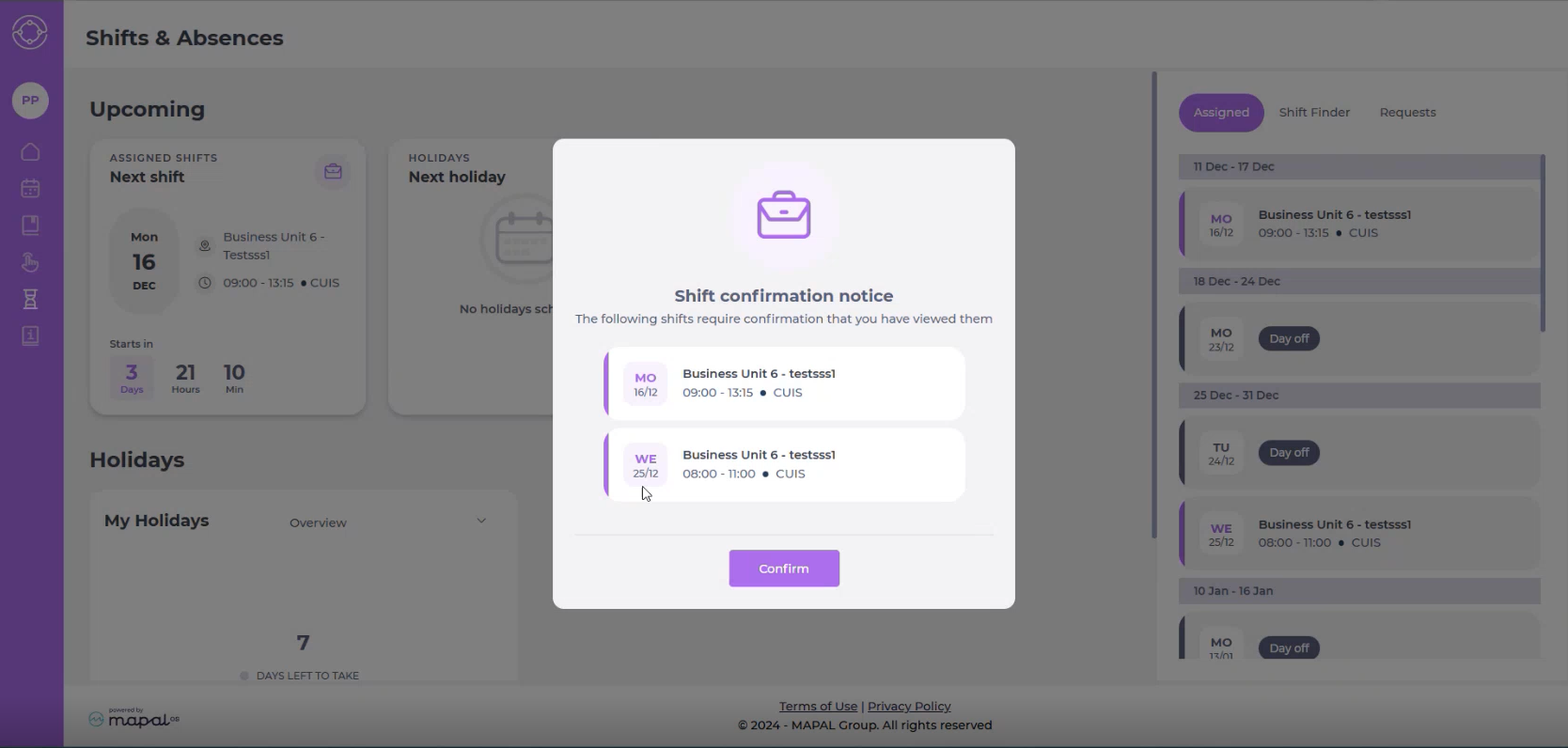
- For companies with the feature enabled, shifts marked as Viewed are logged in the system, and managers can track which employees have confirmed their shifts.
View details for an absence request
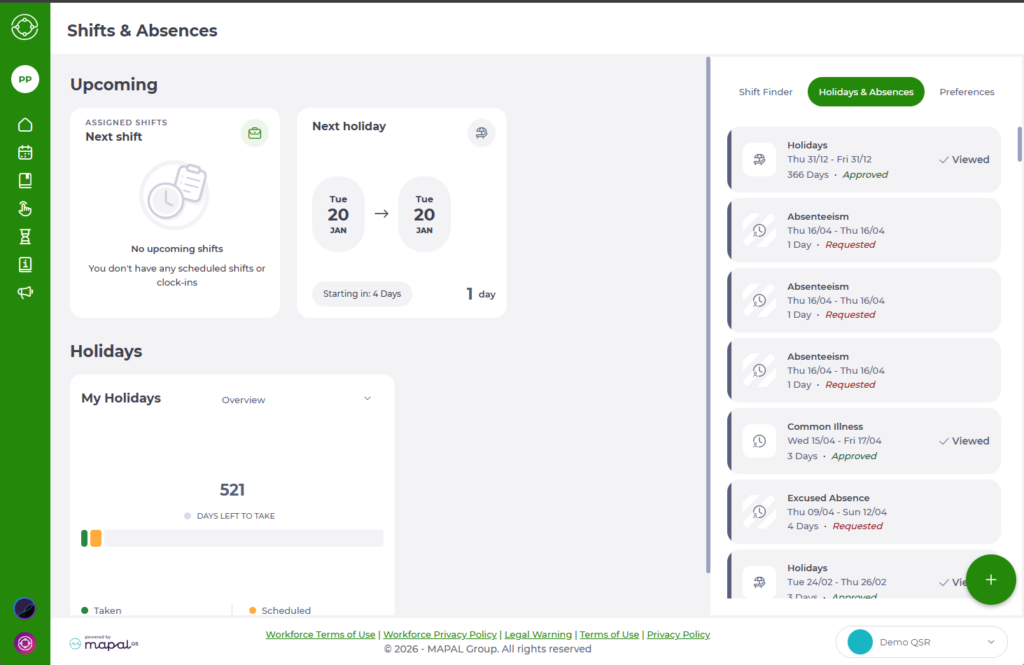
Each absence request (for example Holidays, Common Illness, Absenteeism) appears as a tile in the Holidays & Absences list.
To see full details:
- Select any absence tile in the list.
- A summary drawer opens on the right-hand side showing:
- Absence type and current status (Requested, Approved, etc.).
- Exact dates of the absence.
- Total duration (in days).
- Any attached files (for example medical certificates).
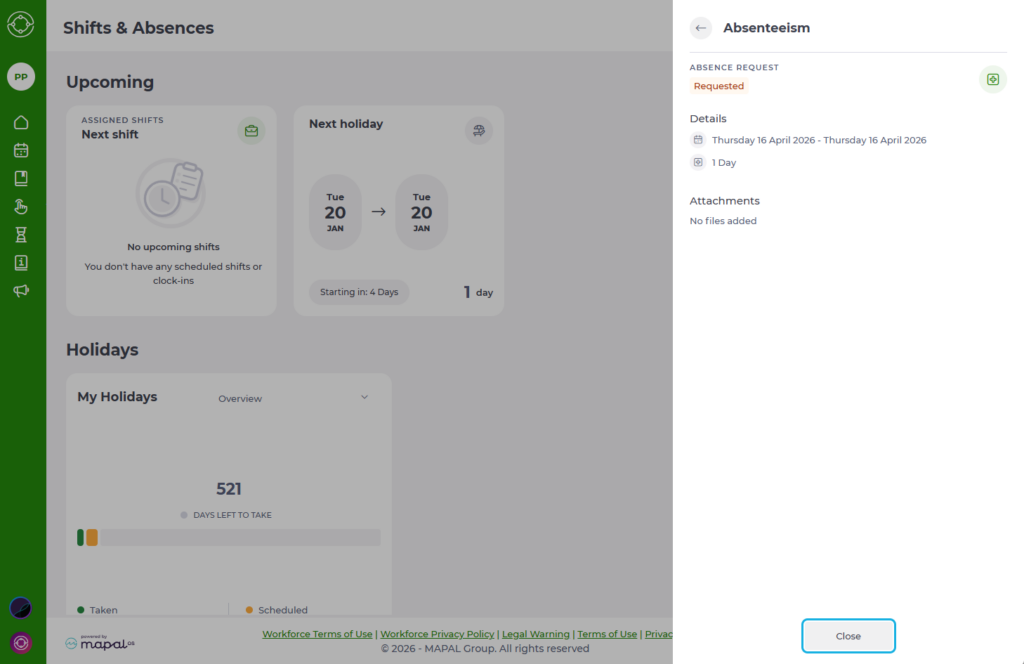
- Select Close to return to the main Holidays & Absences view.
Mark approved absences as viewed
When a request has been Approved, the tile may show a Mark as viewed prompt.
- Select Mark as viewed to confirm that you’ve seen the approval.
- The label changes to Viewed.
- This confirmation is recorded in the system and lets your manager know that you are aware of the approved absence.