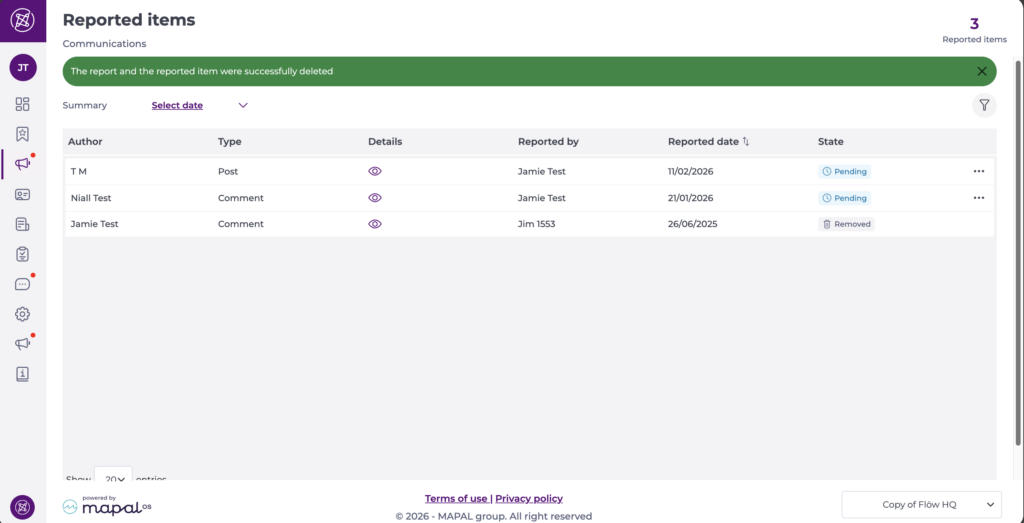
Start from: The Engagement dashboard.
News moderation
The news moderation feature ensures that inappropriate or offensive content can be reviewed and acted upon promptly to maintain a professional and safe environment.
Flagging comments
Users in Mapal One can flag comments they find inappropriate by selecting the action button (three dots) and pressing the Flag option.
Once flagged, the comment is marked for review and appears in the moderation tools within Engagement.

Manage flagged forum posts and comments through 'Reported Items'
- Navigate to Communications > Reported items.
- This page allows you to review and manage flagged forum posts and comments. The number of pending reports appears next to the menu name, so you can easily see when new action is required.
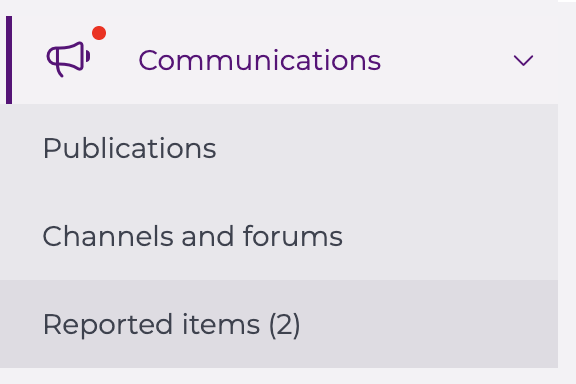
- Each report in the grid includes:
- Author: the user who created the post or comment.
- Type: identifies whether it’s a post or comment.
- Details: select the eye icon to preview the reported content.
- Reported by: the user who flagged the content.
- Reported date: the date the content was reported.
- State: shows the current status (e.g. Pending).
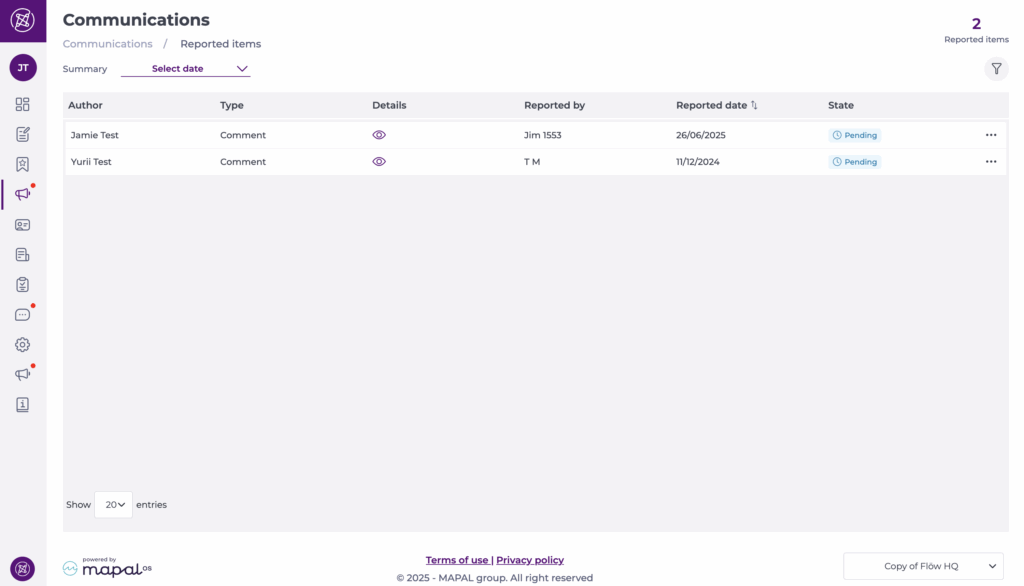
- Select the Action menu (three dots) in the message's row to take an action:
- Reject: dismiss the report if it does not violate any rule.
- Remove: permanently remove the post or comment from view.
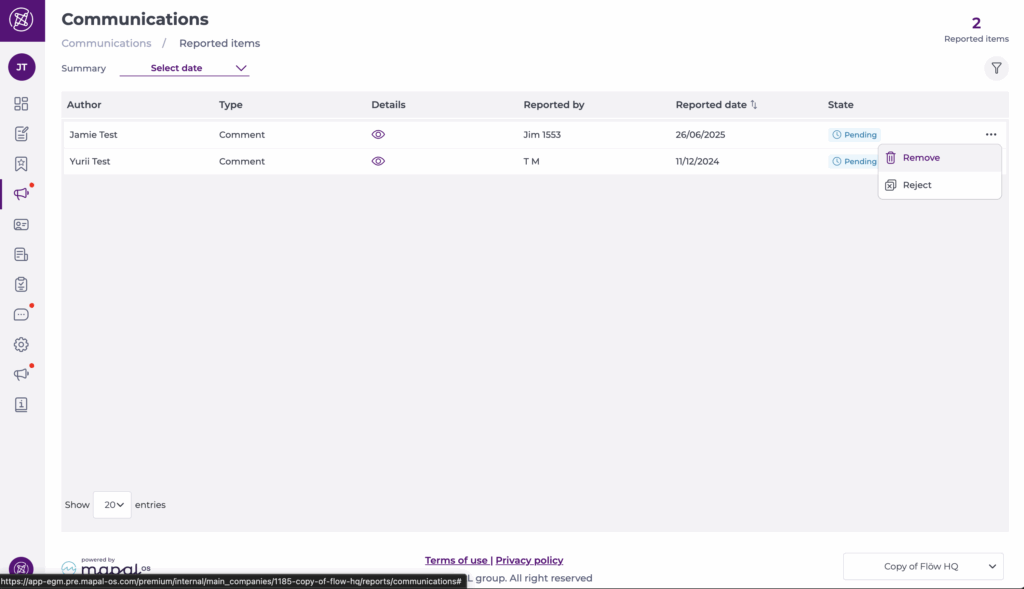
View deleted comments for audit purposes
When a comment is removed during moderation, it remains visible in the system with clear labelling to indicate its deleted status. This ensures transparency and accountability in the moderation process.
- Deleted comments appear in the Reported Items list with a Removed status label.
- Administrators and moderators can view deleted comments for audit purposes, maintaining a complete record of all moderation actions.