


Start from: The Engagement dashboard
What are news channels?
News channels are communications designed for companies to broadcast information to employees. Channels are listed to all users, with the ability to control access to news articles - this ensures that access to content can be granted on a per-user basis.
Non-administrators are unable to publish content to channels, but they can interact by liking, disliking and commenting on news articles. These interactions can be enabled on a per-article basis.
News channels can be used in a variety of ways: from business updates like 'Internal news', 'Product news', or 'Financial reports'; to culture updates like 'Celebrations' or 'Social events'.
Create a news channel
- Select the Communications tab on the left side menu.
- Select Channels & forums.
- On the top right, select the Create channel button.
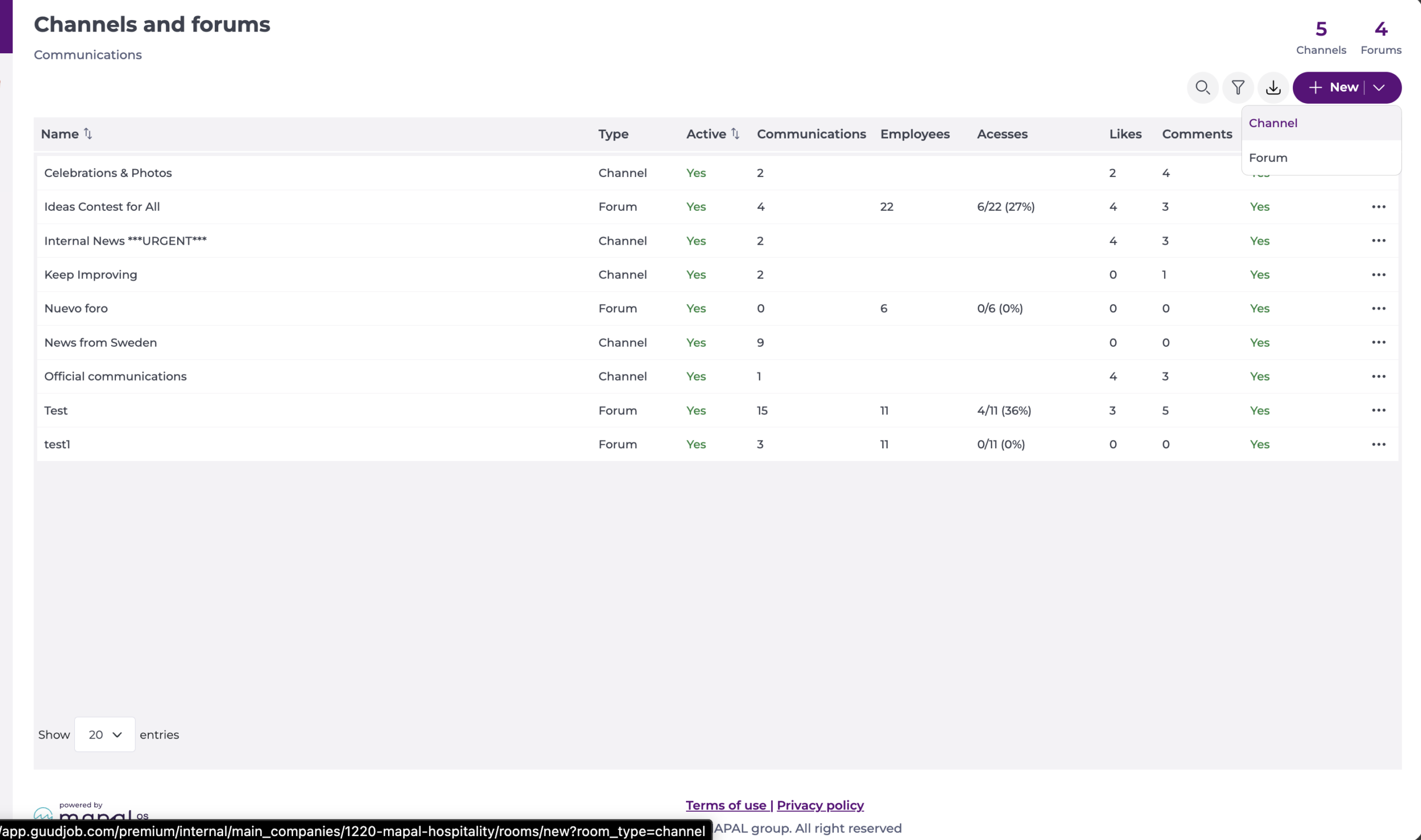
- From the Type of resource drop-down, select News channels.
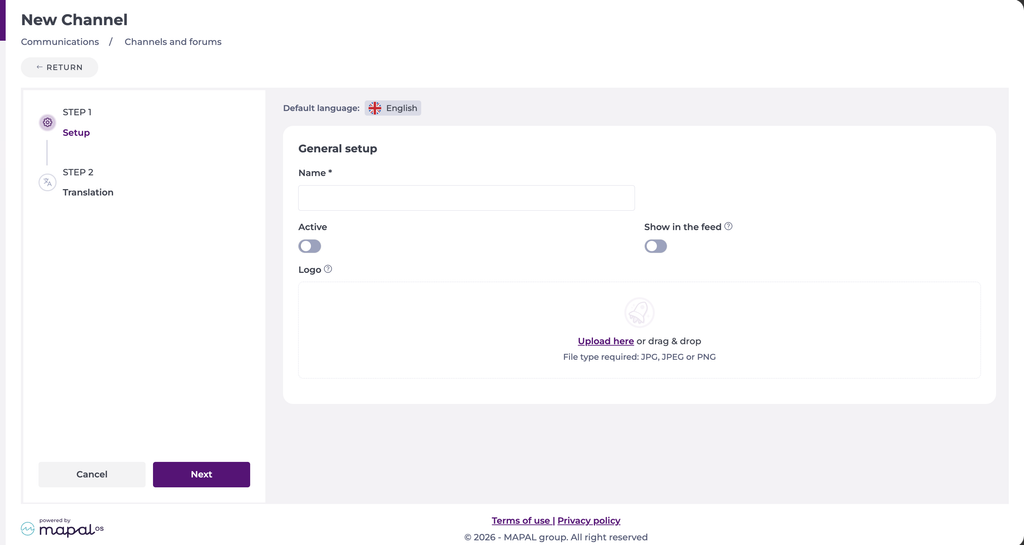
- Toggle whether the channel is Active or not (you can activate or deactivate at any time)
- Toggle whether the channel will Show in feed.
- Add the name of your channel in Resource name.
- Select Next.
Translate the channel
If your organisation has translation languages set up, a Translation step appears. To choose which languages are available, see Set up translation languages.
- Select the Translation step.
- Select a language from the list.
- Select Auto translate to generate the translation, or type it manually in the Translation field. You can edit an auto-translated result.
- Repeat for each language you want to provide. A tick appears on each language once it has a translation.
- Select Save.
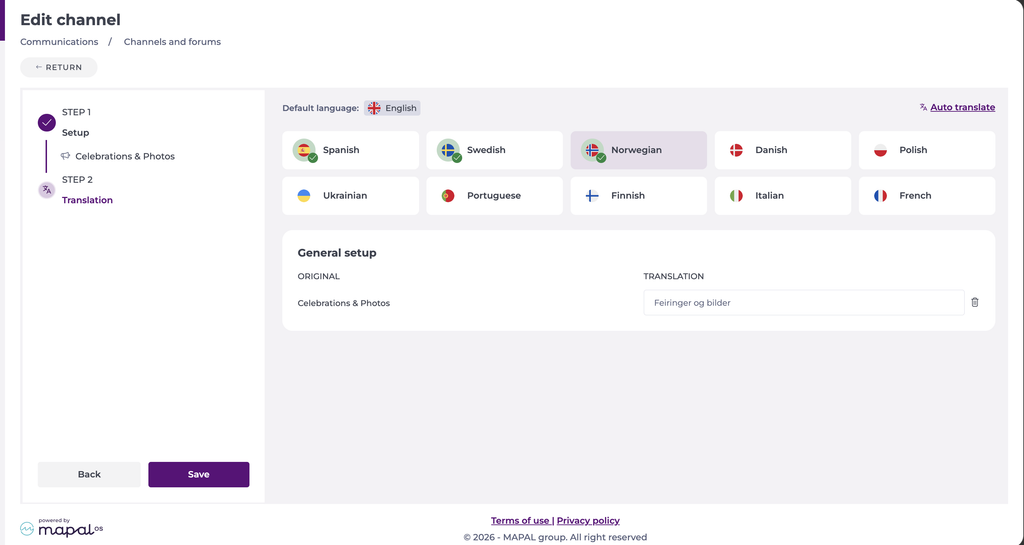
Employees see the content in their own language in Mapal One, or in the original language if no translation exists for theirs.
