Start from: the Engagement dashboard.
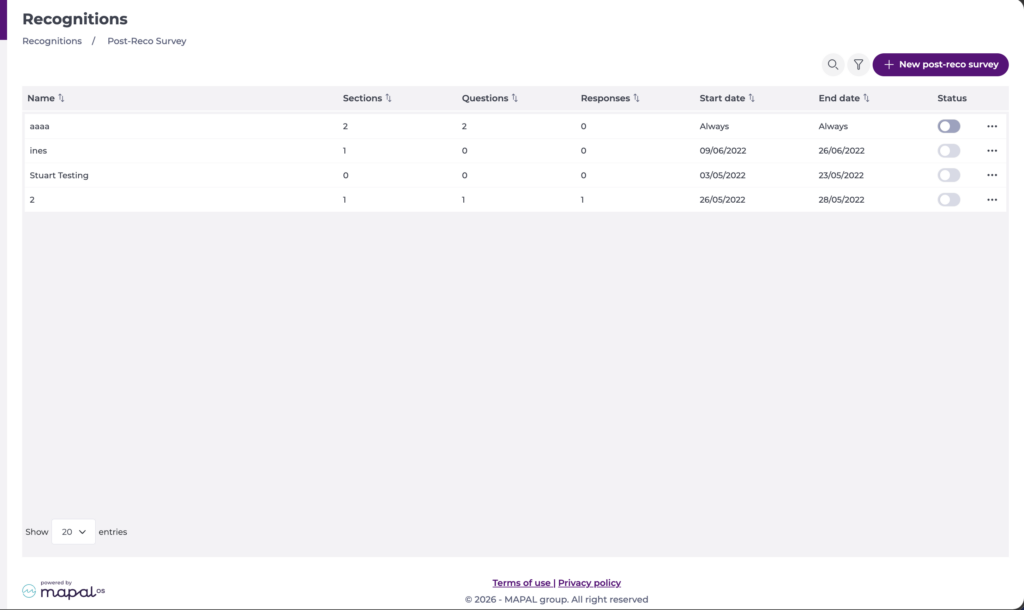
- Select Recognition > Post-reco surveys from the main menu.
- The Post-Reco Survey screen displays a list of all surveys.
View the answers
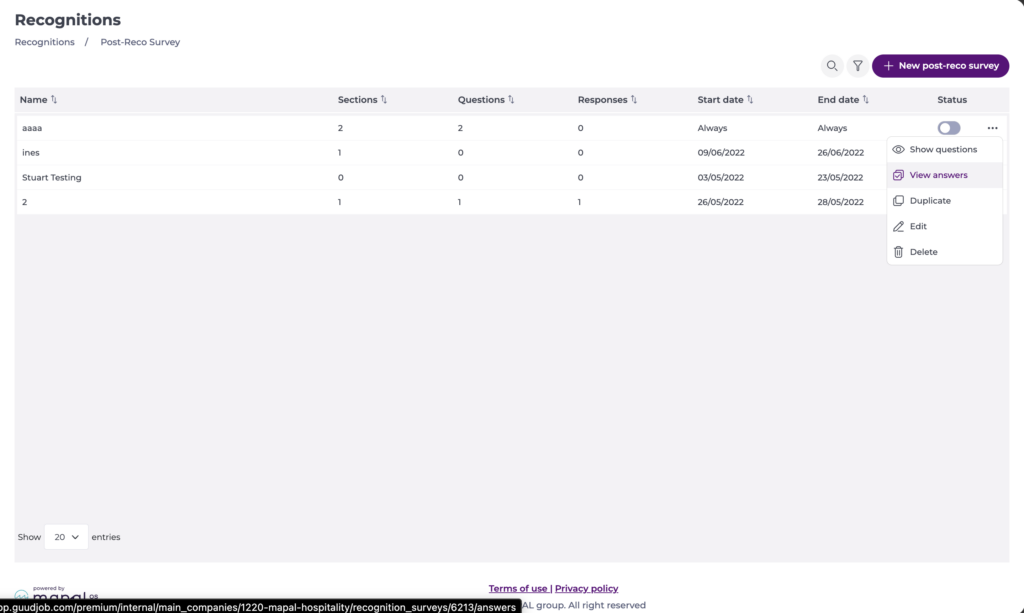
- Select the action button (three dots) > View answers for the survey you want to review.
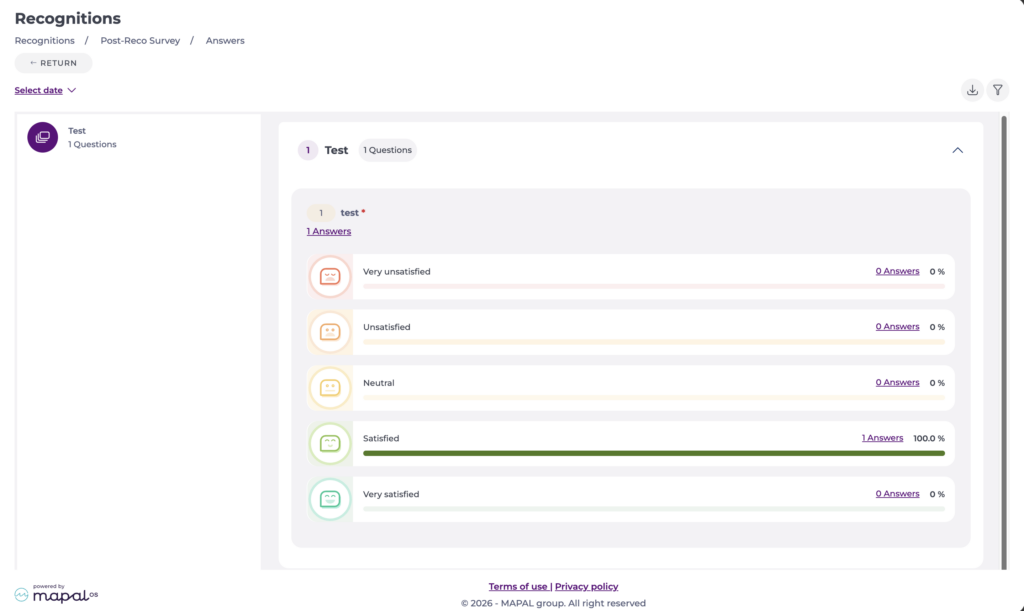
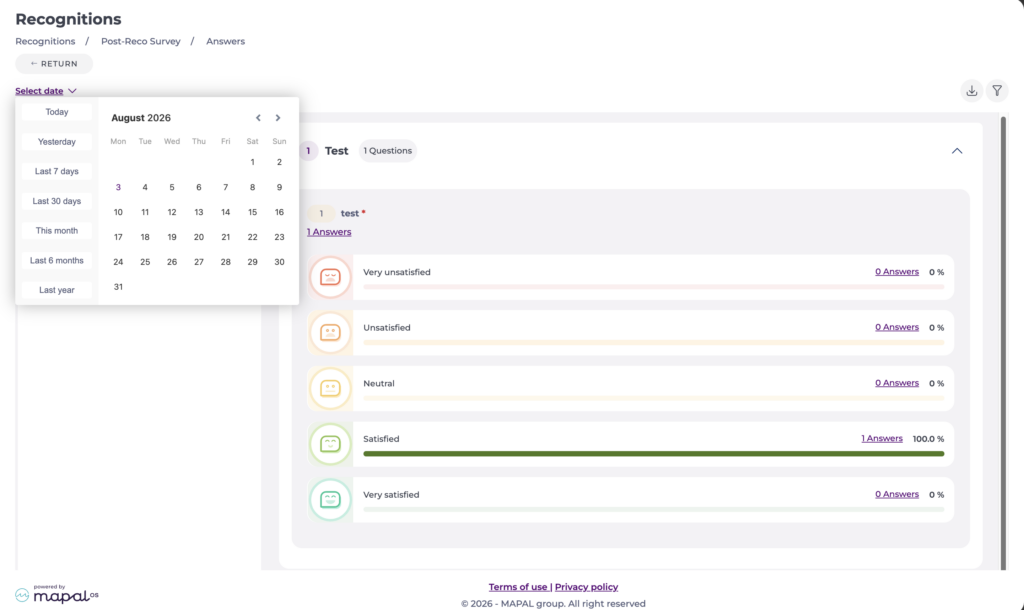
- The Answers screen shows each question with its answer options, and the number and percentage of answers for each option.
Filter the results
Filter by date
- Select Select date and choose a period: Today, Yesterday, Last 7 days, Last 30 days, This month, Last 6 months, or Last year.
Filter by employee
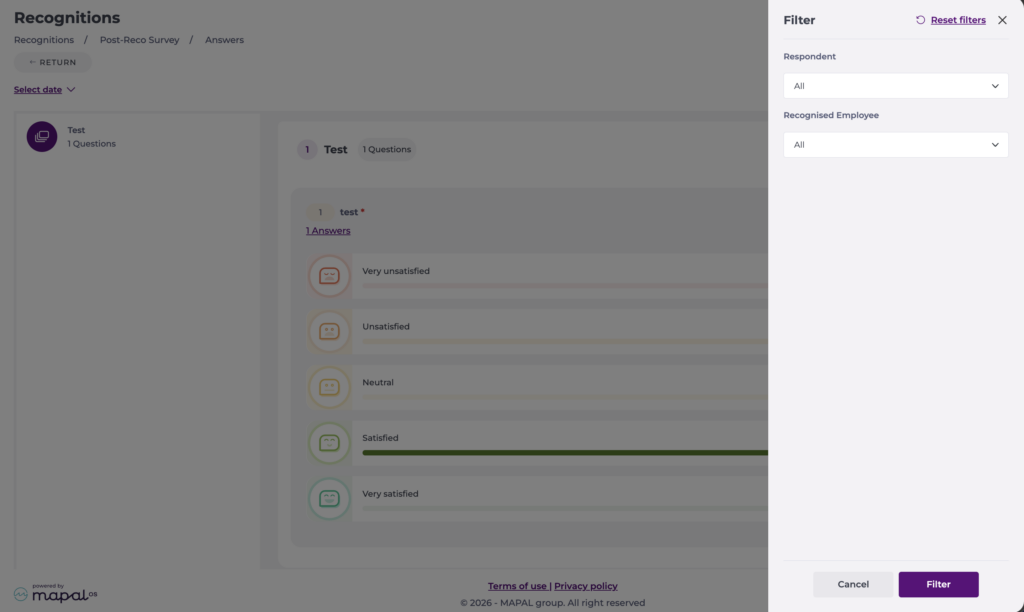
- Select the filter icon to open the Filter panel.
- Use the Respondent and Recognised Employee dropdowns to narrow the results.
- Select Filter to apply your selection, or Reset filters to clear it.
Export the results
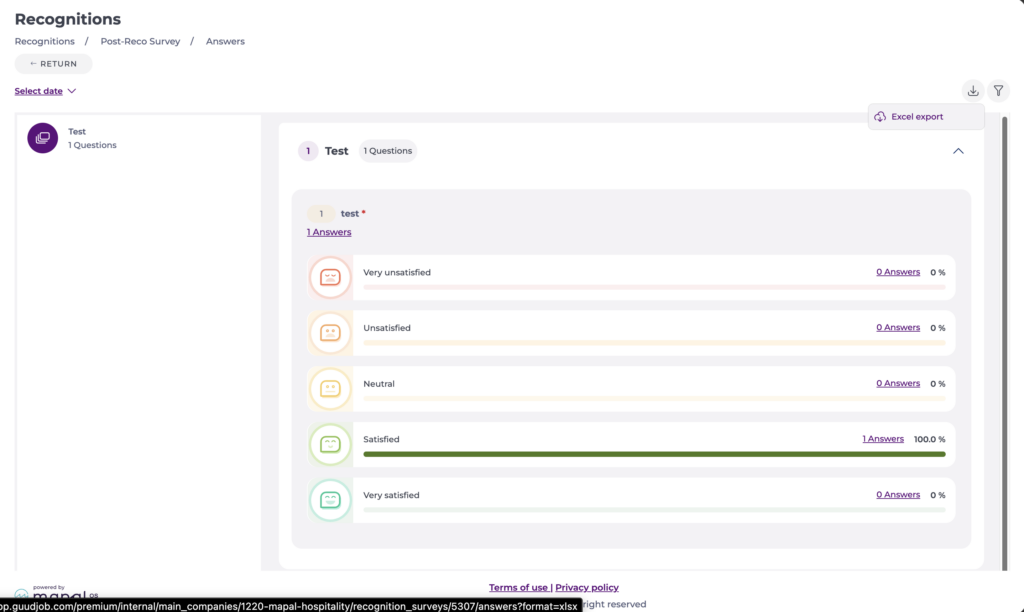
- Select the download icon to export the results as an Excel file.
- The download reflects the filters you have applied.