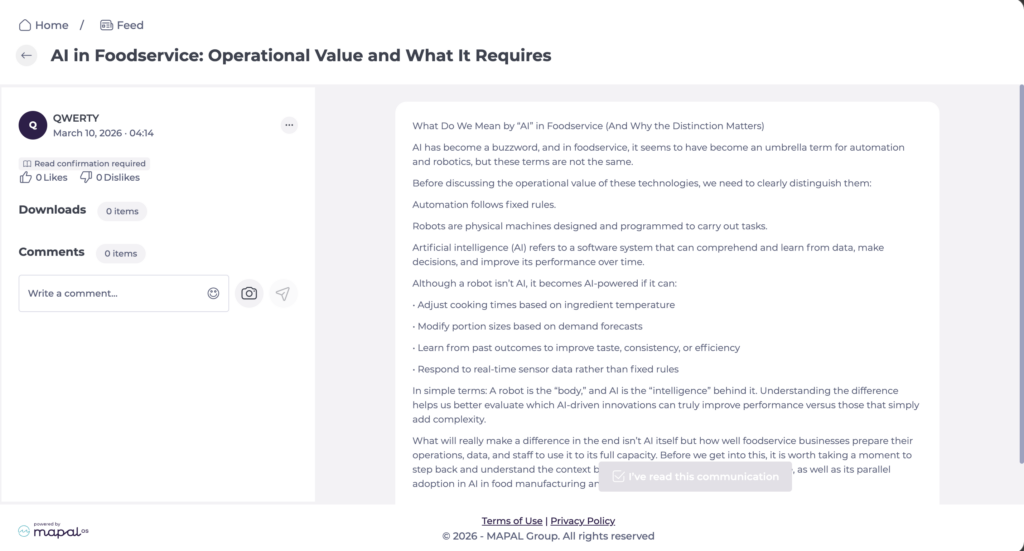
Start from: The Engagement dashboard.
- Navigate to Communications > Publications.
Understanding publication origin
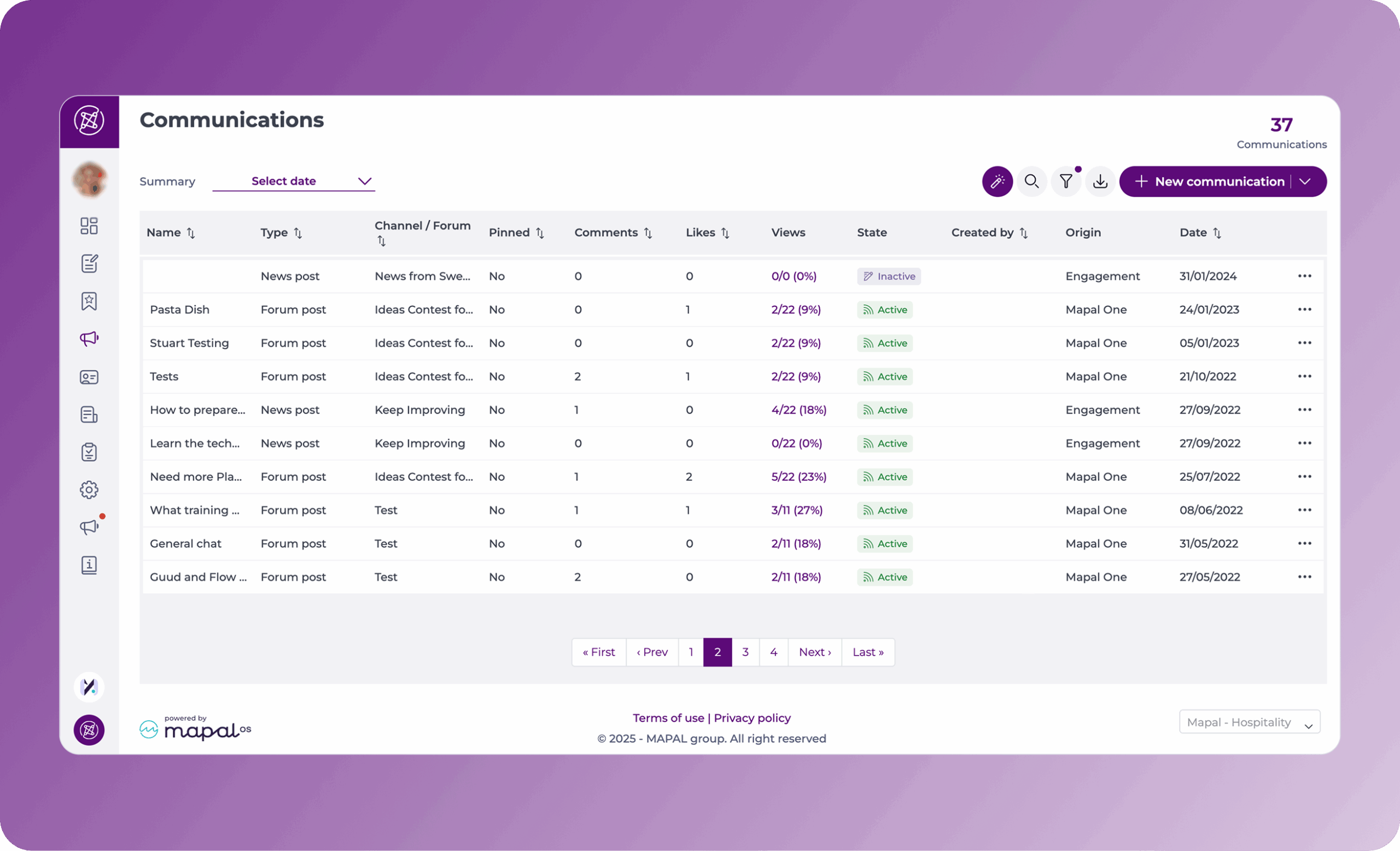
Posts are created in either Engagement or Mapal One. The origin determines how the post can be previewed or edited.
To identify a post’s origin, refer to the Origin column on the Publications view.
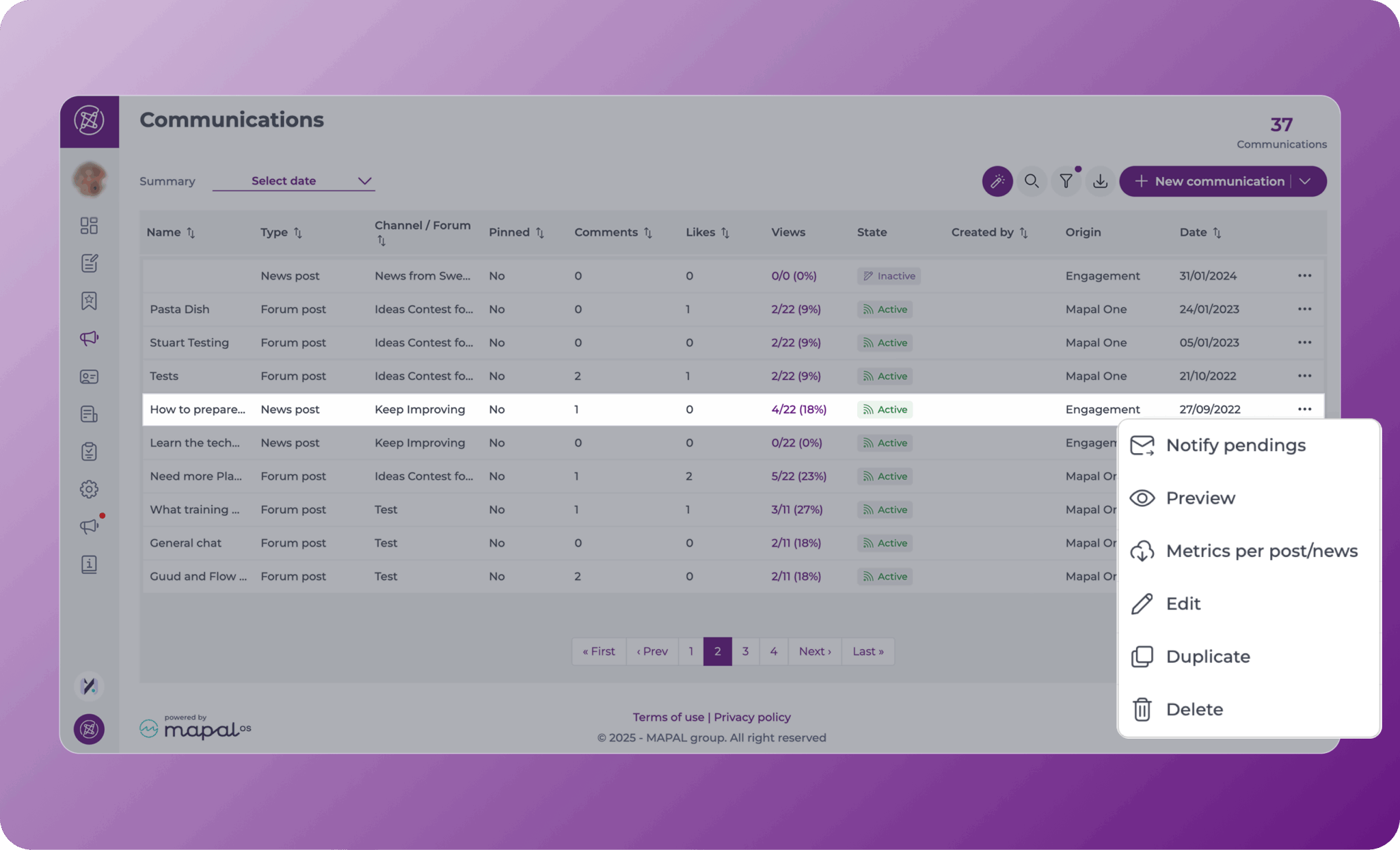
Engagement-origin posts
You can both view and edit Engagement-origin posts.
To manage these posts:
- Locate the post in the list.
- Open the Action menu [...]:
- Select Edit to modify the post.
- Select Preview to view the post in Mapal One.
- Select Notify pendings to send a reminder to employees who have not yet engaged with the post.
- Select Delete to remove the post.
- Select Duplicate to create a copy of the post.
Mapal One-origin posts
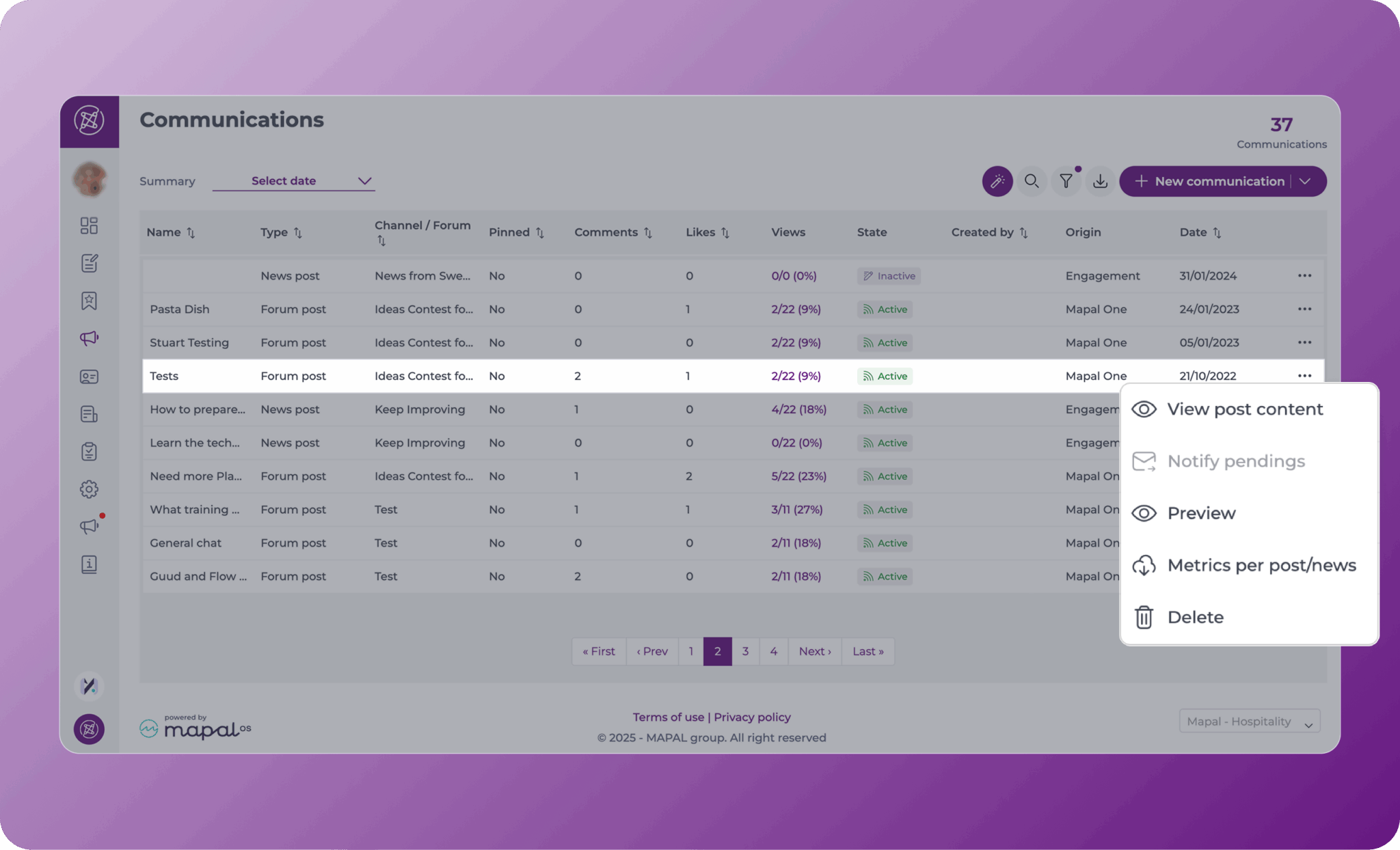
Mapal One-origin posts are view-only once published.
To view these posts:
- Locate the post in the list.
- Open the Action menu [...]:
- Select View post content to open a side drawer showing the post as it appears in Mapal One.
- Select Preview to open the post directly in Mapal One.
- Select Delete to remove the post.
You can also moderate comments, and download metrics for both options.
Note: Mapal One-origin posts cannot be edited after publication.
View likes and comments on a post
Select Preview from the action menu (...) to open the post as employees see it in Mapal One. From here you can view:
- The full content of the post
- The likes and dislikes count
- Read existing comments
- Add new comments
- Check whether read confirmation is required.