


Start from: The Engagement Dashboard.
Notes: only designated administrators per subcategory can see suggestions received in those boxes. When a user shares a suggestion, administrators will be notified by email, so they can consult the suggestion.
View the suggestions list
- Review the list. Each suggestion shows its Suggestion title, Category, Subcategory, Author, Date and Status.
- Select a column heading to sort the list by that column.
- Use Show entries to change how many suggestions appear per page.
- Select the Download control to export the list.
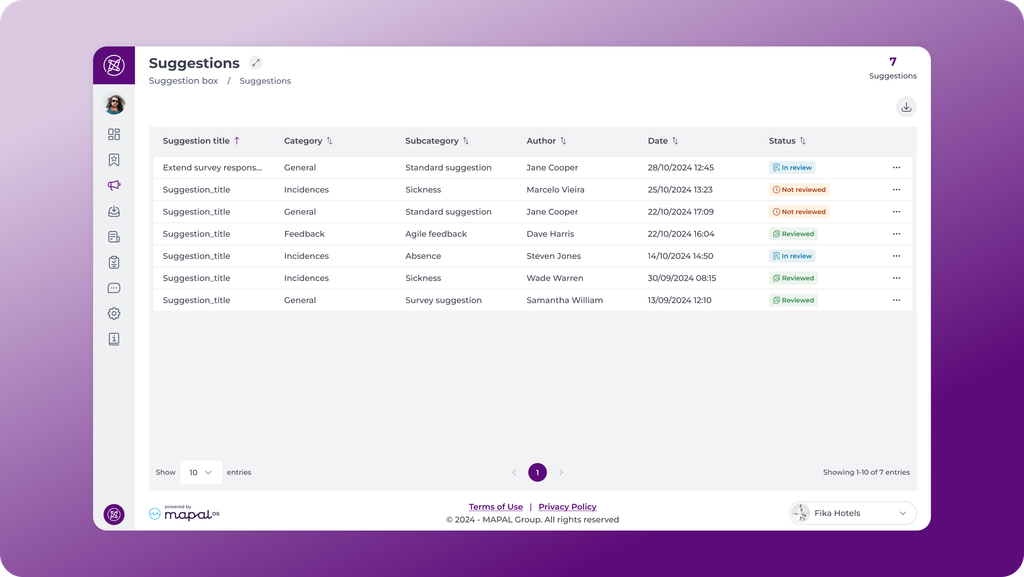
The total number of suggestions in the box is shown alongside the screen title.
Act on a suggestion from the list
- Select the three dots on the row you want to act on.
- Select the action you need. The options depend on the current status:
- Not reviewed: Reply or Mark as in review.
- In review: Reply or Mark as reviewed.
- Reviewed: Reply or Mark as in review.
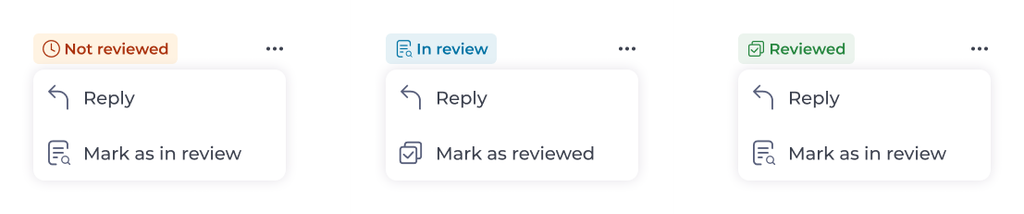
Notes: a suggestion cannot be moved straight from Not reviewed to Reviewed using this menu. Set it to In review first, or open the suggestion and use the Mark as reviewed toggle.
Review a suggestion in detail
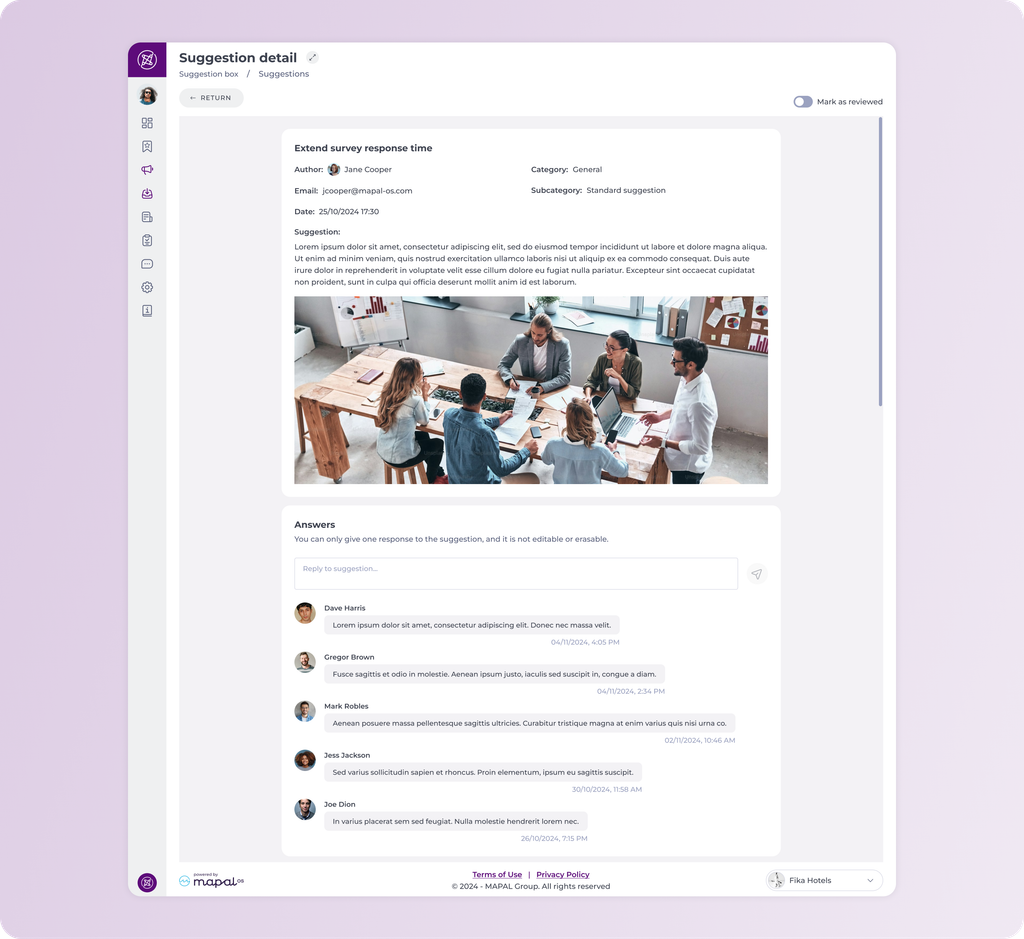
- Select a suggestion to open Suggestion detail.
- Review the full context: Author, Email, Date, Category, Subcategory, the text of the suggestion, and any images the employee attached.
- Enter your response in the reply field and select the send control.
- Turn on Mark as reviewed once a response has been given.
- Select RETURN to go back to the suggestions list.
Notes: you can only give one response to a suggestion, and it cannot be edited or deleted once sent. Write your reply carefully before sending it.
Follow the conversation
Each administrator assigned to the subcategory can add one response. Responses appear in the Answers section in chronological order with the author's name and a timestamp, so both the employee and the administrators can follow the full history of the discussion.
This makes it easier to:
- Ask follow-up questions.
- Share updates on what has been decided.
- Close the loop with a final confirmation once action has been taken.
