


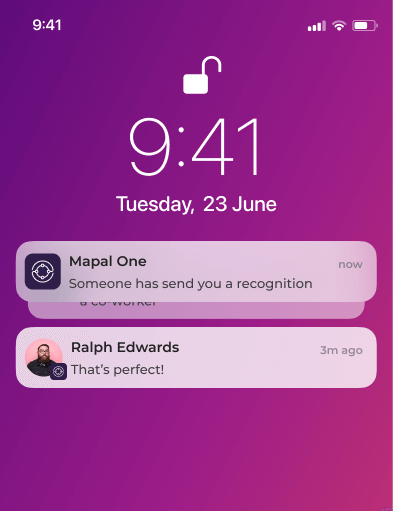
Recognitions
- Someone has sent you a recognition.
- Someone has sent a recognition to a co-worker.
- You have recognitions to give (quota for the month).
- You have recognitions to give (days remaining).
News
- You have been added to a news channel.
- Someone has reacted to your post like/dislike.
- Someone has commented on a post you created.
- A new news post has been posted for a channel you are in.
Agile feedback
- Someone has sent you agile feedback (evaluation).
- You have agile feedback to give (days remaining).
- When an agile feedback survey is created (to recipient).
- Notify if one your team members has been evaluated or self-evaluated (manager only).
Ideas
- Someone has reacted to your idea.
- Someone has commented on your idea.
Operator name in email subject lines
All automated Engagement emails display the operator name at the beginning of the subject line. This helps recipients quickly recognise where the notification is coming from.
Example:
Mapal Coffee Co – Push Survey
This applies to all notification types, including recognitions, agile feedback, news, and ideas.
Branding
Email notifications also support operator branding within the email body. Organisations can customise the appearance of Engagement emails to reflect their identity, including:
- Operator logo
- Brand colours
- Footer text or styling
These elements are applied consistently across all notification emails to support clarity, professionalism, and brand alignment. Email templates are optimized in formatting and readability to ensure that emails are recognisable, well-structured, and aligned with each organisation’s identity.
Operator-level email notification controls
Administrators have the ability to enable or disable outgoing email notifications at the operator level. This gives organisations more flexibility to manage which notifications are sent by email.
These settings are not configurable by end users. If you need changes to how email notifications are handled for your organization, please contact your Customer Success Manager (CSM) for assistance.
Removing login links from notifications (SSO-only customers)
For organisations that use Single Sign-On (SSO) to access Mapal One, it is possible to remove the standard login links that appear in Engagement email notifications. This option helps prevent confusion for users who log in exclusively via SSO and do not require direct access links.
If your organisation uses SSO and you would like this setting enabled, please contact your Customer Success Manager, who can activate it for your account.
