


Start from: The Compliance Central Overview.
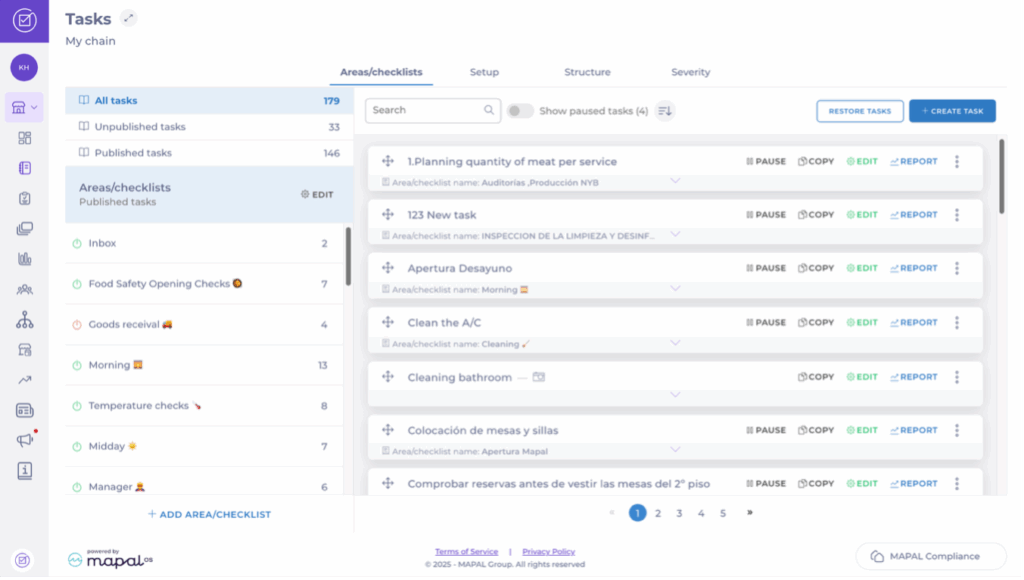
- Navigate to Tasks > Areas/Checklists.
- Locate the specific task you want to modify and select Edit.
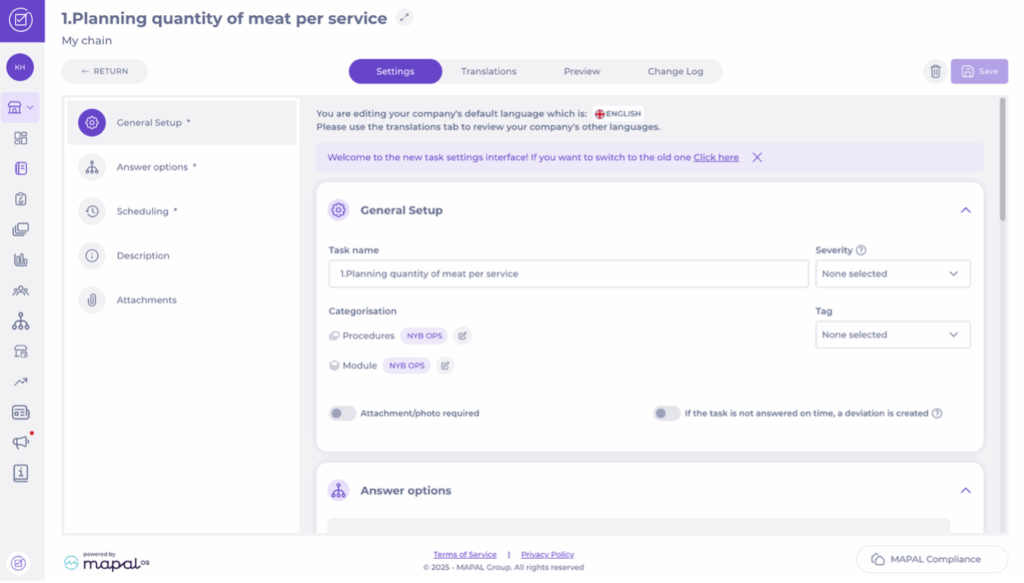
- Once in the task’s editing screen, locate the General Setup block.
Change Procedure
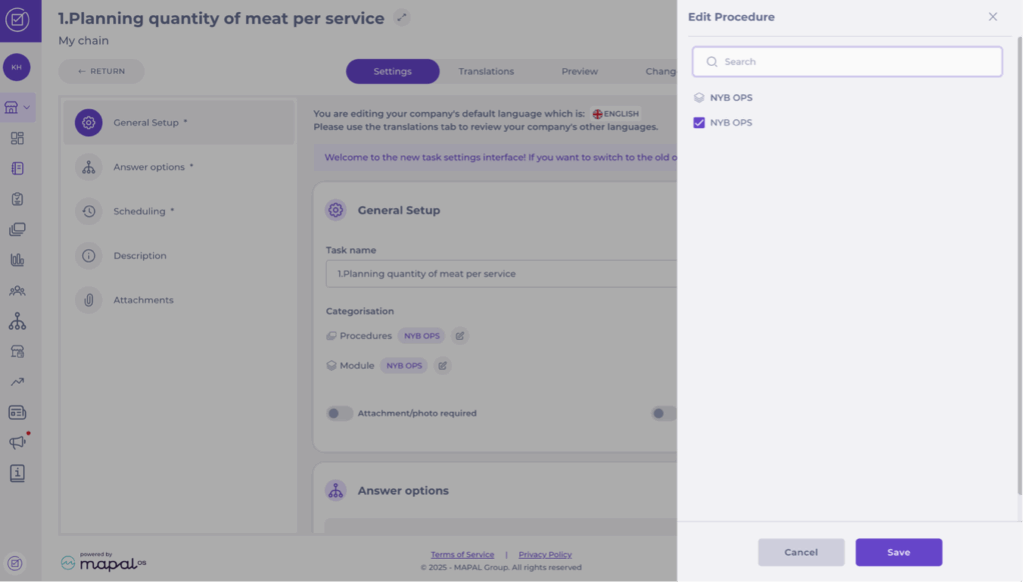
- Under Categorisation, select the Edit button next to Procedures.
- Use the Search bar to find and select the appropriate Procedure.
- Sélectionnez Enregistrer (Save).
Change Module
- Under Categorisation, select the Edit button next to Module.
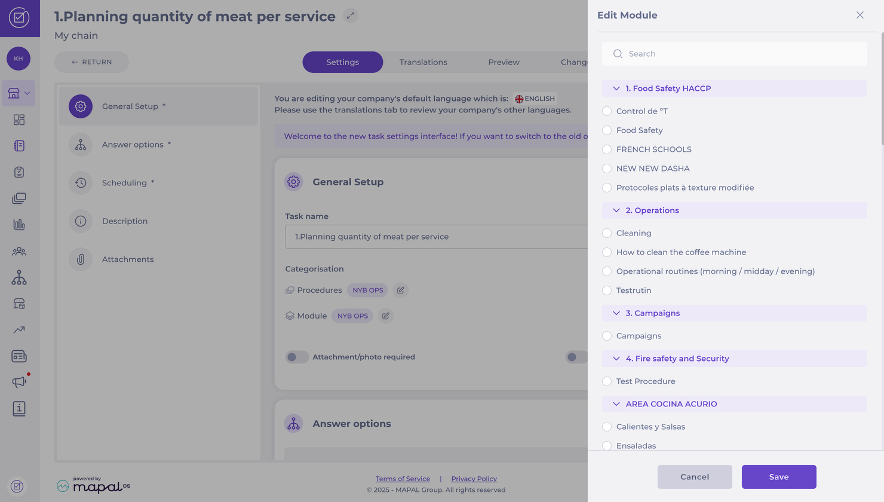
- Use the Search bar or scroll down the list to locate the desired Module.
- Sélectionnez Enregistrer (Save).
