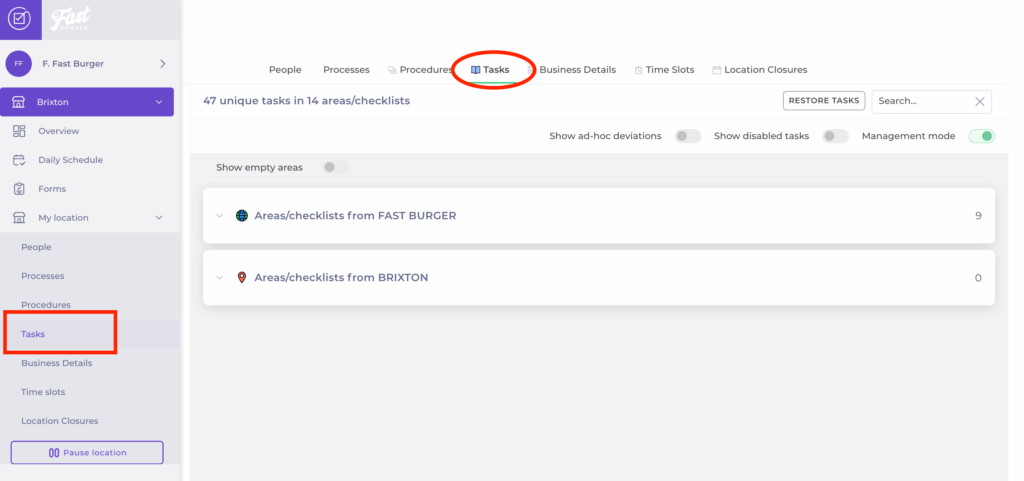
Start from: The Compliance local overview.
Sort tasks
- Navigate to My Location > Tasks.
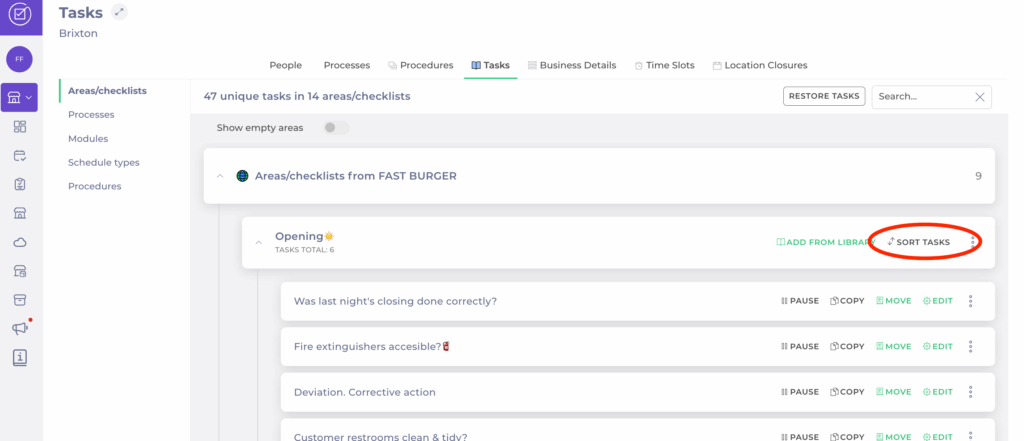
- Open the specific area you wish to edit.
- In the checklist, select Sort Tasks.
- In the task list, drag and drop to change the order of tasks.
- Once you have reordered, select Save to register the changes.
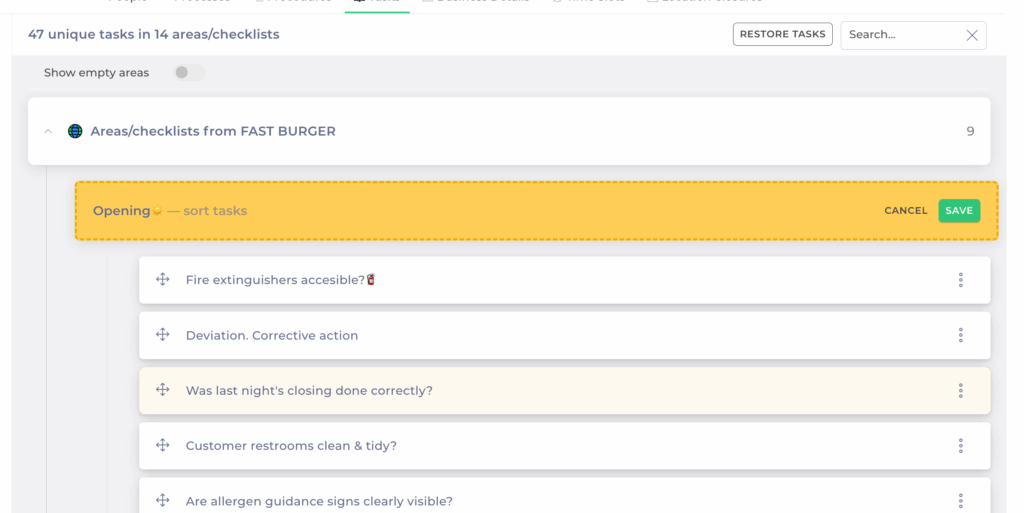
Notes: Changes take effect immediately for your site. Central templates remain unchanged.
Move tasks between checklists
You can also move tasks between checklists at the local level:
- Locate the task you want to move.
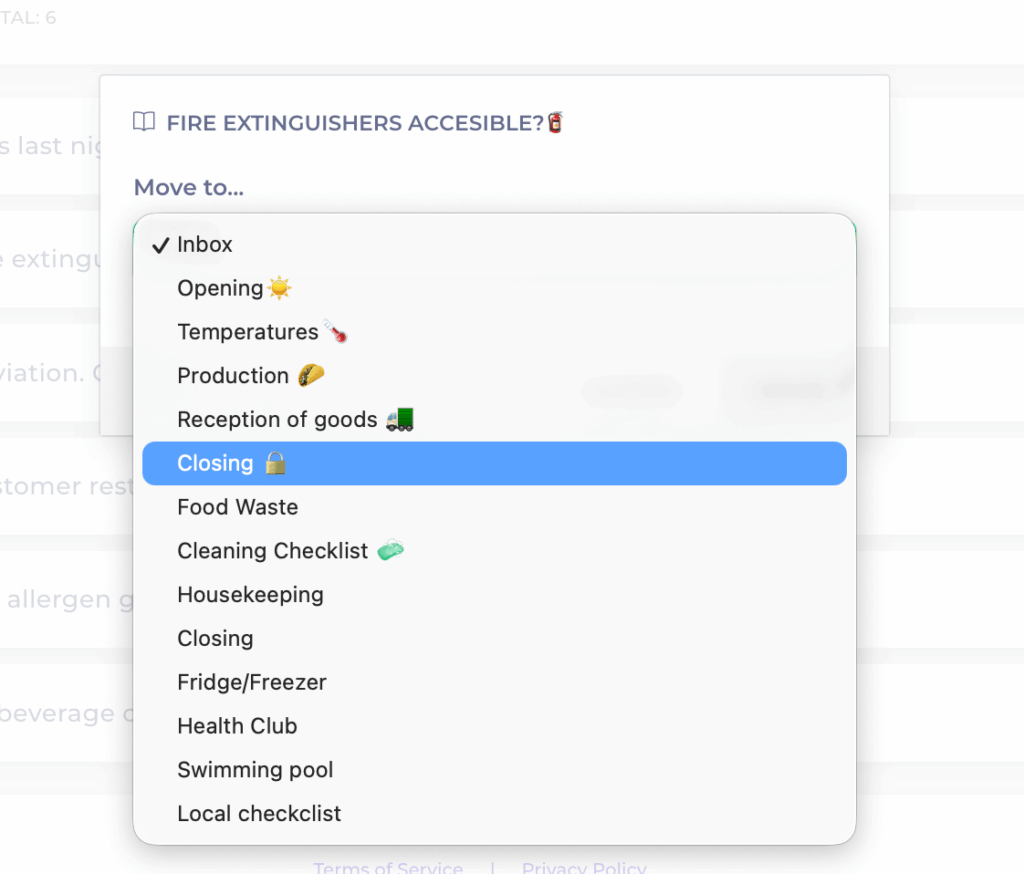
- Use the Move option.
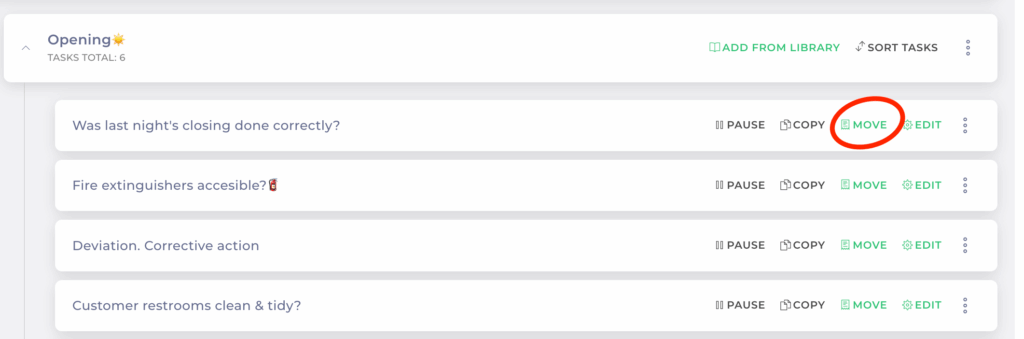
- Choose the destination checklist from the dropdown.
- Select Move.