


Note: Time slots can only be created at a central level, although they can be managed at a local level. See Manage time slots on tasks for more information.
Start from: the Compliance Overview page.
- Select Tasks > Time slots from the main menu.
- Select the Information (i) button to know more about what time slots are and how they work.
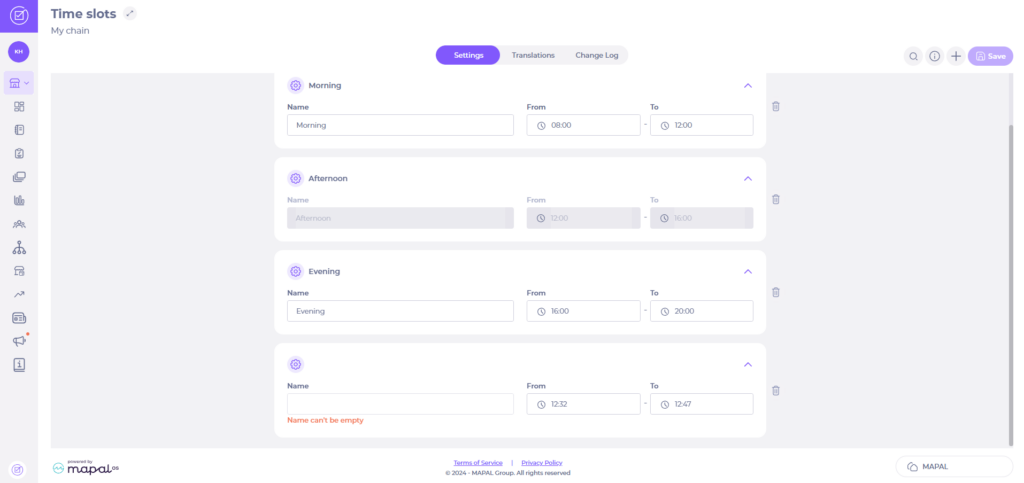
Note: there are three time slots available by default Morning, Afternoon and Evening. These can be edited to suit your company’s needs. You can add a maximum of 10 different time slots.
- Select Add (+).
- Enter a name for your time slot.
Note: time slot names can only be added and edited centrally, not locally.
- Adjust the times for your time slot as appropriate.
- Select Save.
Note: Time slots can extend beyond midnight to align with your location's business day. Task completion status is evaluated correctly across the overnight period.
Add translations for your time slots
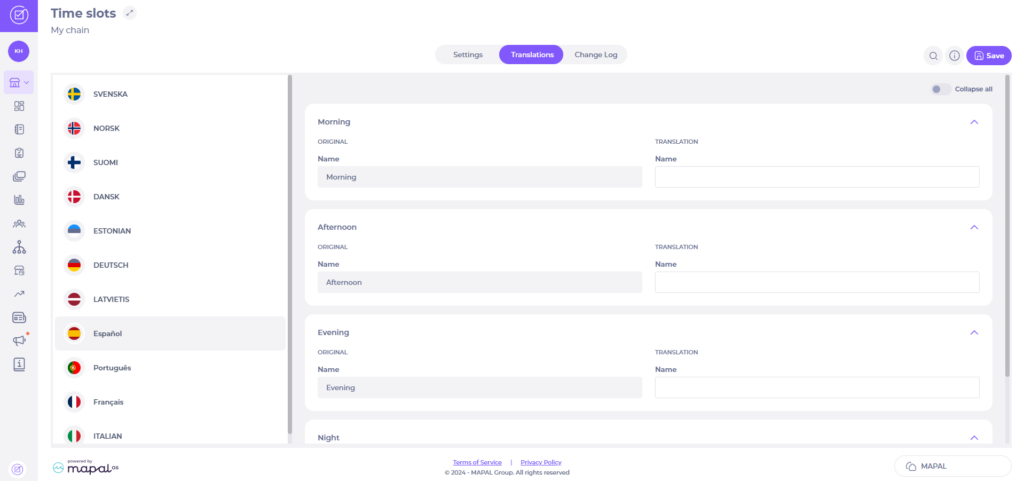
Should you need your time slots to be available in different languages, you can add translations for each of them in the same Time slots page.
- Select the Translations tab.
- Enter the translation for each time slot name next to its original name.
- Select Save.
View changes to Time slots
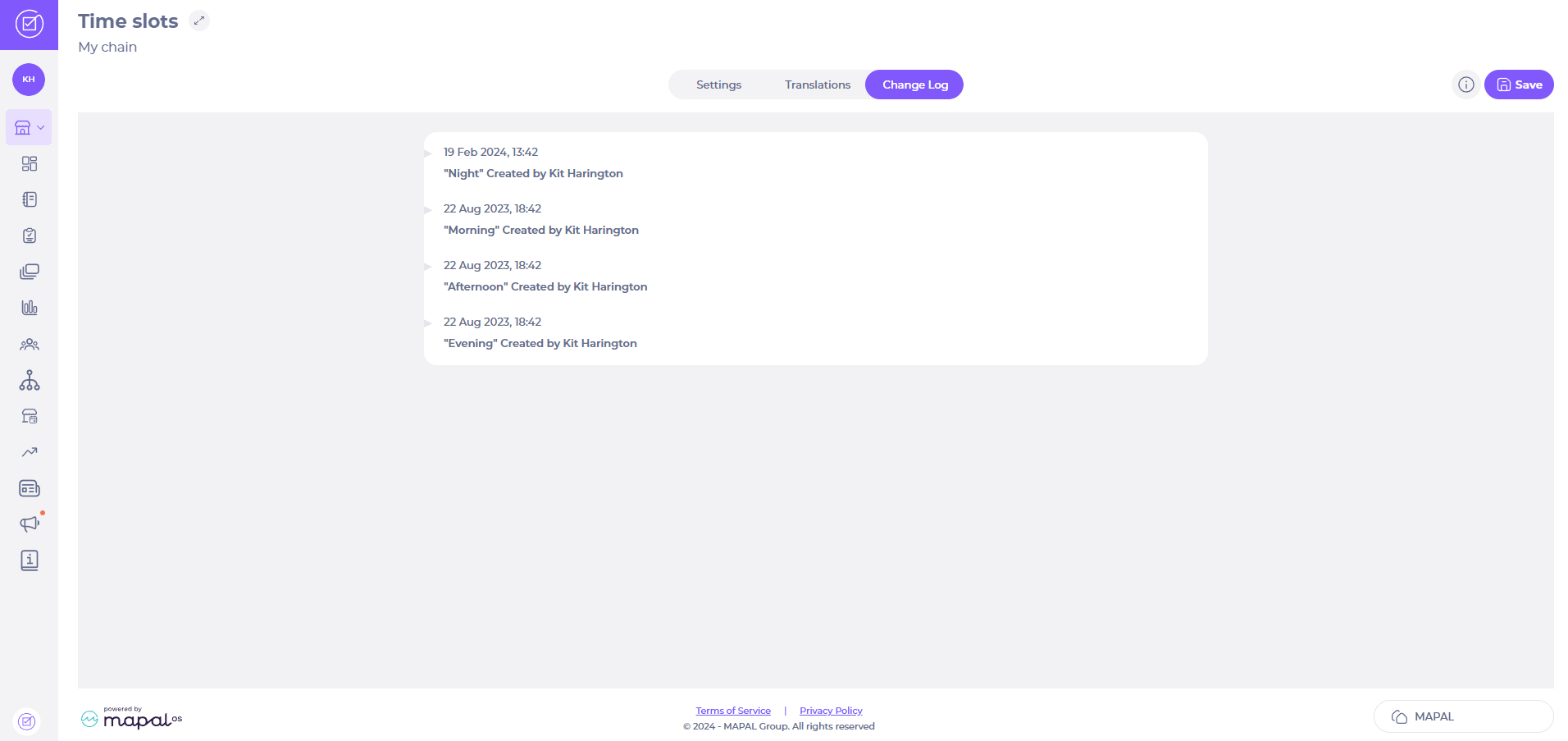
- Select the Change Log tab on the Time slots page.
You’ll now be able to see a log of all time slots created and changes made to them.
Apply a time slot to a checklist
Once you have created time slots, we recommend applying them to checklists, although this isn't mandatory. You can change this at any time if needed.
Note: a checklist can have only one time slot applied.
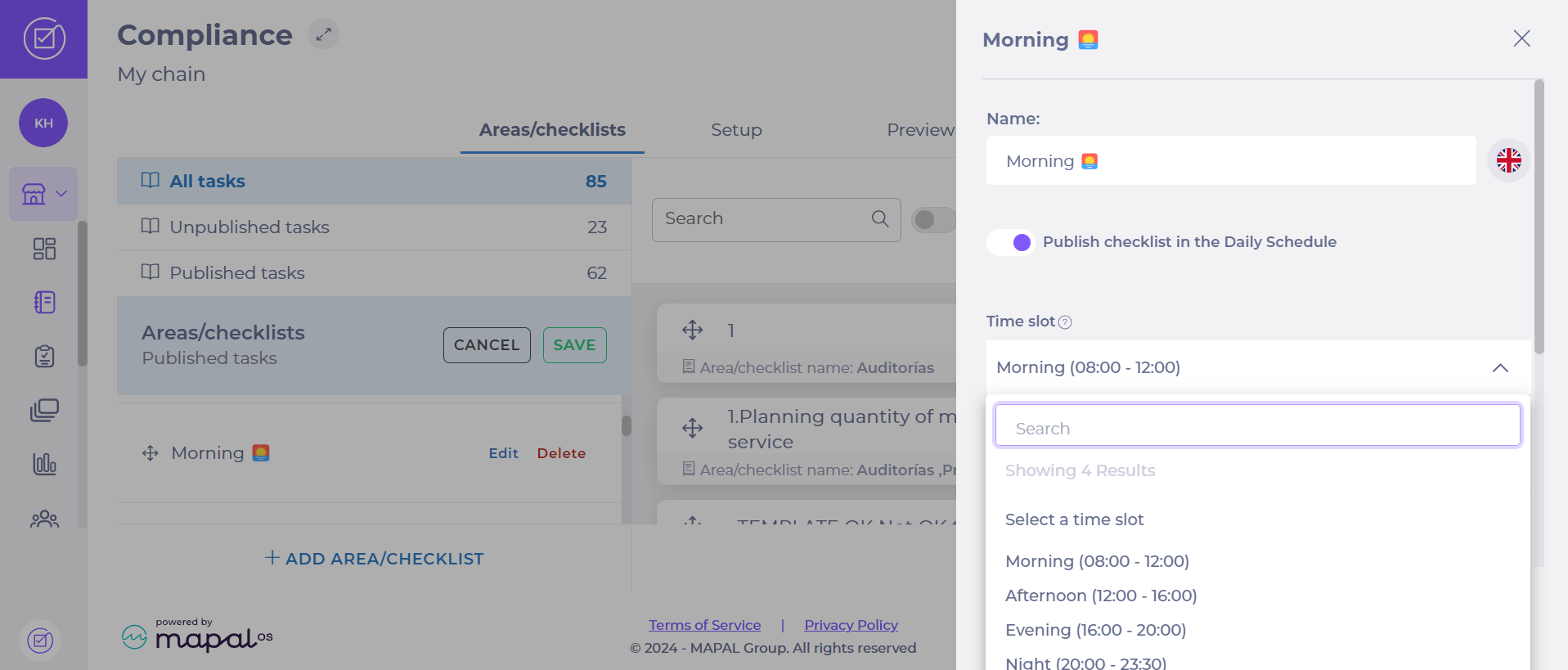
- Select Tasks > Areas/checklists from the main menu.
- Select the EDIT button on Areas/checklists. This will enable Edit and Delete buttons for each Area/checklist.
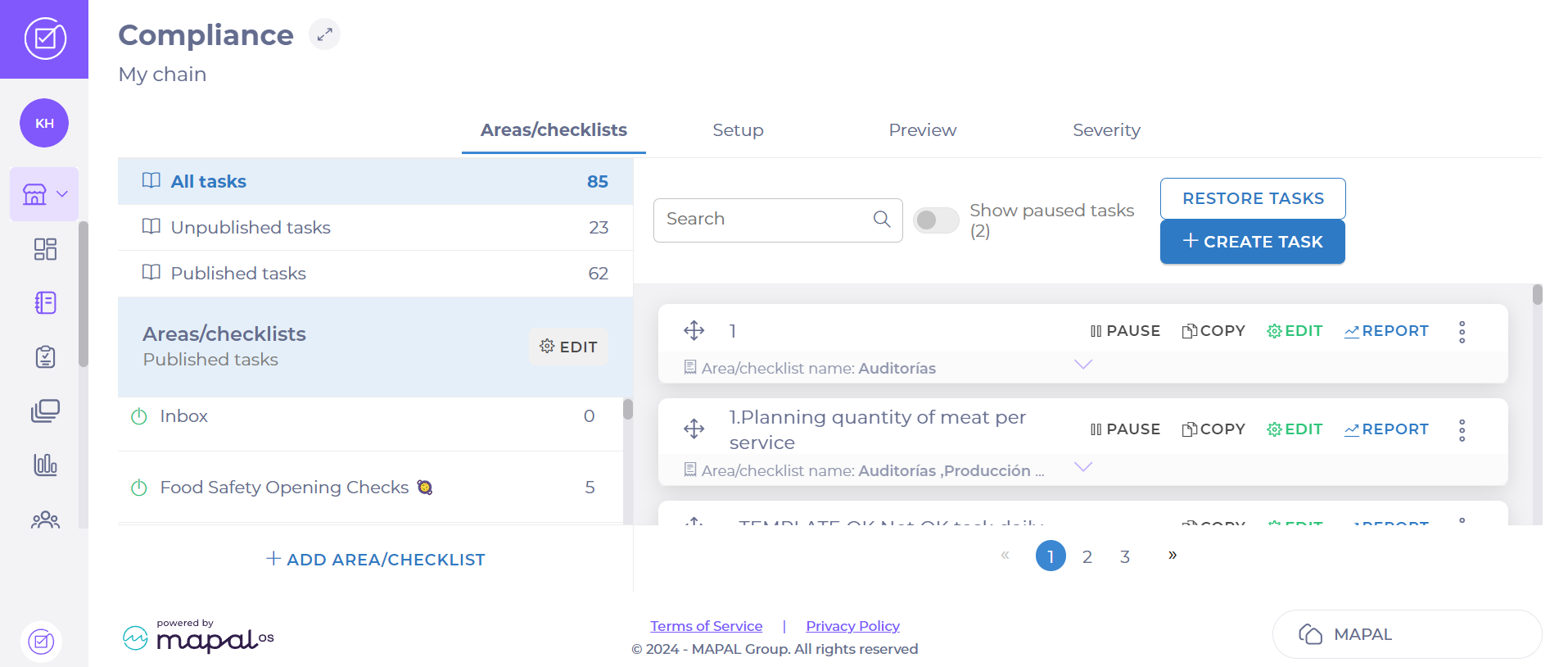
- Find the Area/checklist to which you wish to apply a time slot.
- Select Edit.
- Select the time slot you wish to apply to this Area/checklist using the dropdown menu.
- Select Save.
Time slots FAQs
What will users see when time slots are applied to Areas/checklists?
The Daily schedule has some additional features that guide users on which checklists have timeslots and if any tasks are late. The time slot is be listed on the sidebar. Late tasks will be flagged at the top of the task list.
How I can get reports on tasks completed on time?
There is a new tile available in the Central overview, which shows a leaderboard of tasks answered on time per location. You can sort this tile from highest to lowest, or vice versa. Only checklists that have time slots are included in this calculation.
Can I filter time slots by modules and checklists?
We are currently working on this function, which will enable users to quickly identify modules and checklists that are continuously late, so they can work with their teams to find a solution.
Can I prevent users from answering tasks that have not reached their time slot?
No, as the main goal of the tool and the time slots function is to help users be more productive throughout their workday and to help managers identify areas where they may be struggling. Preventing users from accessing tasks could potentially lead to frustration and disengagement with the platform. Time slots encourage conversation about why locations are late completing certain tasks, so this can be solved in collaboration.
