


Start from: The Compliance Overview page.
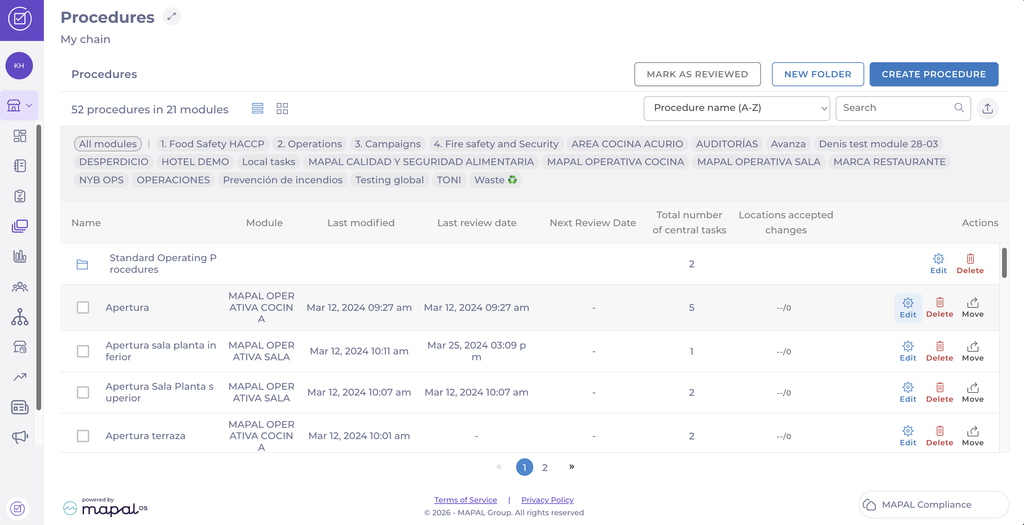
- Select Procedures in the main menu.
- Select the relevant procedure.
- Select the Edit icon.
- Change the relevant information.
Translate the procedure automatically
You can automatically translate the procedure's Label and Description into your organisation's configured languages.
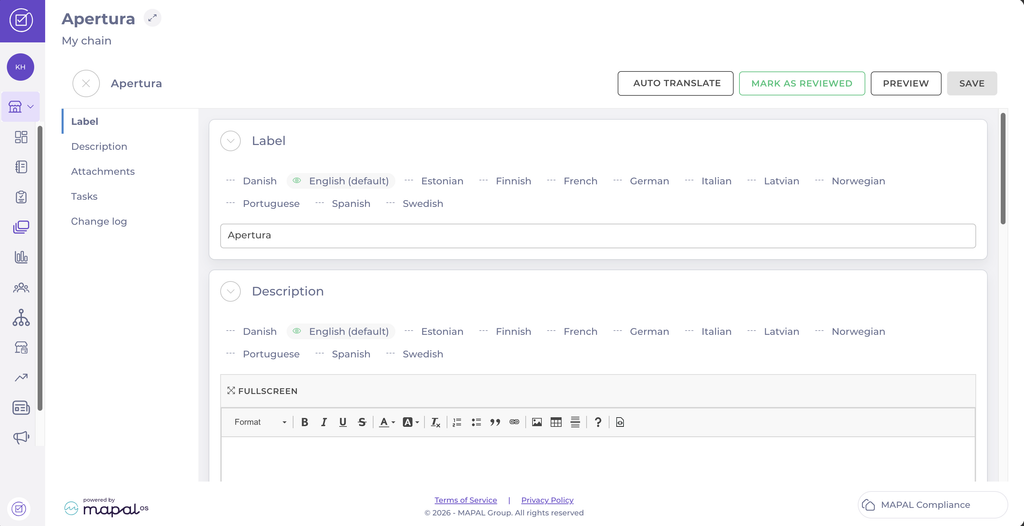
- Select Auto translate. The Label and Description are translated into each configured language.
- To review or adjust a translation, select the language under Label or Description and edit the text.
Note: Automatic translations may not follow your organisation's preferred terminology. Review the translated Label and Description in each language before publishing.
Save your changes
- Select Save.
- A confirmation pop-up will appear.
- Add a comment to Describe the change and tick the box Notify existing locations about changes to ensure relevant teams are informed.
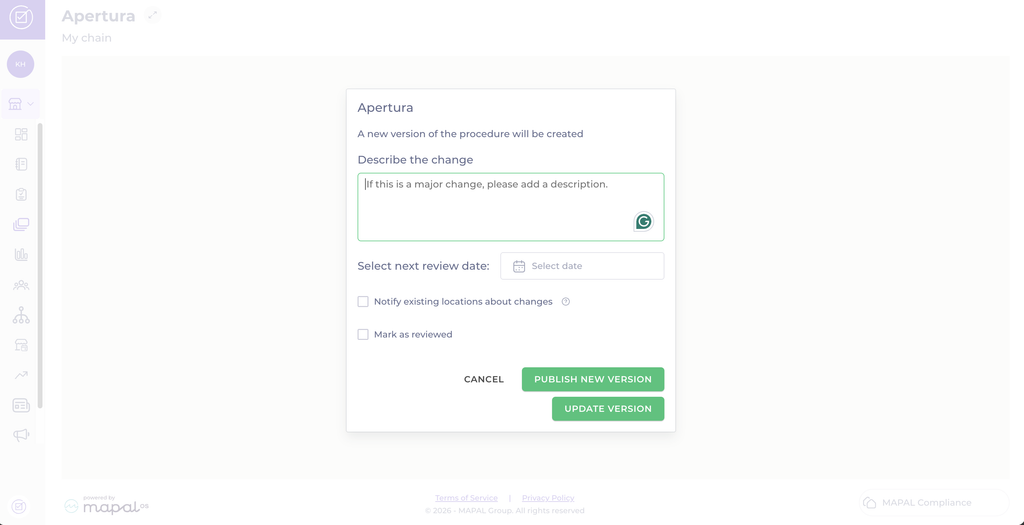
- You will see two publishing options:
- Publish new version (creates a new procedure version, tracked and versioned).
- Update current version (applies the changes without creating a new version). This is useful for minor edits like typos or clarifications.
