Start from: The Compliance overview.
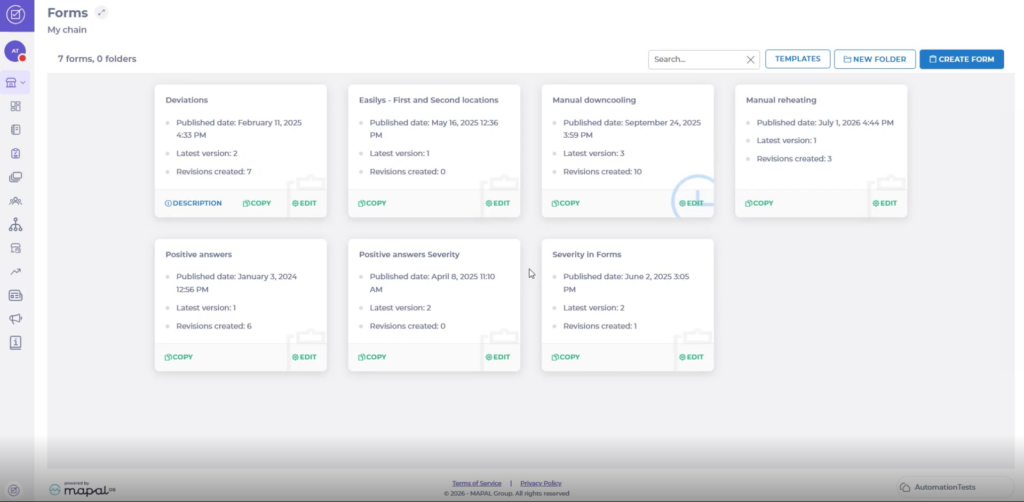
- Navigate to the Forms page.
Enable and configure reheating
- Select Create form, or select Edit on an existing form.
- Open the Settings section.
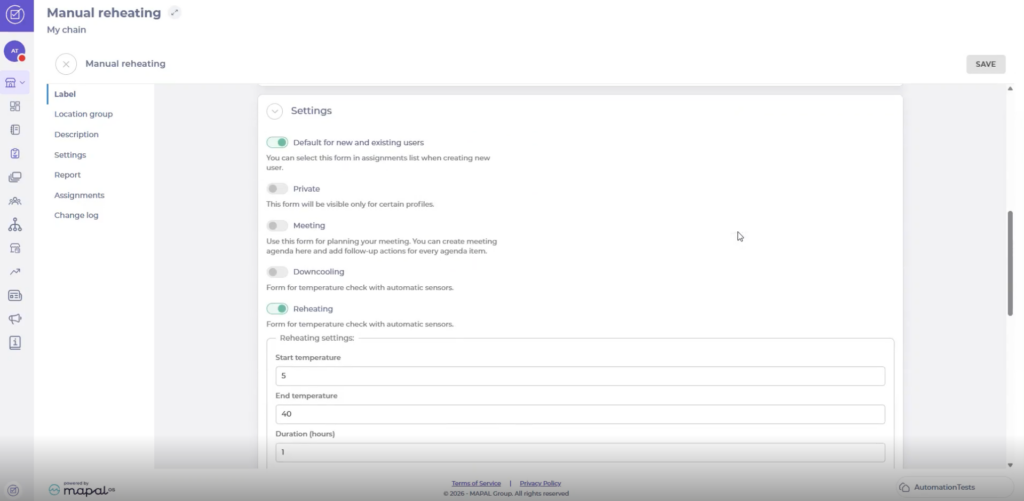
- Turn on the Reheating toggle.
- Under Reheating settings, complete the fields:
- Start temperature: the highest temperature a product can start at and still begin the process.
- End temperature: the temperature the product must reach.
- Duration (hours): the time limit for the process, in hours.
Note: The start temperature must be lower than the end temperature. Enter temperatures as whole numbers. The minimum duration is one hour.
Set the answer options
A reheating task must have one positive answer option and one option that creates a deviation.
- Inside the form, create an Empty draft.
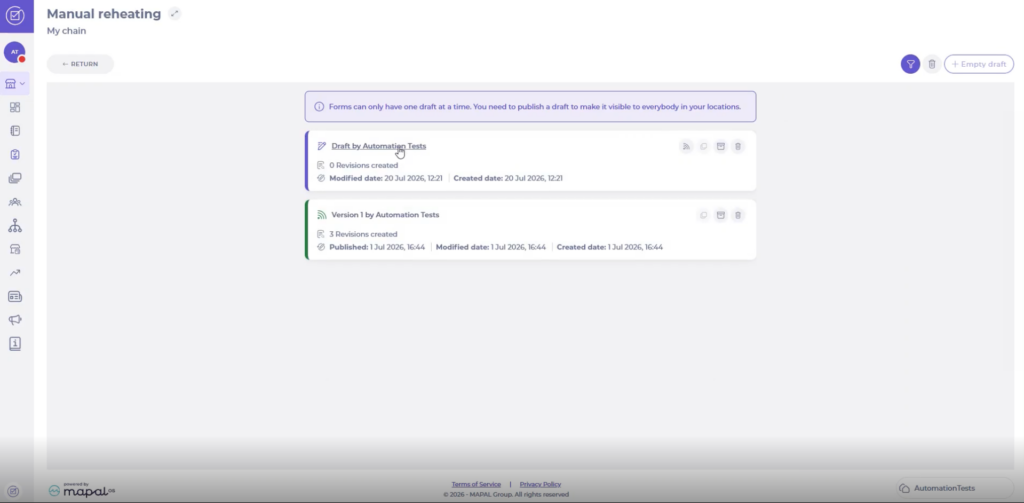
- Inside your new draft, select + New Task.
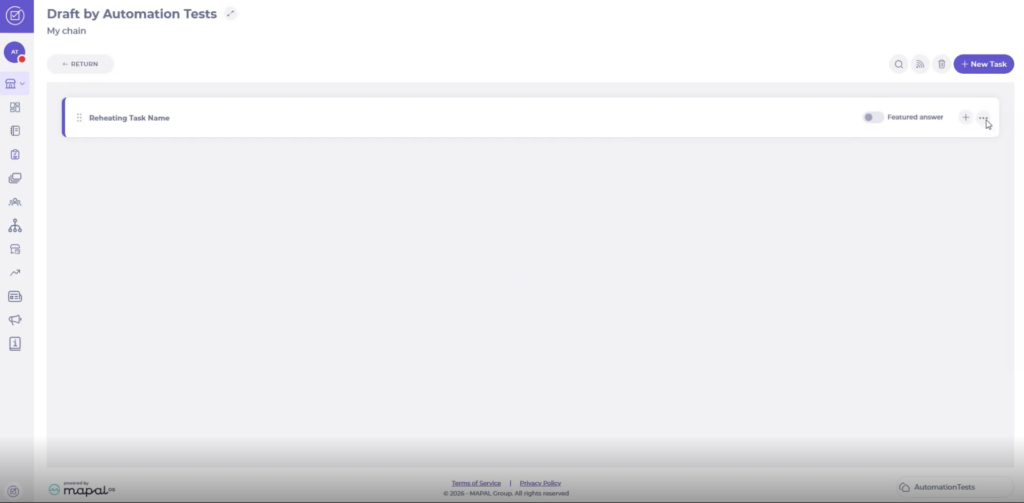
- Open the Answer options section of the task.
- For the positive answer, set the Answer Type to Button and enter a Button Label (for example, Positive). Set a Score, or turn on Ignore score.
- For the deviation answer, add a second answer, enter a Button Label (for example, Deviation), and select a Deviation type.
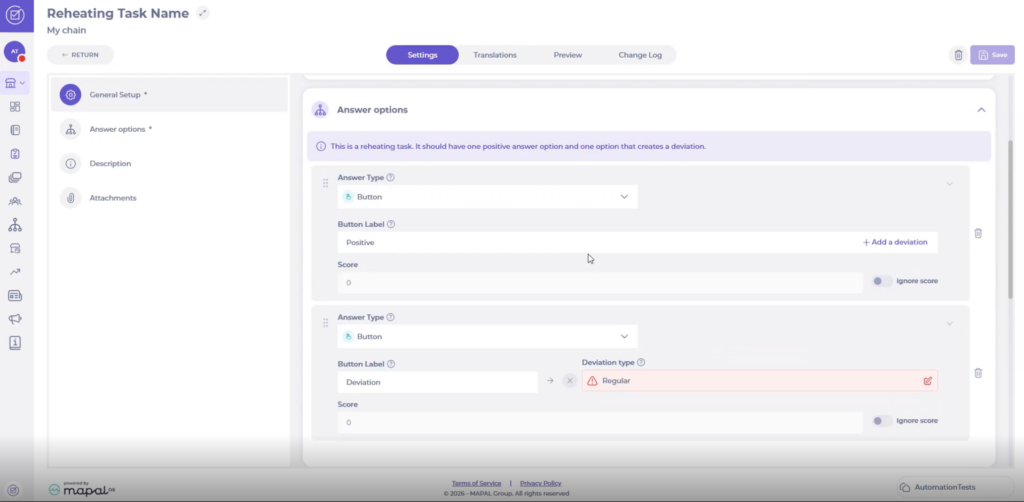
Note: A reheating task is limited to these two answers.
- Select Save to record the task's settings.
How results are recorded
- In your Location, select Forms.
- Select the Reheating form previously created.
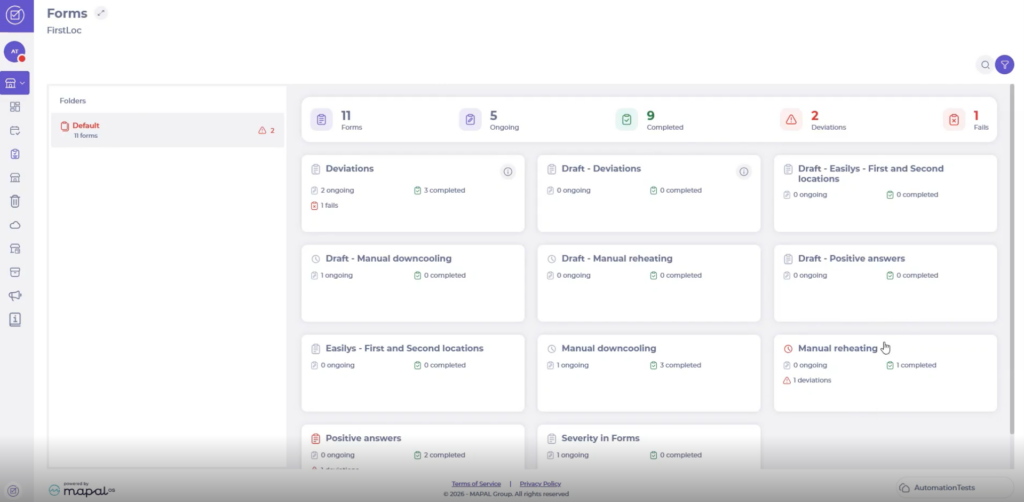
- Select + Start New.
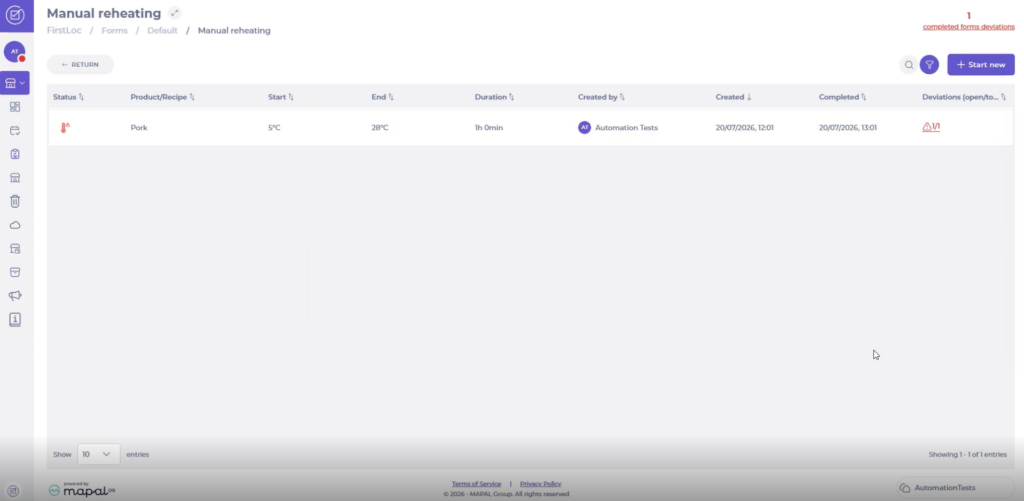
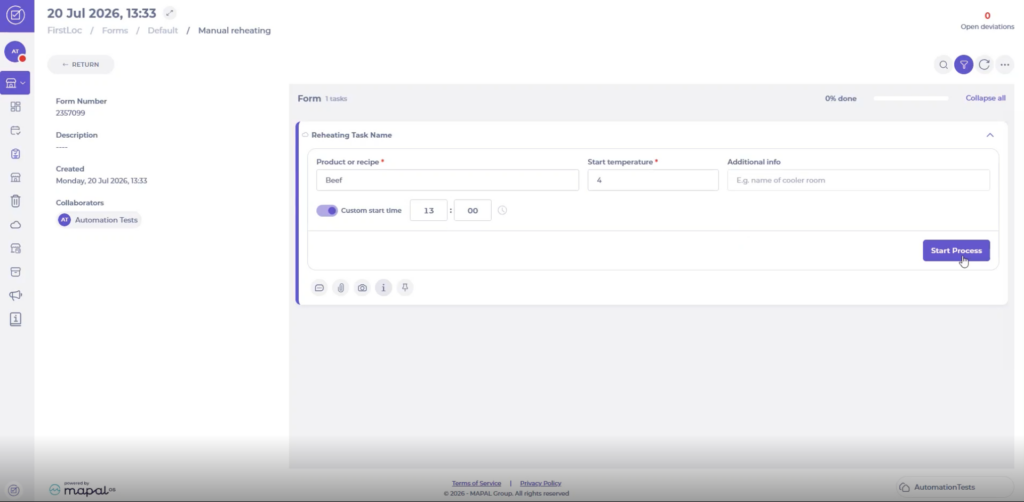
- Inside the reheating task:
- Write the name of the Product or recipe.
- Record the Stat temperature.
- Add Additional info (optional).
- Select Start Process.
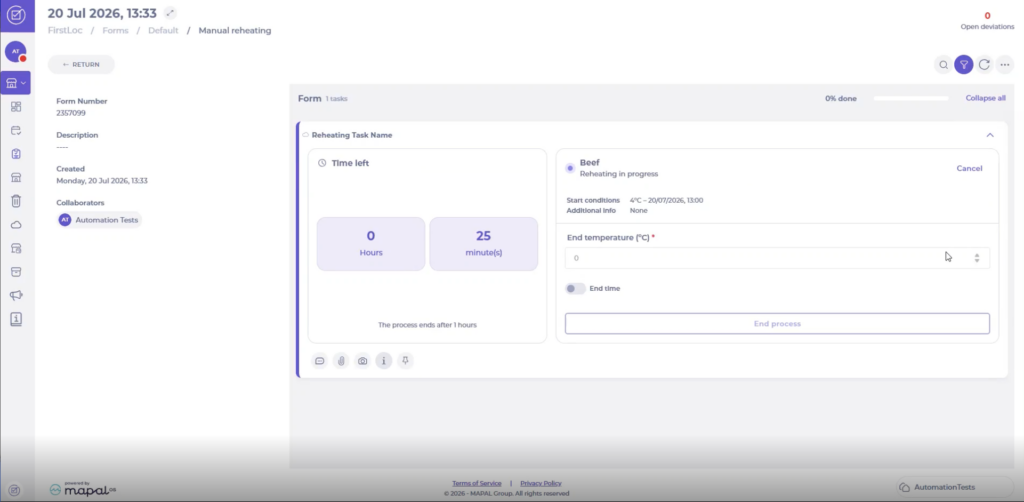
- The screen shows you the time left to complete the process.
- Once finished, record the End temperature and select End process.
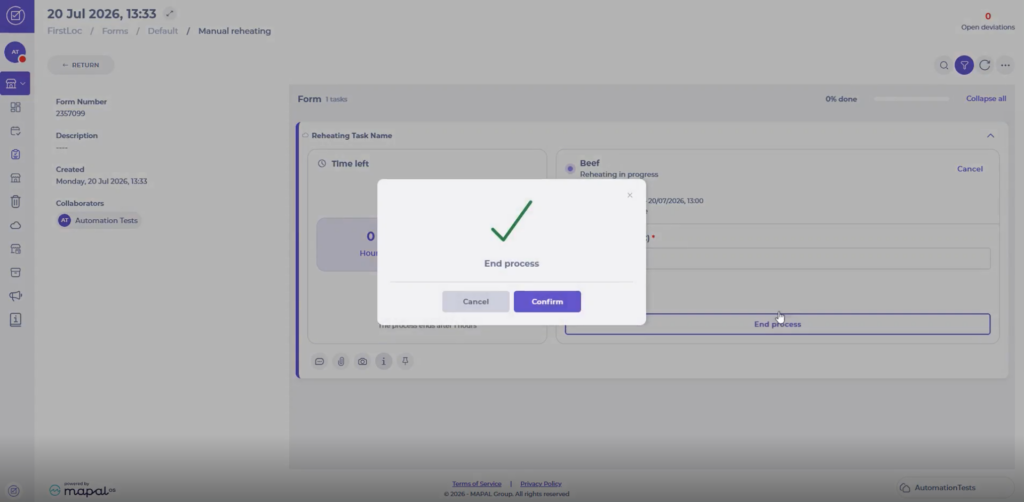
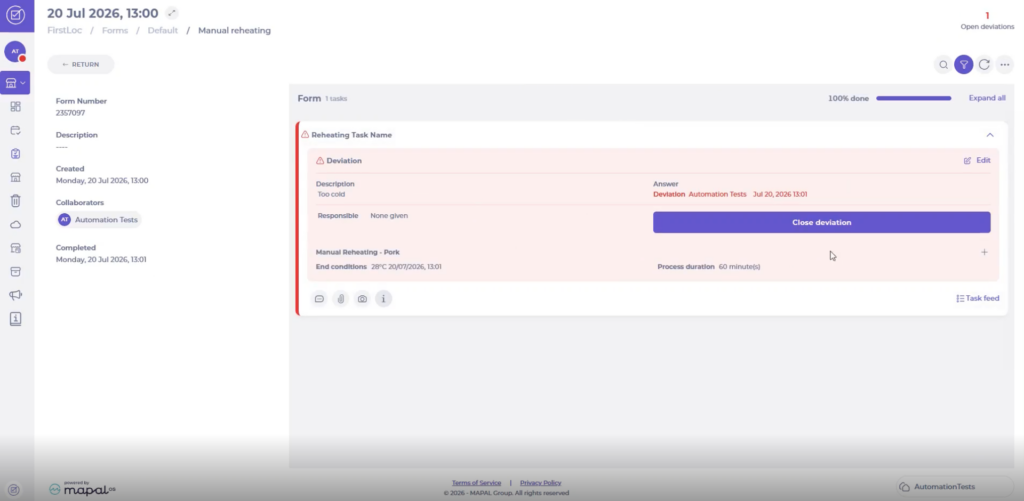
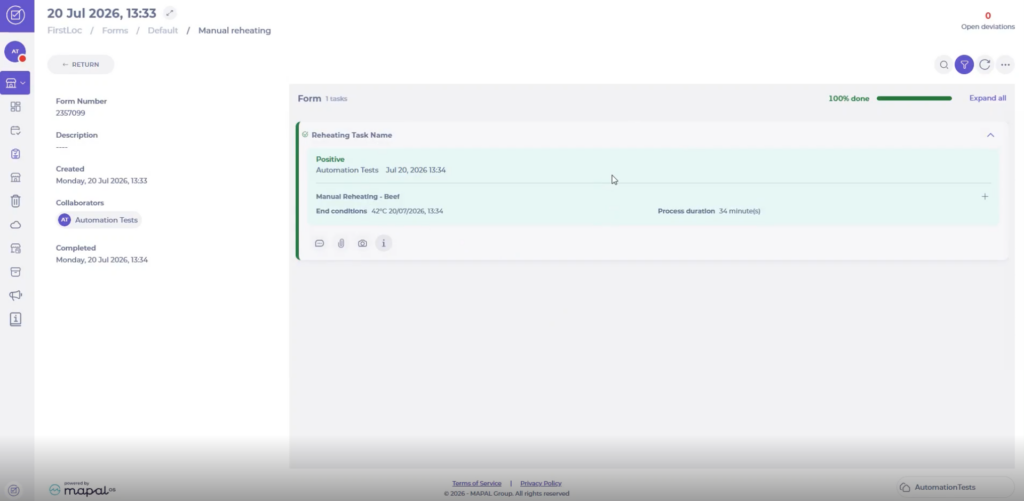
When a user completes a reheating process, Compliance sets the result automatically:
- If the product reaches the end temperature within the duration, the process is a success and the positive answer is selected.
- If the product does not reach the end temperature within the duration, the process fails, the deviation answer is selected, and a deviation is created using the configured deviation text.