


This sprint focused on strengthening local operational visibility, improving audit analysis workflows, and streamlining the user experience across overview and update management screens.
Enhancements
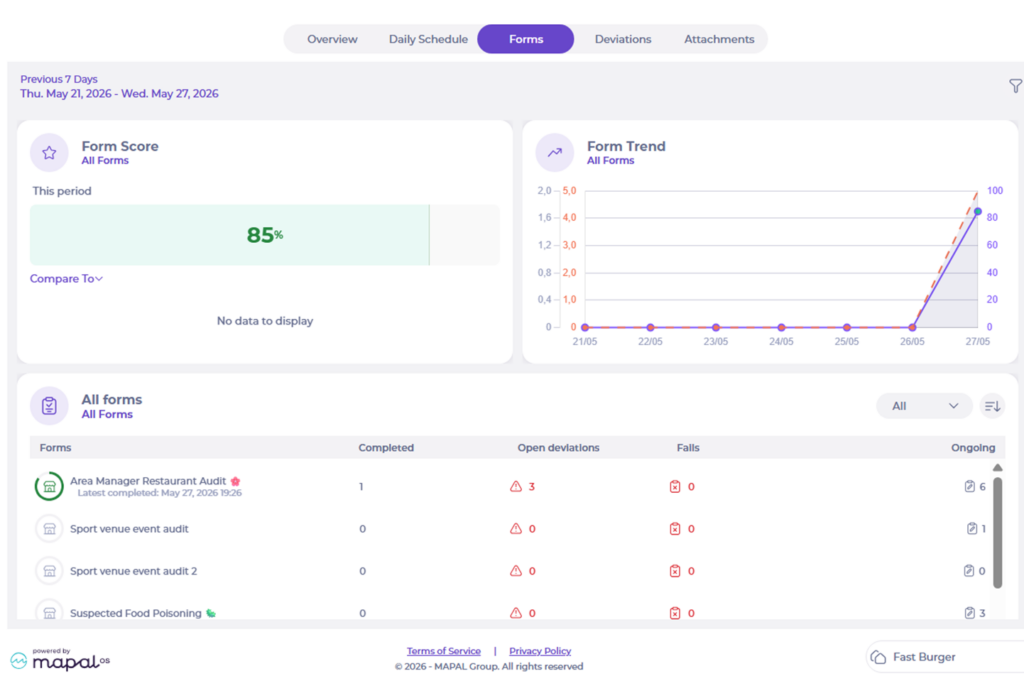
Forms tab on Local level – local empowerment
A new Forms tab is now available on the Local Overview, bringing key audit and form insights directly to location teams. Users can now view form scores, trends, open deviations, failures, and ongoing audits from a local operational perspective.
This removes the dependency on central-level reporting for day-to-day visibility and helps locations prioritize actions faster.
Key benefits
- Better visibility of local audit performance and trends
- Faster access to form revisions and open issues
- Improved operational follow-up at location level
- Consistent experience between central and local overview screens
Central overview – selected filters now persist during a user session
The Central Overview now keeps users’ selected filters and active tabs during the browser session, including:
- Location Groups
- Departments
- Checklists/Forms
- Date ranges
- DS / Forms / Deviations / Attachments tabs
Previously, users had to repeatedly reconfigure filters when navigating between central and local views.
Key benefits
- Faster navigation across operational workflows
- Reduced repetitive filtering actions
- Improved efficiency when reviewing multiple locations
- Better continuity across overview pages
Updates in Forms registration export
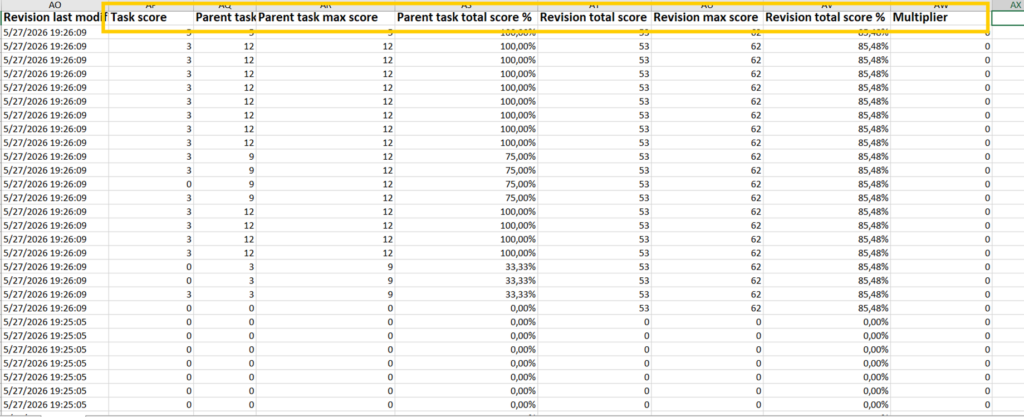
The Forms Registration export now includes detailed score breakdowns for parent tasks/modules alongside overall revision scoring.
New export fields include:
- Parent task total score
- Parent task max score
- Parent task score %
- Revision total score
- Revision total score %
This provides clearer audit analysis for customers using large grouped audits and module-based scoring.
Key benefits
- Improved audit transparency in exports
- Easier analysis of module-level performance
- Better reporting for compliance and operational reviews
- Reduced manual calculations in exported reports
Communication and procedure updates now behave consistently
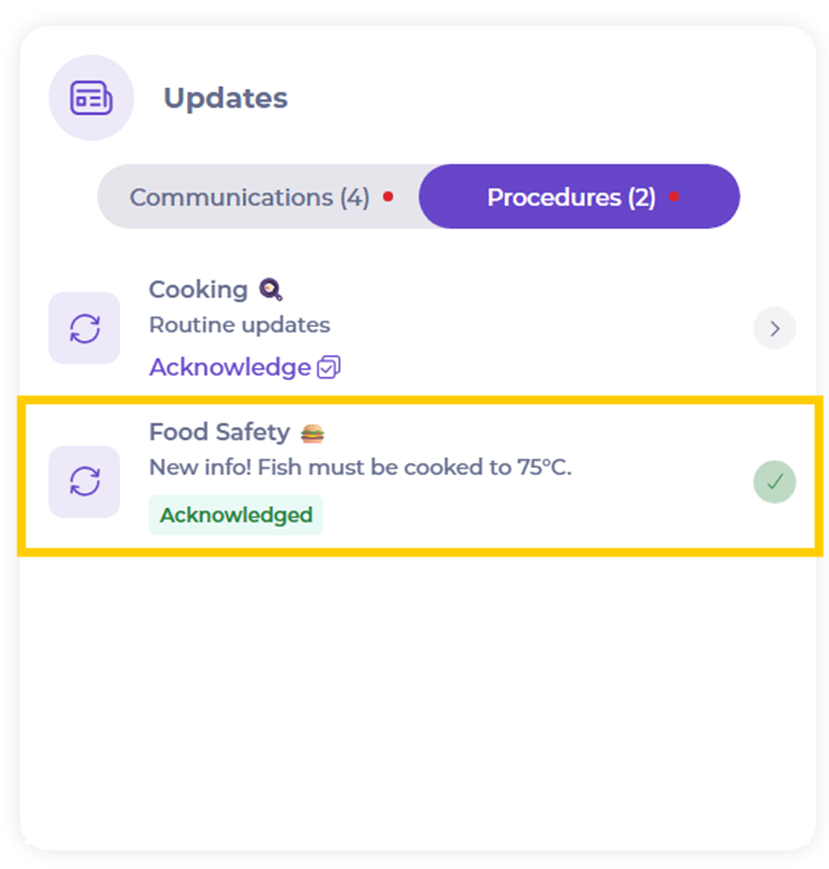
Procedure updates now remain visible after acknowledgement, matching the behavior already used for Communications updates. Acknowledged procedures display a green “Acknowledged” status and remain visible for the last 2 months.
Previously, acknowledged procedures disappeared immediately, limiting visibility and follow-up.
Key benefits
- Better visibility of acknowledged updates
- Improved operational tracking and accountability
- Consistent experience between Communications and Procedures
- Easier confirmation that updates were reviewed by teams
Bugs & fixes
- Local users synced from OS received extra location groups | Prevented incorrect module activation and access issues
- Hot Fix: Unable to access form “ingrediensförteckning dagens lunch” | Restored access to affected forms
- No sectors displayed in Zoho analytics | Restored sector visibility in analytics filters
- Food waste summary calculation issue | Corrected guest count calculations when waste was not registered
