


Start from: The Overview page on the Compliance Dashboard.
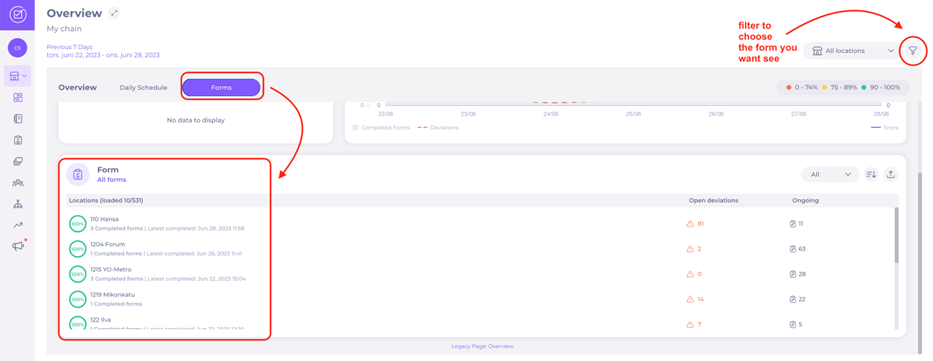
- Select Forms.
- Choose a form from the main list or use the filter icon for more control
Note: Using the filter, it is possible to filter by multiple forms and compare these results across different time periods. Using these filtering options, you can select multiple scenarios to see data across different areas of your business.
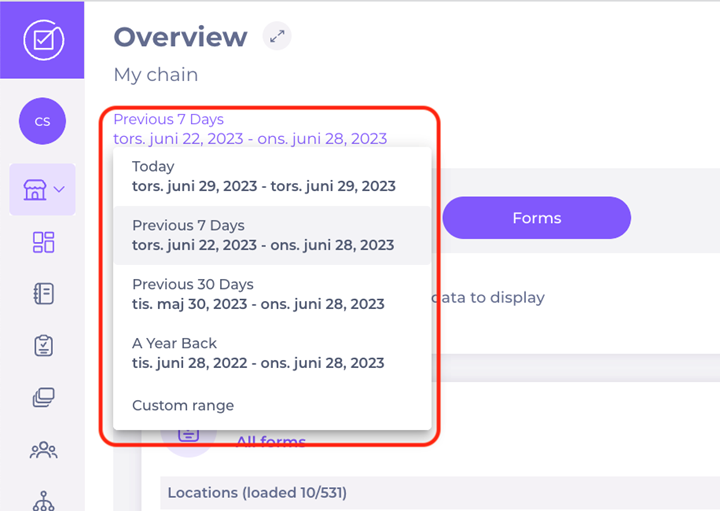
- Choose a period of time by selecting preset periods (today, previous 7/30 days, a year back etc.).
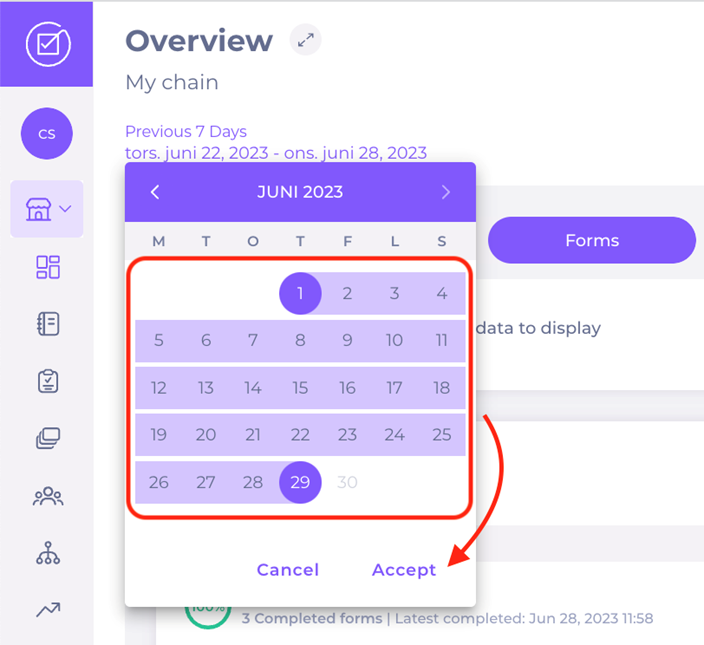
- OR Choose a specific range of dates in the calendar and select Accept.
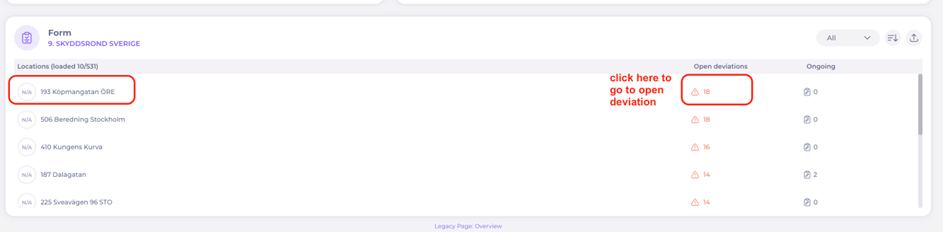
- Select a location to see the status of the filled in forms and the open deviations.
Note: within a revision (a completed form on local level) you can filter on the status of the deviations to see fixed ones or ones with comments or attachments.
Note: When opening a completed form, the Revisions tab displays a table with each form’s unique Revision ID. The Filter icon offers advanced filtering options by Revision ID, Date range, Assignee. These filters allow you to quickly locate specific revisions without scrolling through all entries.
Generate reports
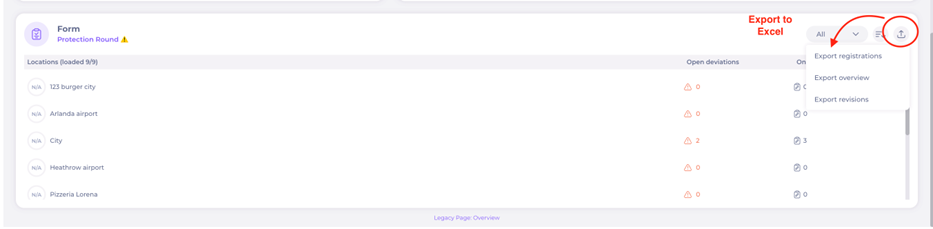
From central level, you can also export to excel. Here are several options:
- Export overview: the same as on the page.
- Export forms: all forms completed (without answers/registrations)
- Export registrations: more detailed as it includes all answers/registrations
- Export registrations: more detailed as it includes all answers/registrations from all completed forms of the kind you chose).
- Select Reports in the Main Menu
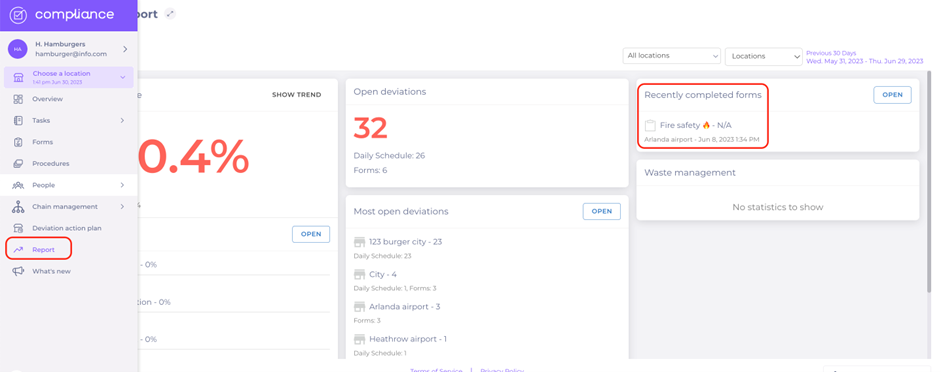
There, you will have an overview of recent forms and will be able to sort them out (location, form, date).
Export order and data structure
When exporting forms or registrations to Excel, the export preserves the original order of tasks and questions as configured in the Forms builder.
This ensures that:
- Data follows the same logical structure as the live form.
- The sequence of questions and tasks remains consistent across both the platform and the export.
- Reviewing and analysing exported data is more intuitive and reliable.
