
Start from: The Compliance dashboard.
-
Select Tasks > Setup from the main menu.
-
Select the specific module.
-
Scroll down to Processes and select the specific process.
-
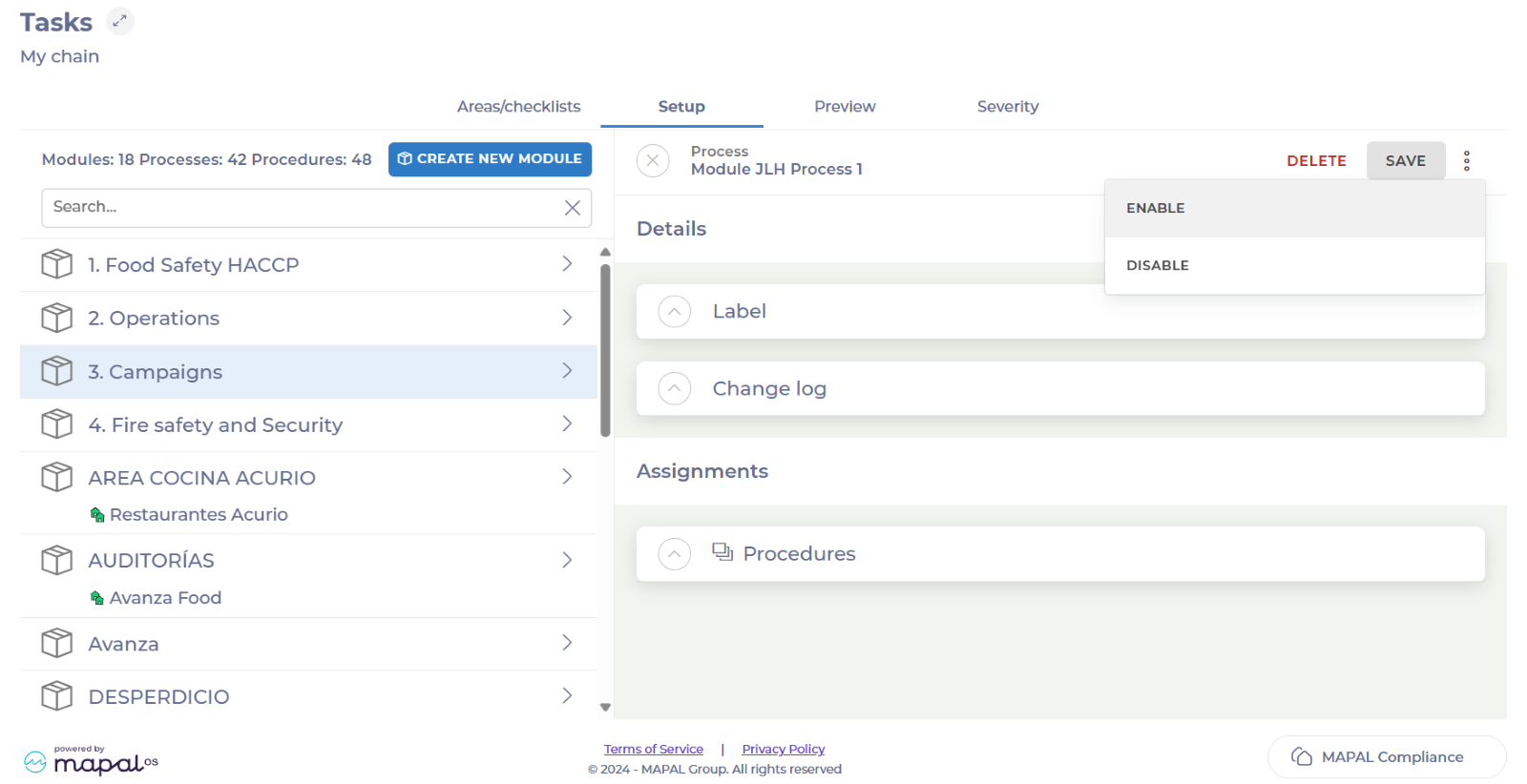
Once inside the process, select the three dots button in the top right corner.
-
Select Enable.
-
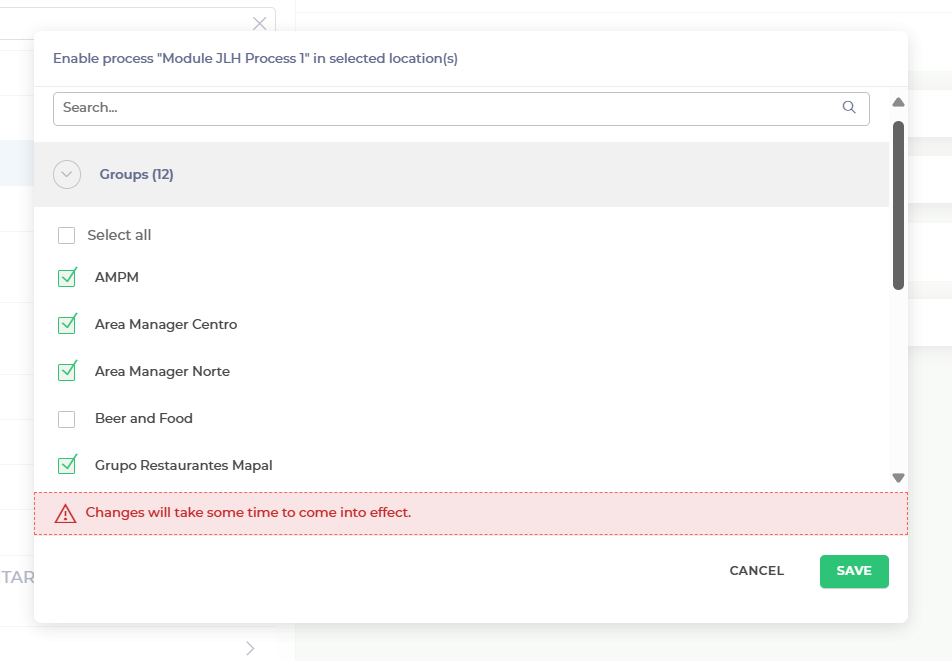
Search and select all the respective groups you want to add the process to.
-
Select Save.
The process will be now assigned to all the groups selected.

Related Articles
Apply a department to a module
- Modules
- Departments
Compliance allows general managers to apply a department to a module so that their team…
Create processes and tasks within a procedure
- Tasks
- Administration
- Compliance
Compliance allows store managers to create processes and tasks within a procedure so that they…
Create a process
- Tasks
- Checklists
Compliance allows store managers to create a process so that they can structure workflows and…
Copy a module at a central level
- Modules
- Chain
Compliance allows modules to be copied at a central level, so you can quickly duplicate…
Assign modules and forms to specific location groups
- Tasks
- Modules
- Forms
- Compliance
- Chain
Start from: The Compliance overview. Navigate to Tasks > Setup. Select Create new module or…


