


Start from: The Compliance dashboard.
-
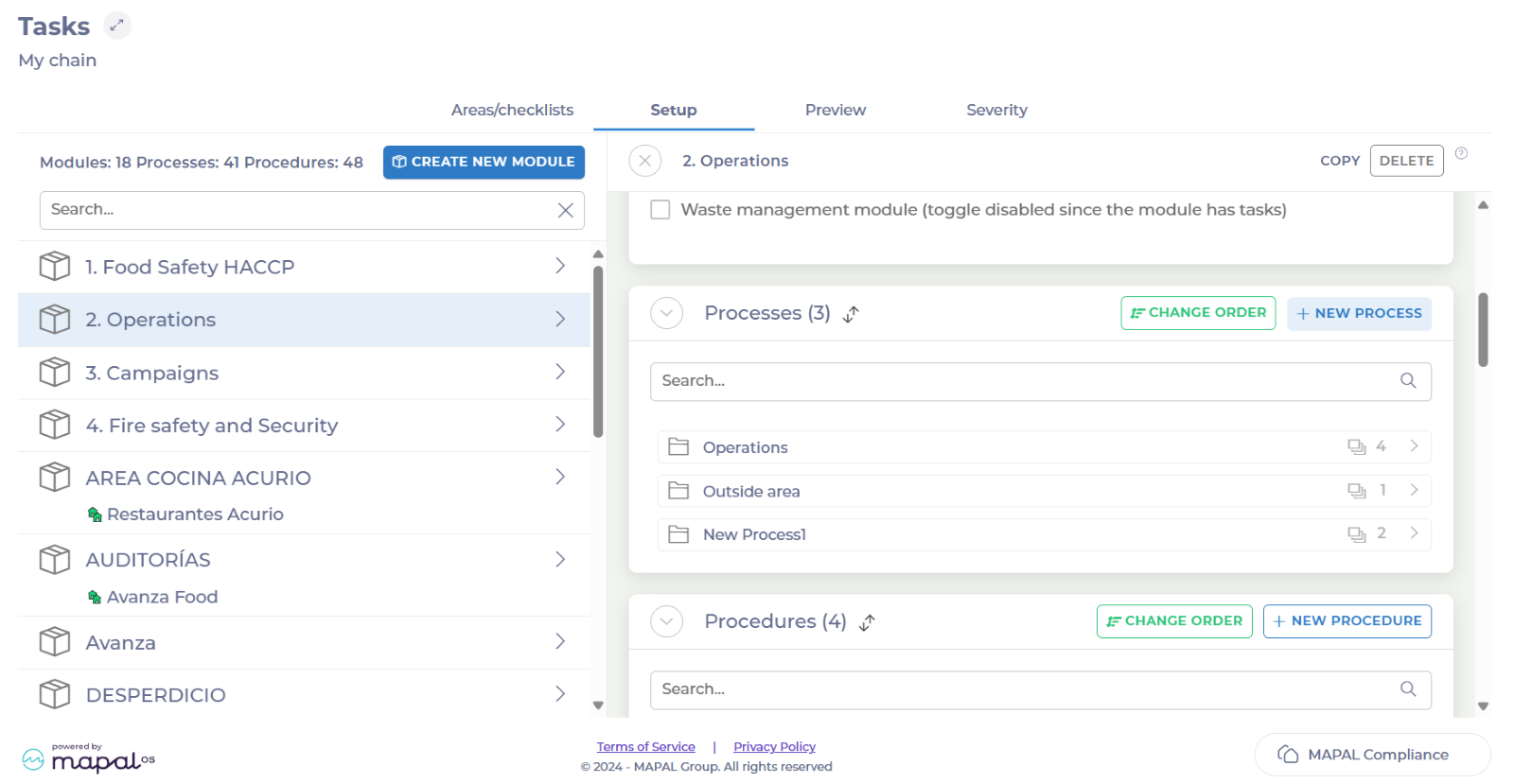
Select Tasks > Setup from the main menu.
-
Select the specific module in which you want to create a process.
-
Scroll down to Processes and select + New Process.
-
Assign a name to your new process in the Label field.
-
Select Save.
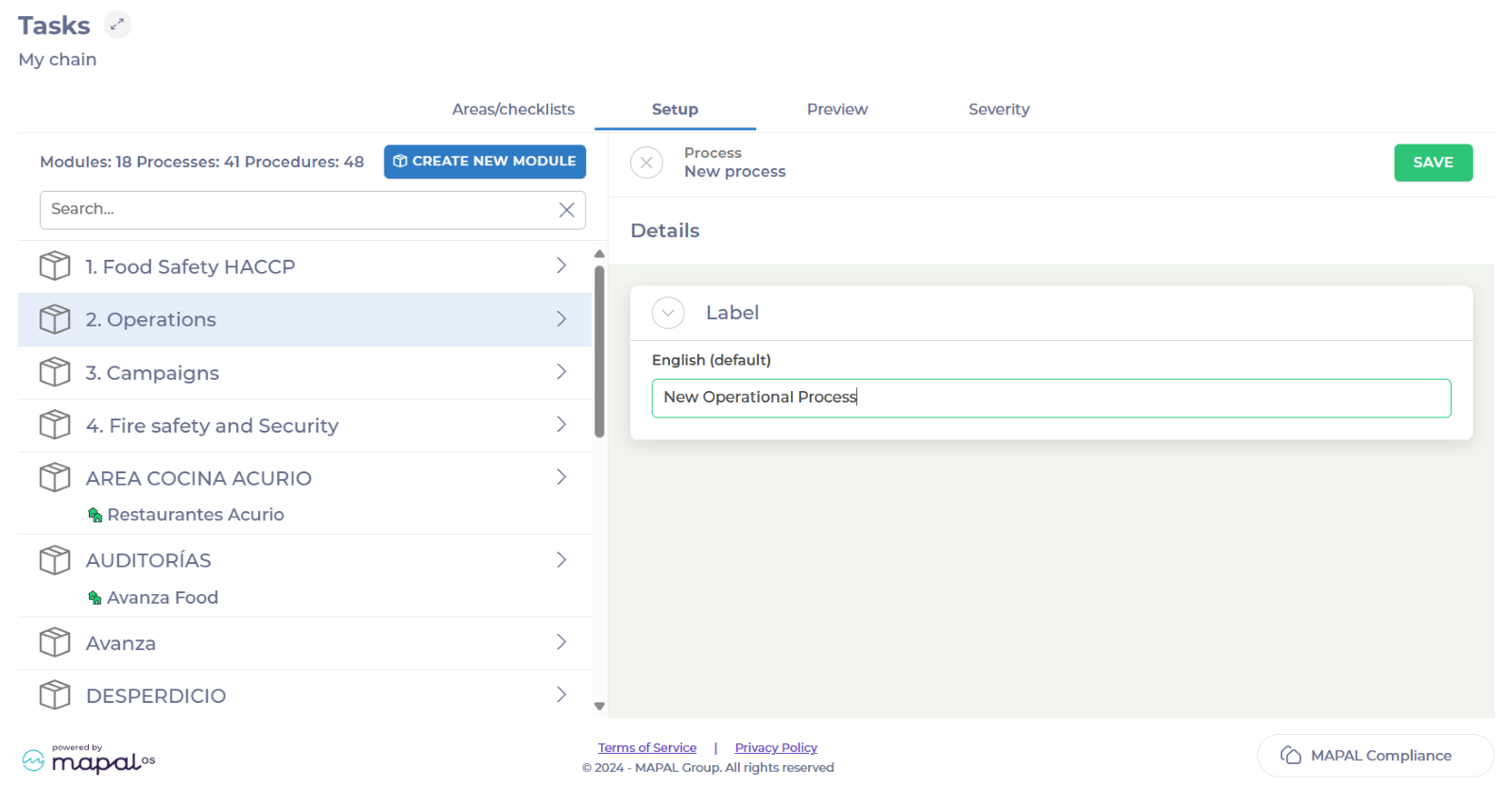
Your process is now created. You will be able to find it inside the module, under Processes.
