


Start from: The Compliance overview.
Accessing Compliance Reports
- Select the specific Location you need data for.
- In the Local Overview, scroll down to find the Previous Answers Report tile.
Note: The Previous Answers Report is located in the Local Overview section, not in the Compliance History.
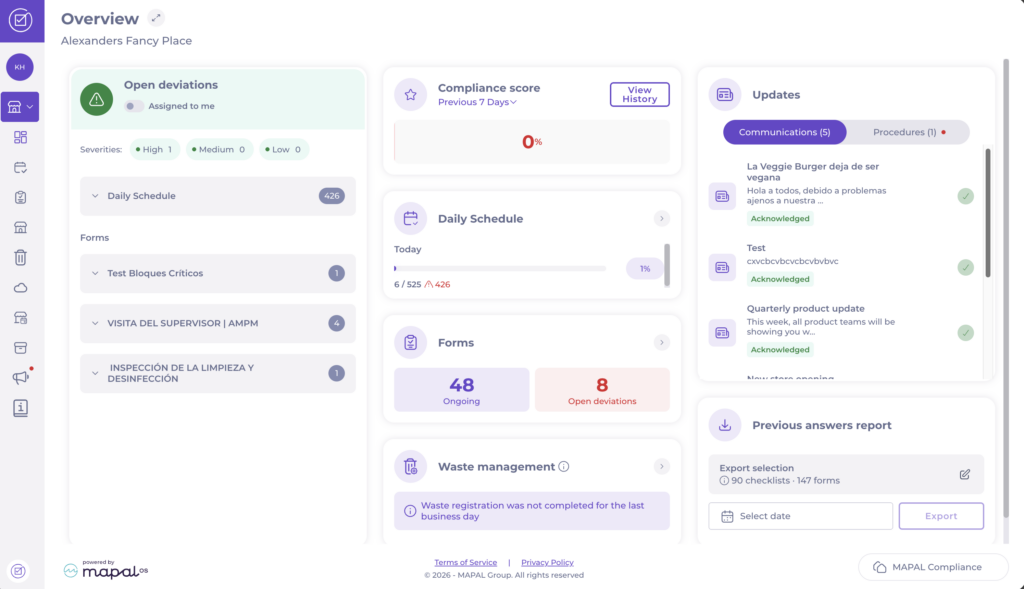
Generating the Report
- Select the Date for which you need the report.
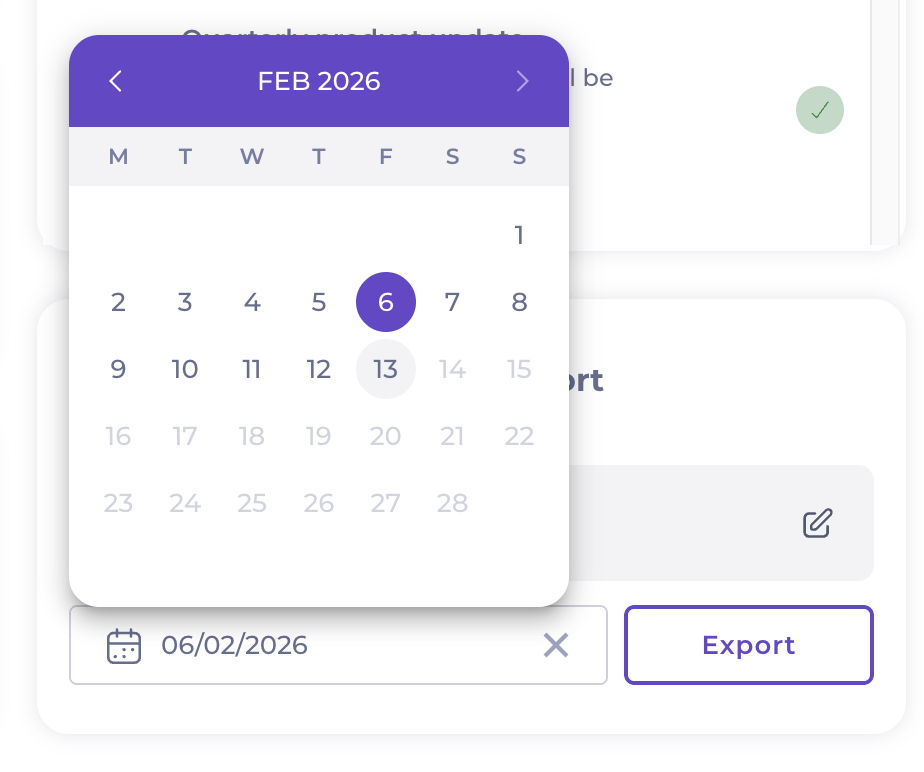
- Select the pen icon to Edit your export selection. This will help you refine your report by selecting a specific Area/Checklist, or Form.
- Select Accept once you complete your selection.

- The Previous answers report panel now shows a brief summary of your selection.
- Select Export to download the file.

Once generated, a PDF report will be downloaded to your device with all checklists and forms, allowing for quick review and documentation.
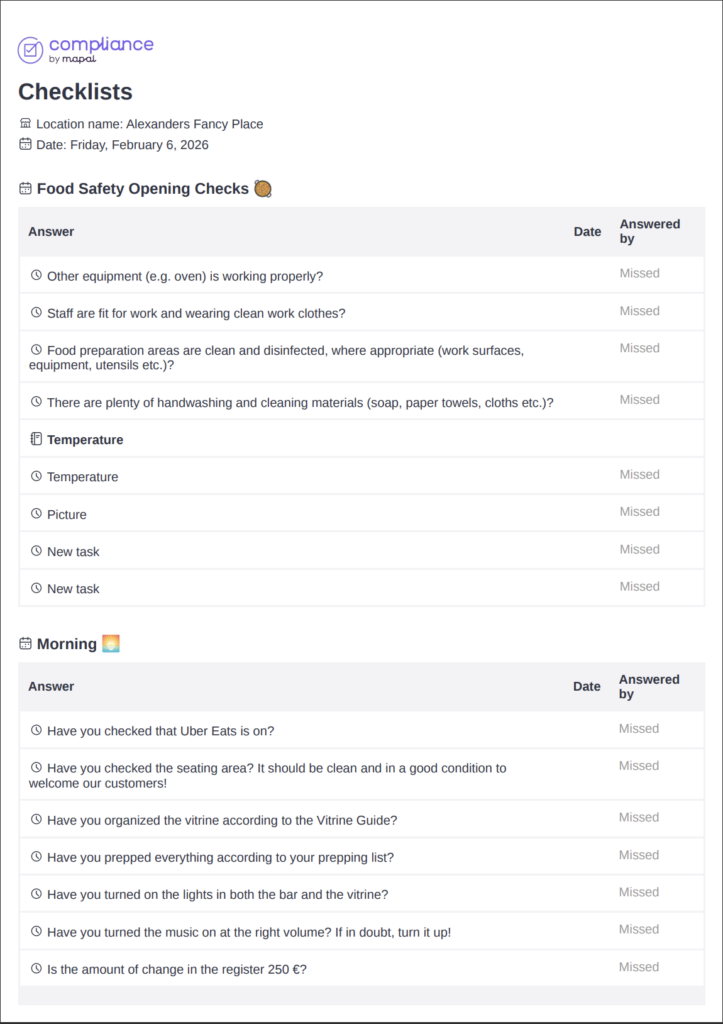
Notes: If you do not see the Previous Answers Report tile or require additional functionalities, contact your Customer Success Manager for assistance.
Form export structure
When exporting forms data through the Previous Answers Report, the exported content reflects the exact order of tasks and questions as they are configured in the Forms builder.
This ensures:
- A consistent structure between the live form and the exported document.
- Accurate representation of task flow and question hierarchy.
- Easier navigation during audit reviews and data checks.
All sections and questions appear in the same sequence as they were designed, allowing the report to mirror the operational process precisely.
