


Start from: the Compliance App.
- Select My Location > Procedures.
- Select a specific procedure (Food Safety, for instance):
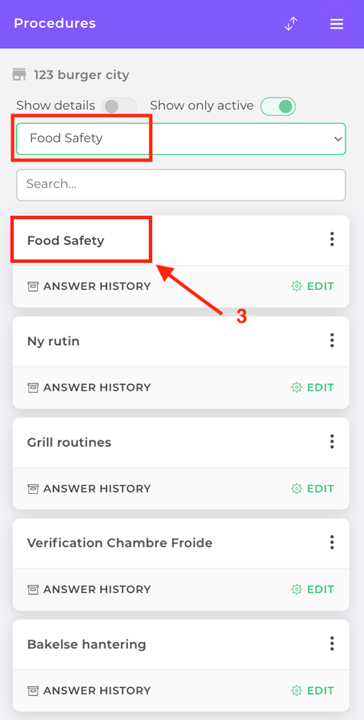
Within this procedure, you will find documents under the heading Local/Central documents.
Note: you can also add/remove local attachments via the gear icon. You can only change the local description on the web.
