In our ongoing effort to provide the best learning tools, we will be retiring the Module Builder in 2025. Find out more about how we're rolling out these changes.
Start from: The Flow Learning System Dashboard.
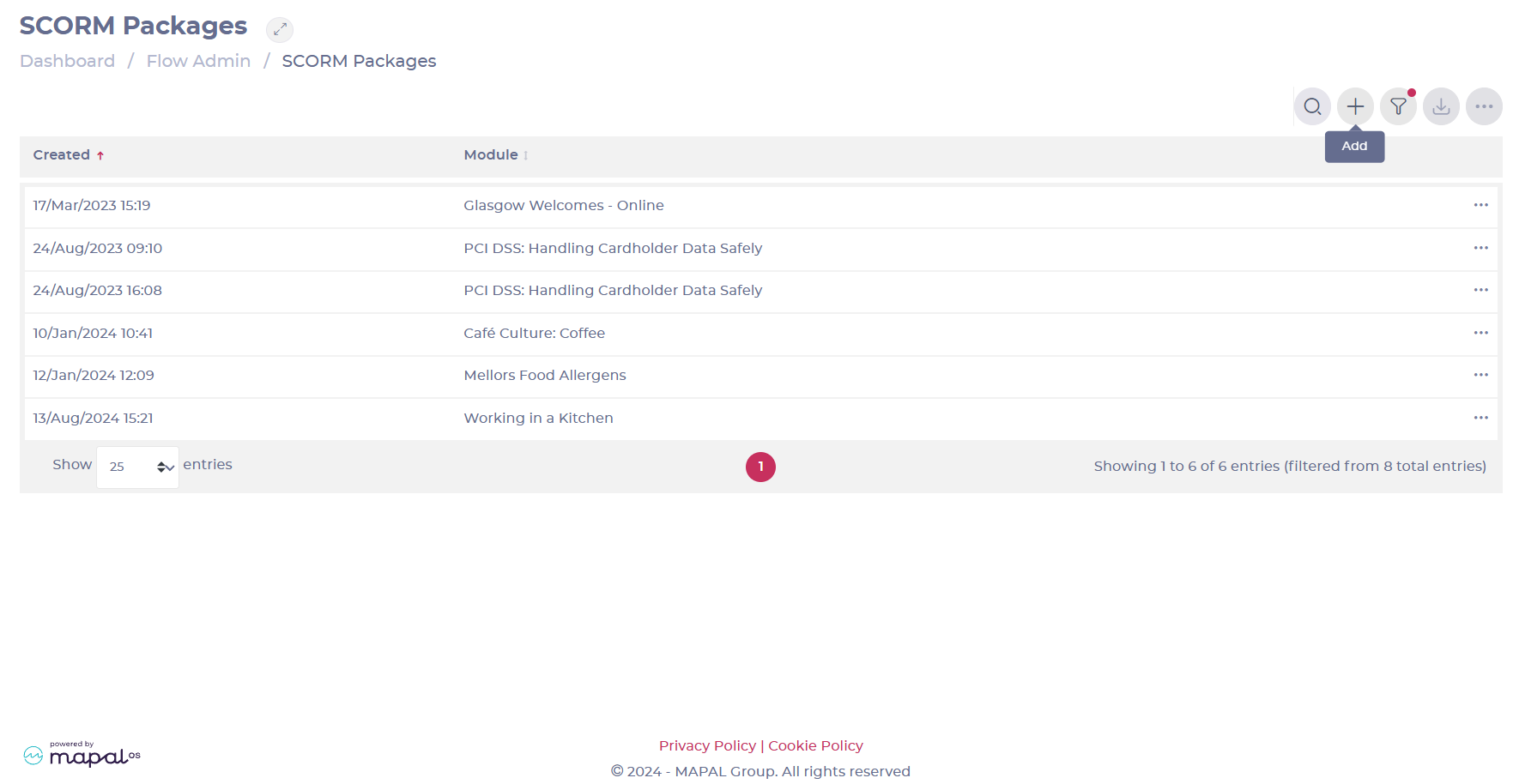
- Select Flow Admin > SCORM Packages form the main menu.
- Select the Add + button.
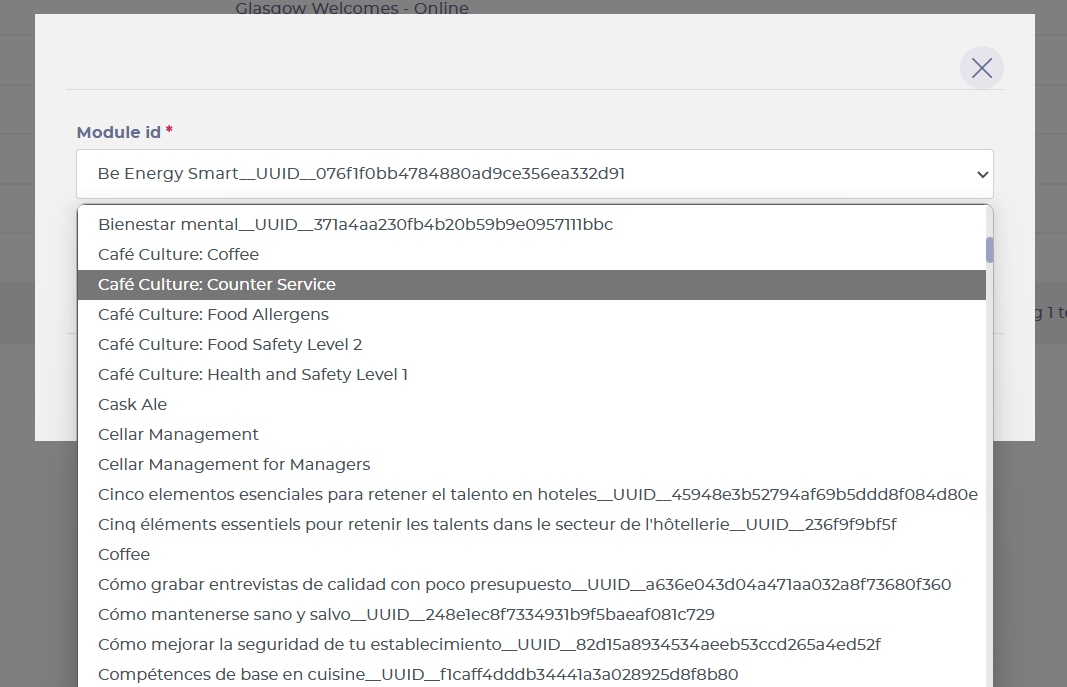
- In the pop-up window, select the Module Builder module id that you want to export.
Notes: The list will only show published Module Builder modules.
- Once you have selected your module, select your SCORM package type depending on your customer’s needs.
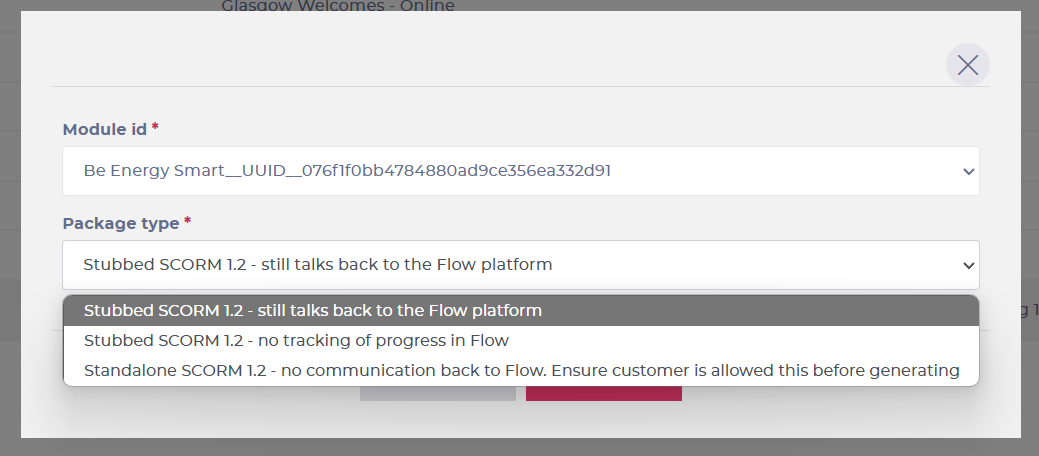
- Once you’re ready, select Save and the system will then generate the file, ready for download.
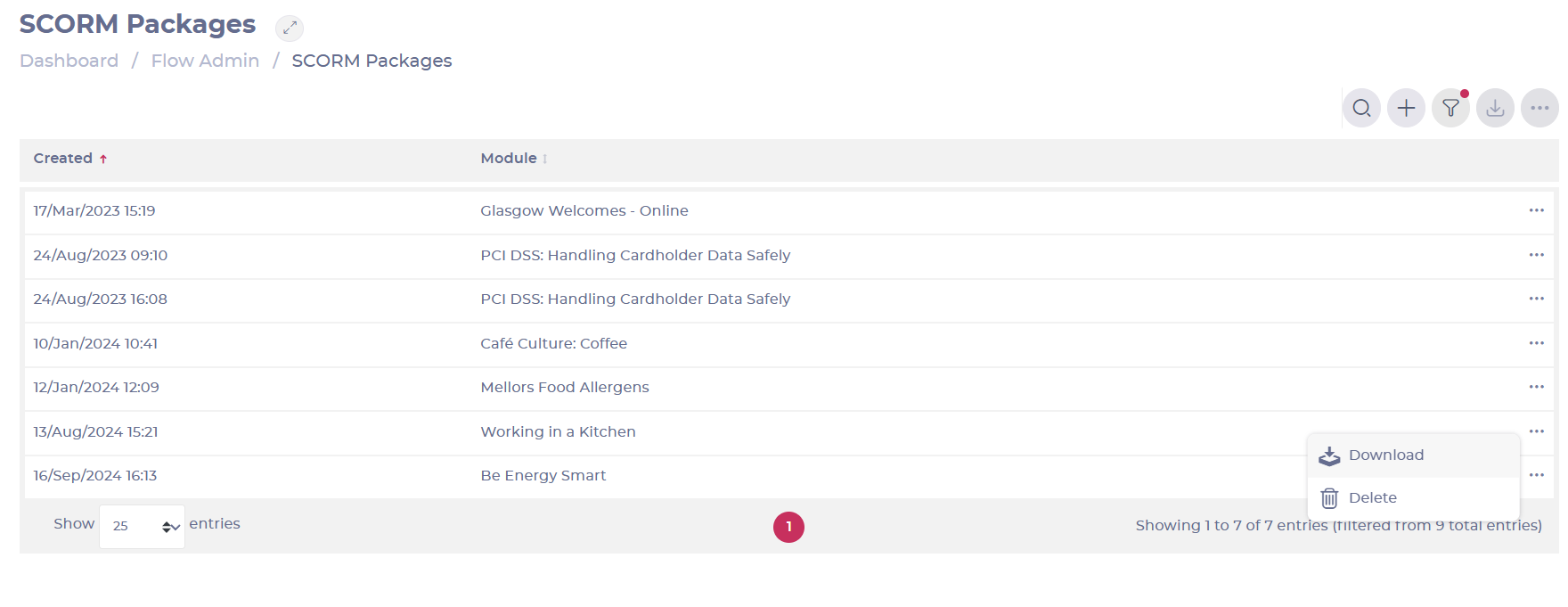
- Back in the SCORM Packages list, find your module and select the three dots on the module’s row.
- In the small pop-up, select Download to get the SCORM zip file for you, which can then be sent to customers.