


Start from: The Flow Learning Dashboard.
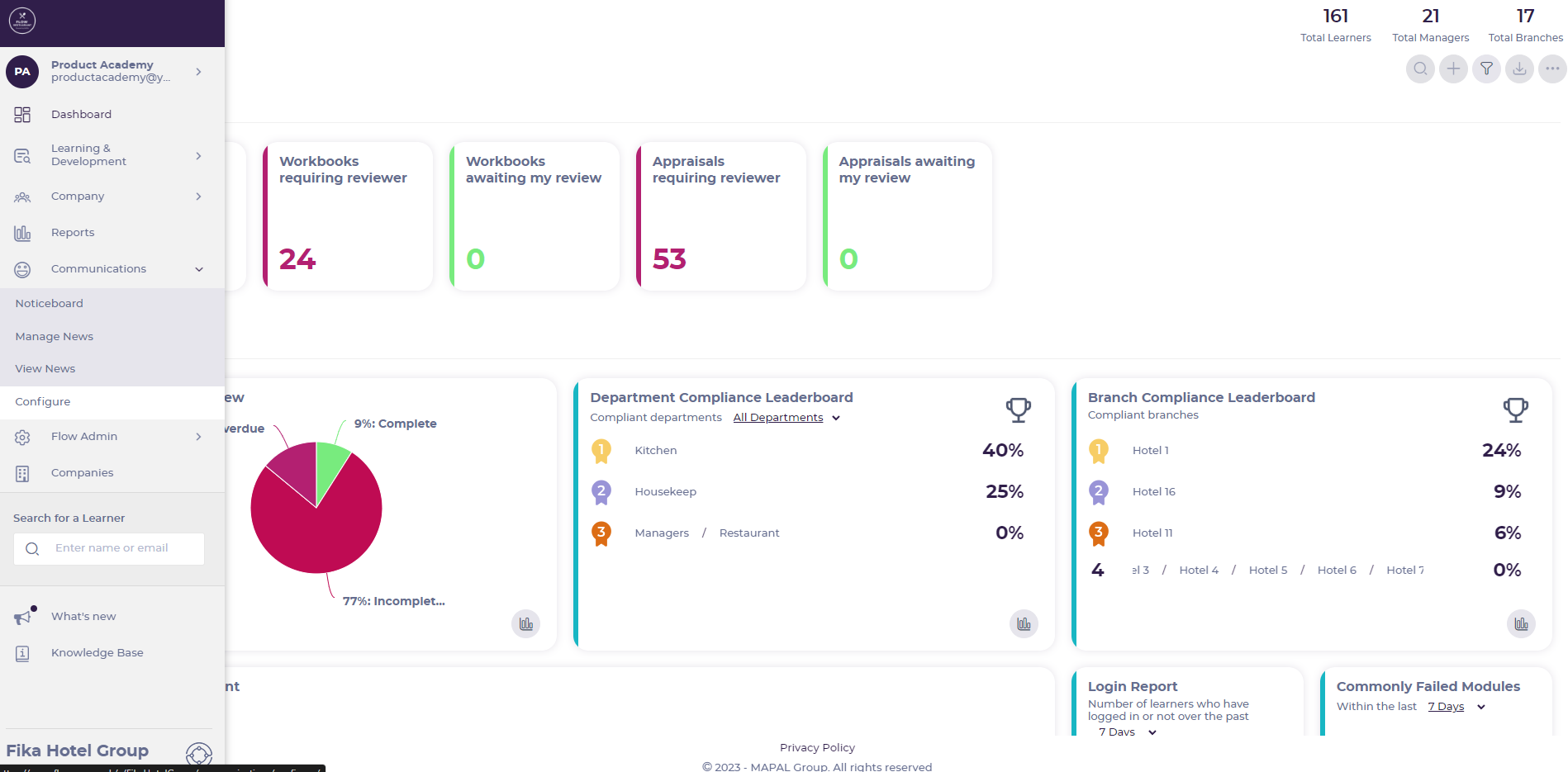
- Select Communications > Configure from the main menu.
- Select Noticeboard categories and subcategories.
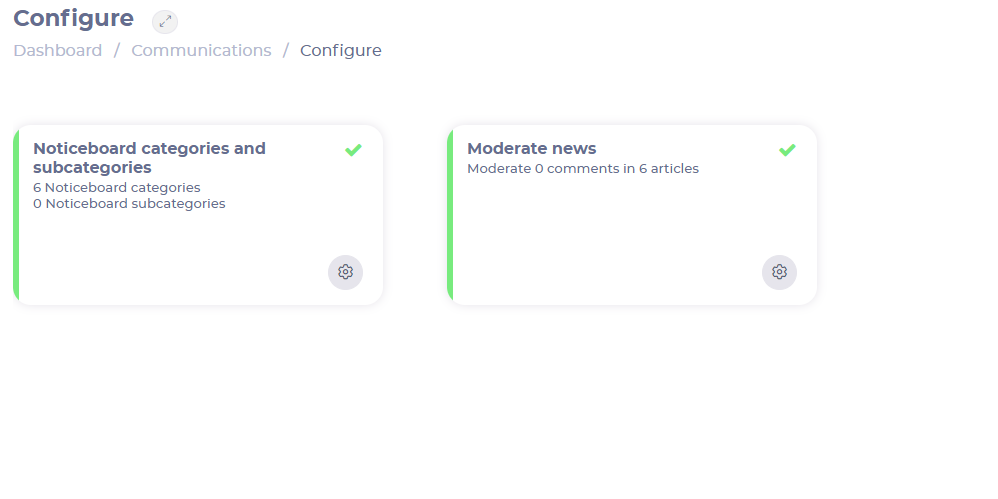
Create a category
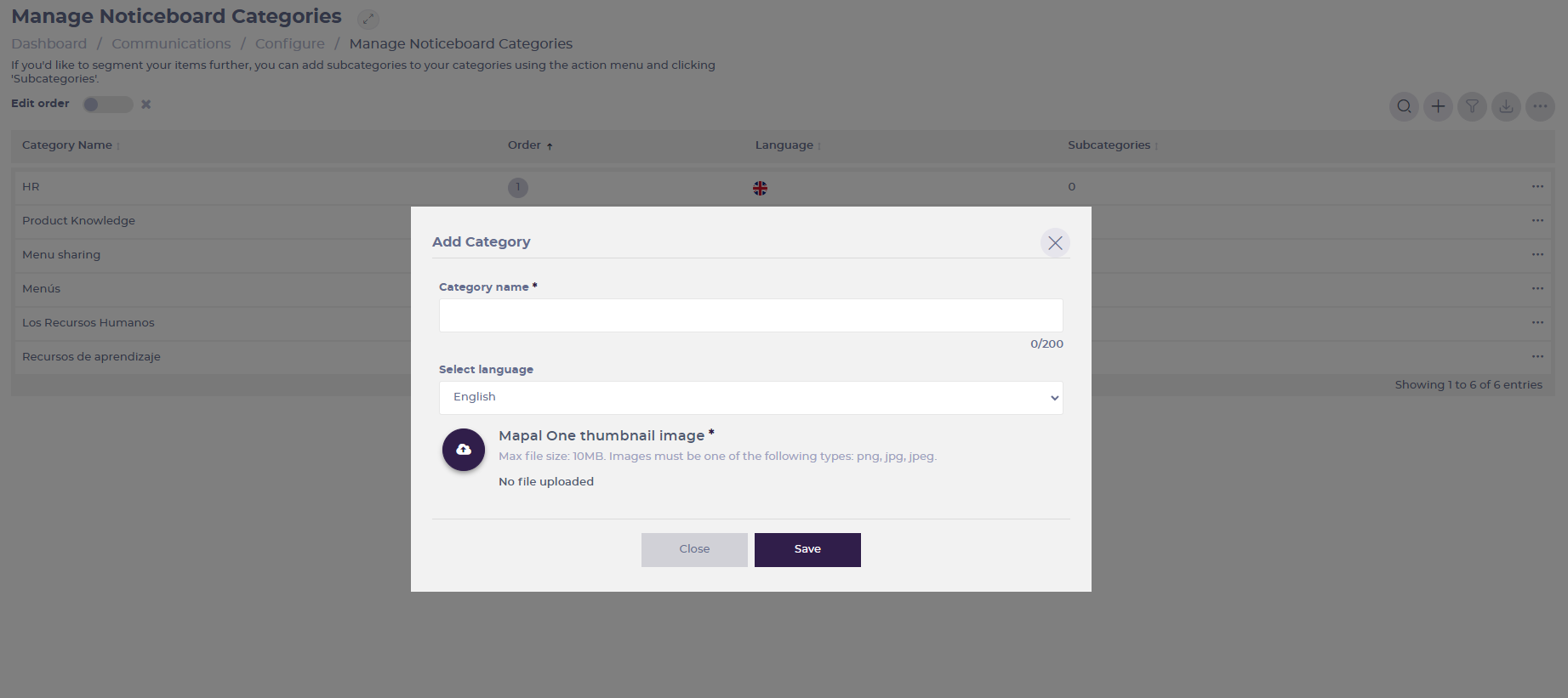
- Select the Add + button and fill in the following fields:
- Category Name (mandatory): Specify what would you like your folders to be named.
- Select Language: Select a preferred language from the drop-down menu.
- Mapal One thumbnail image (mandatory): Select a preferred image. All folders must have an image.
- Select Save to save the new category OR Close to dismiss it.
Create a subcategory
- Select the three dots in the category's box and then select Subcategories.

- Select the Add + button and assign a Subcategory name.
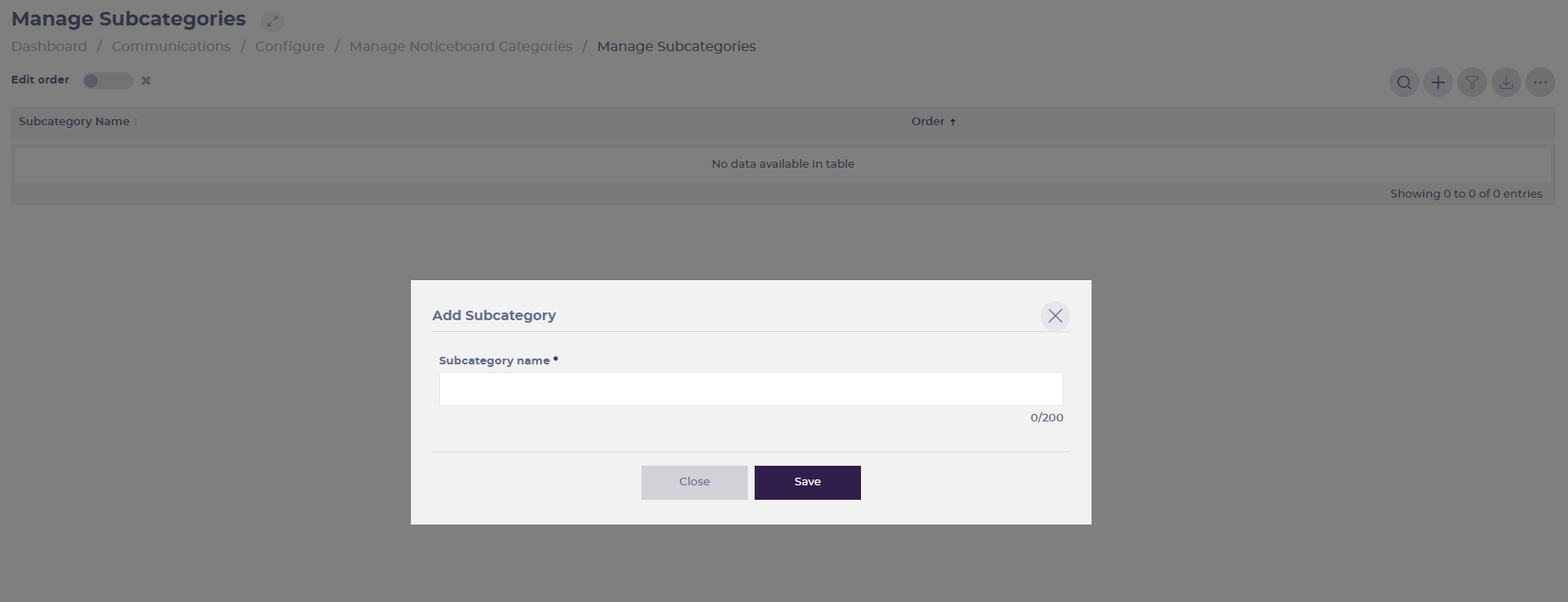
- Select Save to save the new subcategory OR Close to dismiss it.
