


Start from: A lesson open in the Editor.
Add a tile
- Select + Add Tile.
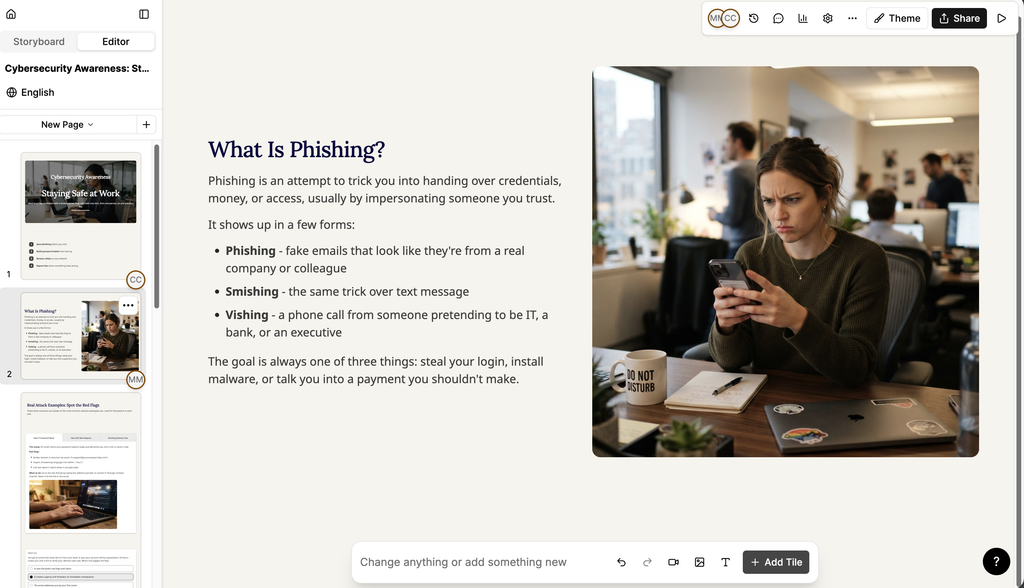
- The Add Content panel opens.
- Find the tile you want:
- Select Text, Media, Question or Interactive to move to that group.
- Enter a term in Search tiles... to find a tile by name.
- Select the tile to add it to the page.
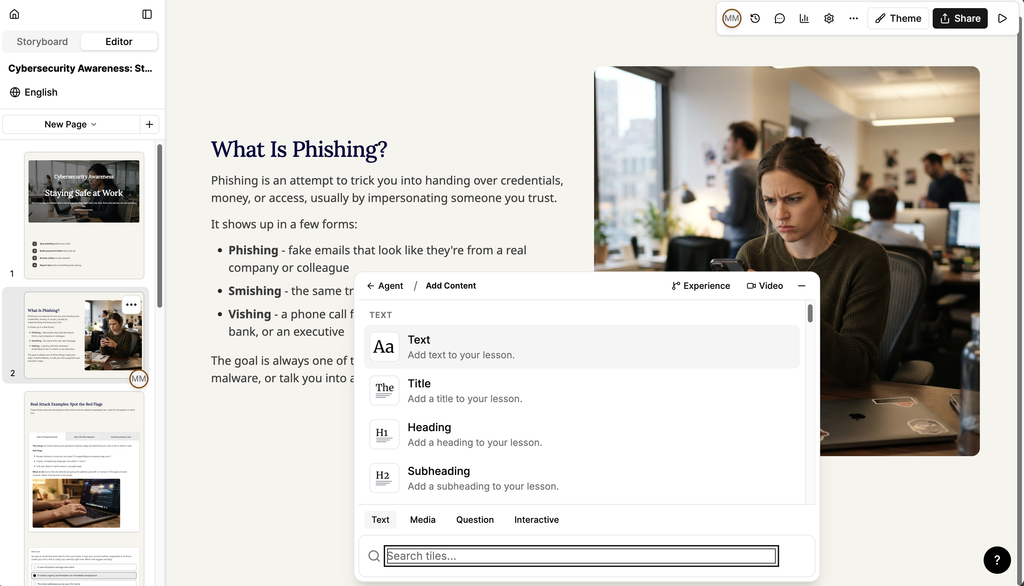
Experience and Video are available directly from the Add Content panel as shortcuts.
Edit a tile
- Select the tile on the page. A toolbar appears.
- Select Edit to open the tile's settings panel. The settings available depend on the type of tile.
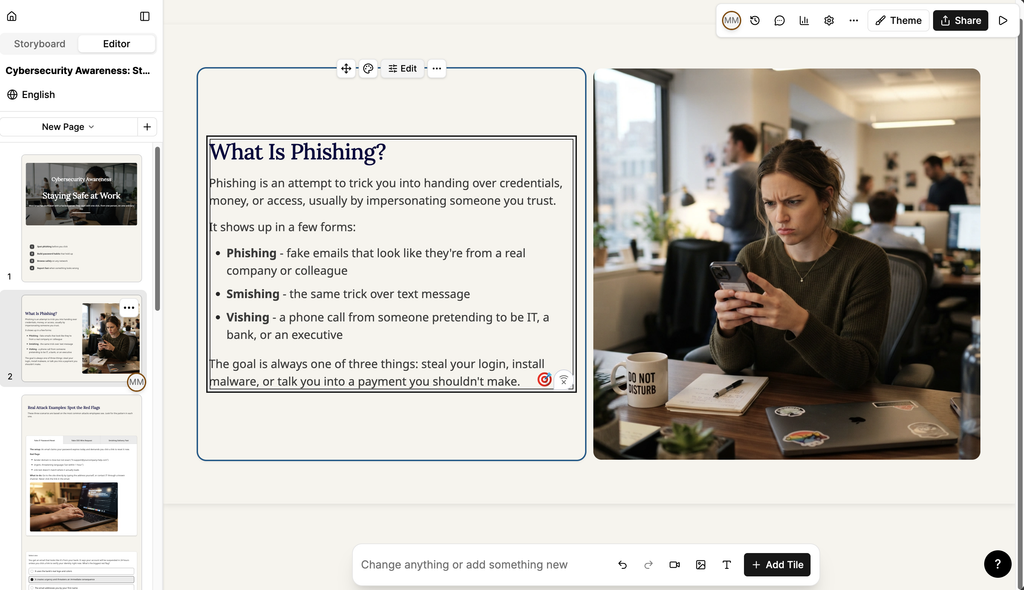
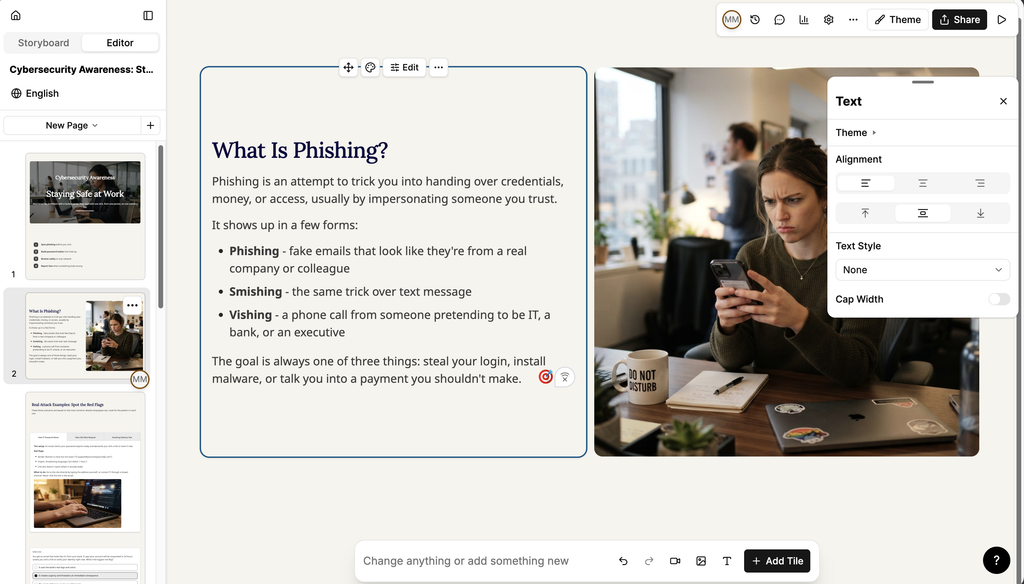
- Select the move handle to drag the tile to a new position.
- Select the action menu (...) for further options.
Tiles sit within rows on the page. Select Edit Row on the row toolbar to change the settings that apply to every tile in that row.
Text tiles
| Tile | Use it to |
|---|---|
| Text | Add a paragraph of text. |
| Title | Add a title. |
| Heading | Add a heading. |
| Subheading | Add a subheading. |
| Quote | Add a quote. |
| Table | Organise information in a table. |
| List | Add a list. |
| Note | Add a note. |
| Code | Add code. |
| Line Break | Add a line break. |
| Transition | Add a shaped colour transition between rows. |
| Spacer | Add space between tiles. |
| Section Marker | Mark the start of a section. |
| Timeline | Add a timeline. |
Media tiles
| Tile | Use it to |
|---|---|
| Image | Add an image. |
| Image Comparison | Compare two images with a draggable divider. |
| Image Carousel | Add a carousel of images. |
| Video | Add a video. |
| Audio | Add audio. |
| File Download | Add a file for learners to download. |
| Custom Code | Upload .html or .zip files. |
| Embed | Embed external content. |
Question tiles
| Tile | Use it to |
|---|---|
| Multiple Choice | Ask a question with one correct answer. |
| Select Multiple | Ask a question with more than one correct answer. |
| Short Answer | Ask a question the learner answers in their own words. |
| Ranking | Ask learners to put items in order. |
| Matching | Ask learners to match items into pairs. |
| Sorting | Ask learners to sort items into groups. |
| Feedback | Collect a rating and optional comments. |
Note: Question tiles can contribute to the lesson score. See Completion settings in Studio.
Interactive tiles
| Tile | Use it to |
|---|---|
| Buttons | Add buttons for navigation and links. Each button can use its own colour, set under Color. |
| Accordion | Add expandable sections. |
| Tabs | Organise information in grouped, expandable sections. |
| Process | Display a sequence of steps or stages. |
| Flashcards | Add flashcards. |
| Flashcards Carousel | Add a carousel of flashcards. |
| Hot Button | Add a hot button. |
| Chart | Add a chart. |
