


Start from: the Flow Learning dashboard.
- Select Learning & Development > L&D Settings from the main menu.
- Select the Create and Maintain Collections panel under the Collections group.
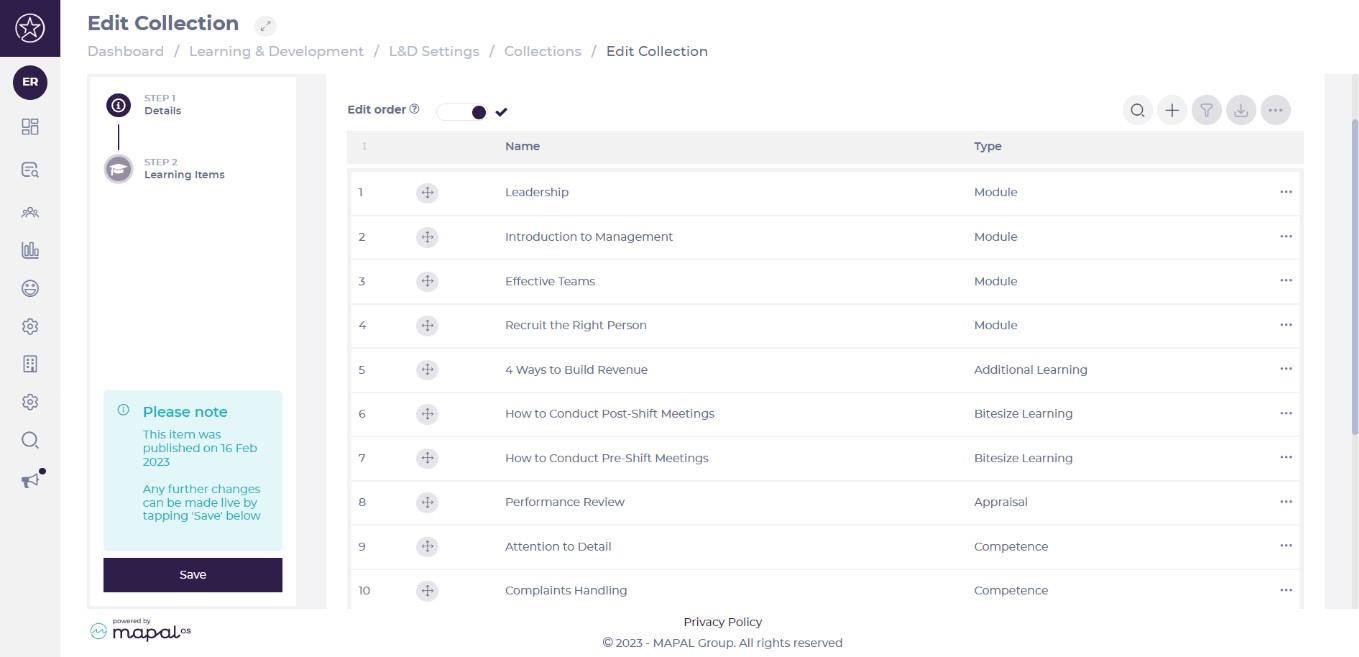
- Select any of the collections on the list to edit fields for that item.
- Under Details you can edit basic information for that collection.
- Select Learning Items from the left-hand menu to change the order of the list.
Note: Restricted SCORM modules can be added to a collection only by users with the relevant permission. Collections containing restricted SCORM modules can only be assigned by users with that permission, and cannot be added to Training Structures.
- Select Save.
- Select the
 icon back at the list view at the right of any line to find Publish and Unpublish options.
 - Select the icon and select Delete to remove a collection permanently.
Note: When content is deactivated or archived, it is automatically removed from any collection it belongs to and is excluded from future assignments, builder views, and item counts. This applies across content types, including modules, External Training, Workbooks, Appraisals, Goals, and Knowledge Checks. You do not need to manually edit collections beforehand. Existing learner allocations and completion history are preserved.
