


Start from: The Flow Learning dashboard.
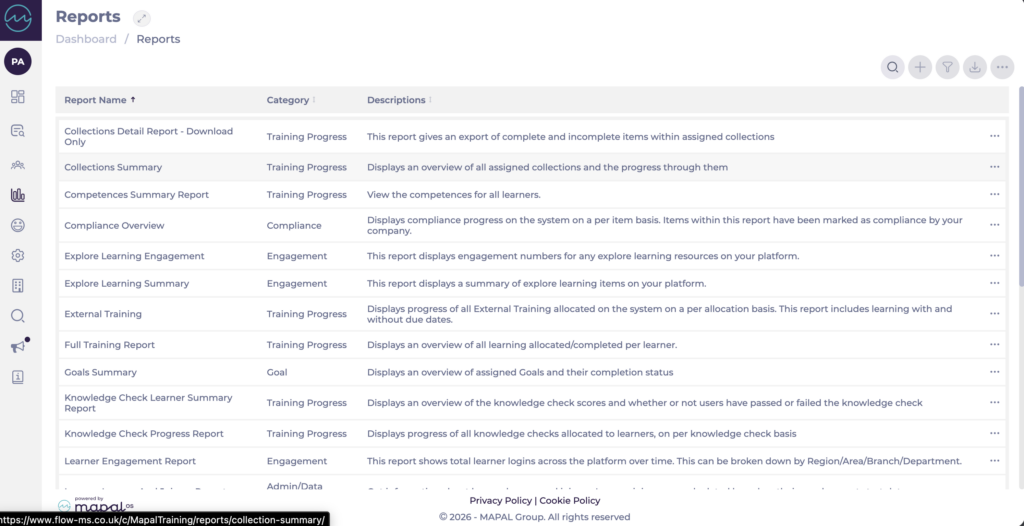
Open the Collections Summary report
- Select Reports from the main menu.
- Select Collections Summary from the list of reports.
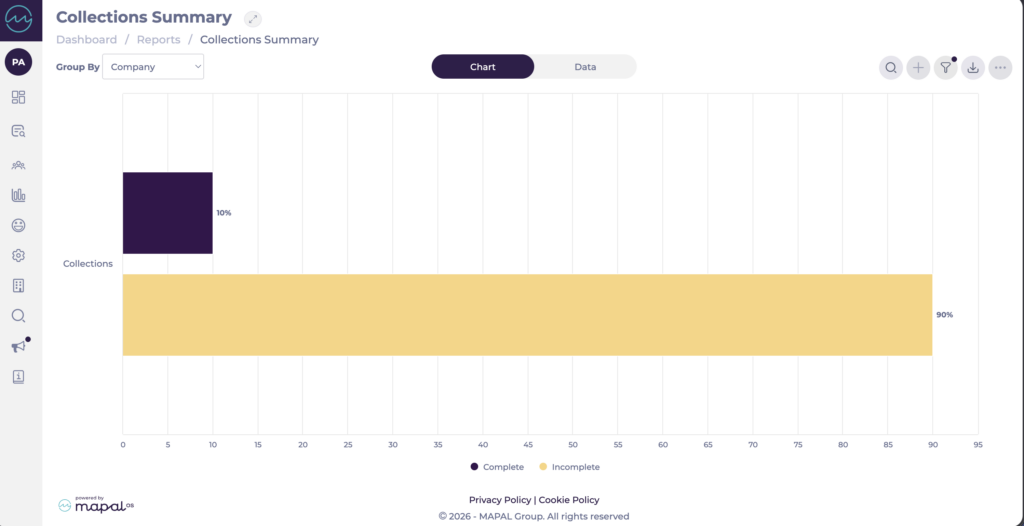
You can now view your Collections data as either a chart or a data table. Use the Group By dropdown to change how the data is grouped.
Chart and Data views
The report has two views, selected using the toggle at the top of the screen:
- Chart: displays completion rates for each collection as a bar chart, with a Complete / Incomplete legend beneath.
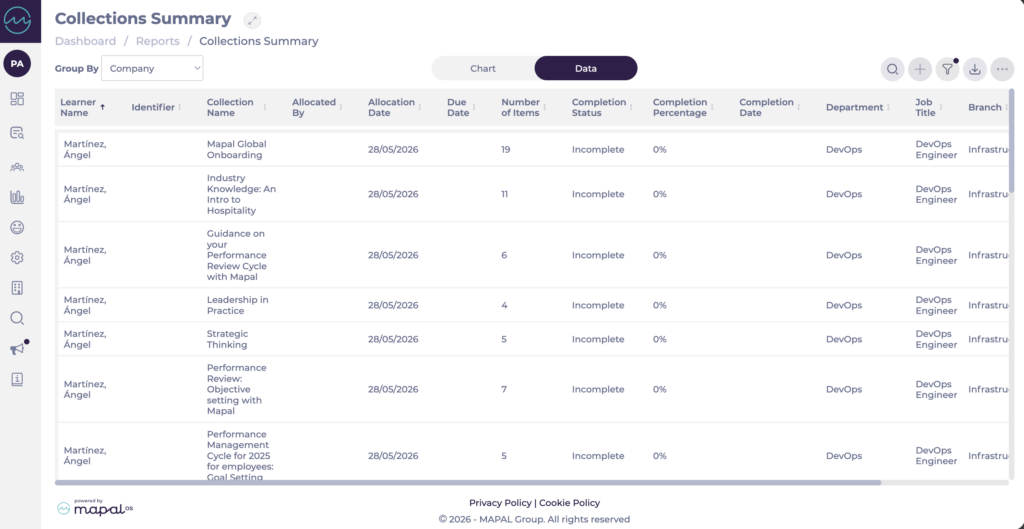
- Data: displays the full field list as a table, with one row per learner per collection.
Fields shown in the report
The Data view includes the following fields:
- Learner Name
- Identifier
- Collection Name
- Allocated By
- Allocation Date
- Due Date
- Number of Items
- Completion Status
- Completion Percentage
- Completion Date
- Department
- Job Title
- Branch
- Area
- Region
Note: The Identifier column helps distinguish between learners with similar or identical names when reviewing or exporting the report.
Filter the report
- Select the Filter icon to open the Filter Results panel.
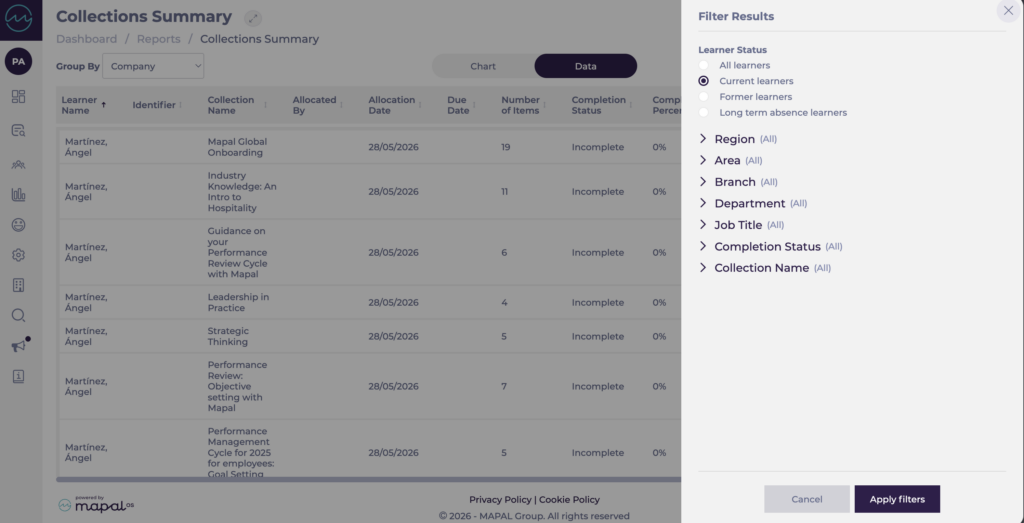
- Configure the filters you want to apply:
- Learner Status: filter by All learners, Current learners, Former learners, or Long term absence learners.
- Region, Area, Branch, Department, and Job Title: filter by organisational structure.
- Completion Status: filter by completion state.
- Collection Name: filter by specific collections.
- Select Apply filters to update the report.
- Select Cancel to close the panel without applying changes.
Export the report
- Select the Export icon and choose one of the following:
- Export Data to CSV: downloads the full data table, including the Identifier column.
- Export Chart to PDF: downloads the chart view as a PDF.
- Export Chart to JPEG: downloads the chart view as a JPEG image.
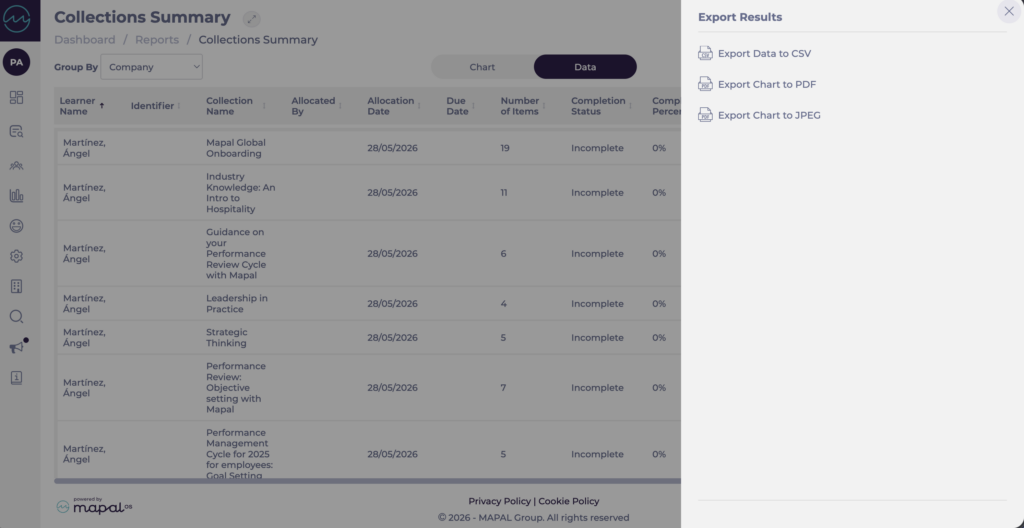
The exported file downloads to your device once the export starts.
Note: The Identifier column is included in the CSV export where learner identifiers are in use, so exported data can be reviewed with greater accuracy when multiple learners share similar or identical names.
