


Start from: the Flow dashboard.
Deleting noticeboard items is a permanent action and cannot be reversed, so no record of your noticeboard item will be kept. If you want to keep a record of it, you may want to archive the item. You can make archived items active again by selecting it and unarchiving. Both processes are described below.
Removing noticeboard items
- Select Communications > Noticeboard.
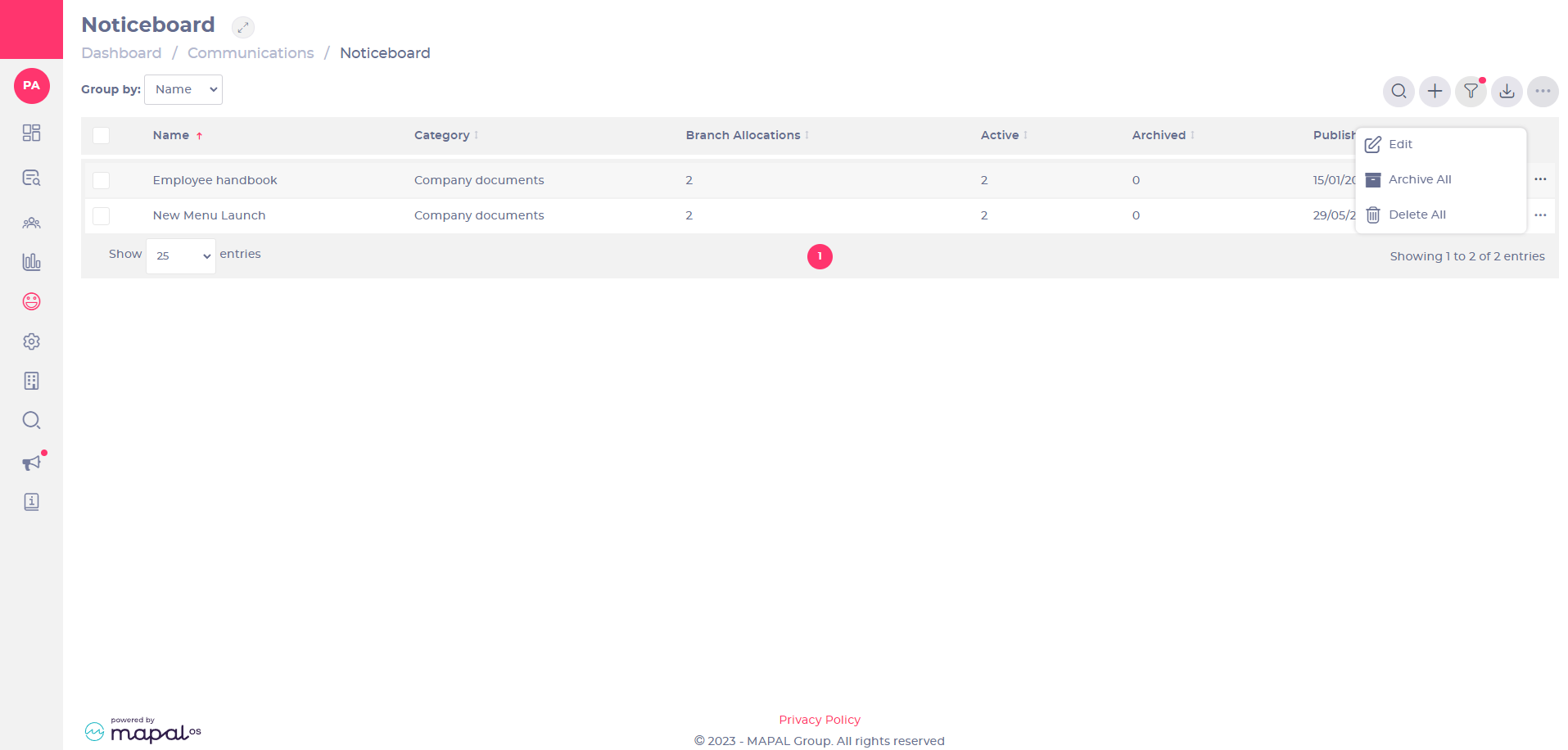
- Select the three dots next to the noticeboard item you wish to remove or archive.
- Select Delete to remove the noticeboard item permanently.
Archiving and unarchiving noticeboard items
- Select the action menu (...) next to the noticeboard item you wish to archive.
- Select Archive to hide a noticeboard item but keep a record of it for the future.
Note: Archiving removes the noticeboard item from any collection it belongs to. The item is preserved and can be republished, restoring it to active collections.
- To view archived items, select Filter, then select the Archived option in the Show menu. You can filter noticeboard items by Ops Manager, Area Manager, Branch, or Category.
- Select Apply filters to see a list of all archived noticeboard items.
- Select the action menu (...) next to the archived item you wish to make active again, then select Republish.

Removing, archiving and editing noticeboard items for specific branches
You can carry out the actions described above for specific branches only (changes made will not affect other branches).
- Select Branch from the Group by: dropdown menu.
- Select the three dots next to the noticeboard item you wish to make changes to for that specific branch.

Viewing an assigned item after Archiving or Deleting
When you archive or delete a noticeboard item, its visibility and accessibility to learners are impacted as follows:
- Deleted Noticeboard Items: Deleting a noticeboard item removes it permanently from both the noticeboard and learners' profiles. This means learners will no longer see the item, and it cannot be retrieved or referenced in the future.
- Archived Noticeboard Items: Archiving a noticeboard item hides it from the Noticeboard and learners' profiles, keeping it inactive. Archived items are also removed from any collection they were part of, so they no longer block completion or contribute to item counts. Unlike deletion, archived items are preserved in the system, can be found by learning managers, and can be republished if needed.
- Items Already Read by Learners: If a learner has accessed and read a noticeboard item before it was archived, the item will no longer appear in their profile—it is removed once archived.
