


Start from: The Flow Learning dashboard.
Download the report
- Select Reports from the main menu.
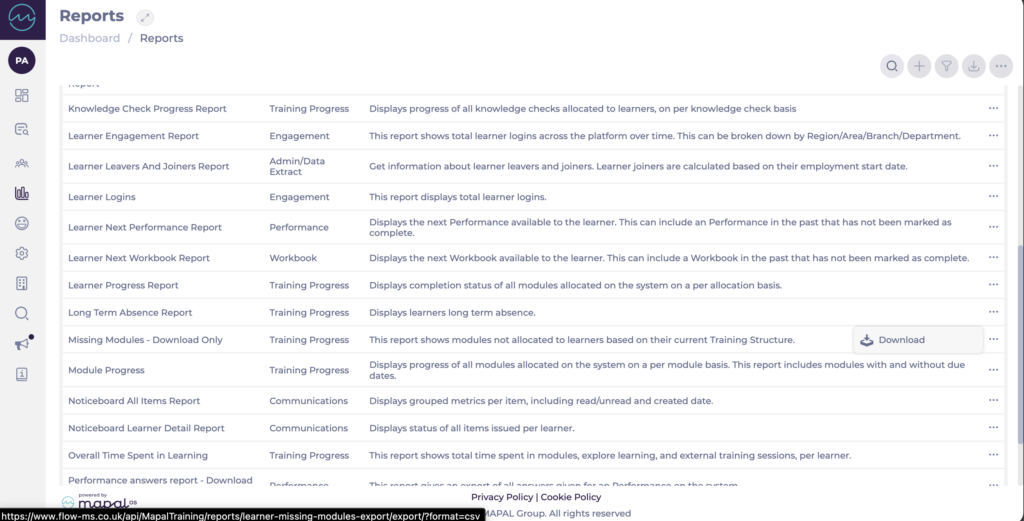
- Locate Missing Modules - Download Only in the report list. It is in the Training Progress category.
- Select Download on the report row. The report downloads to your device as a CSV file.
Fields in the report
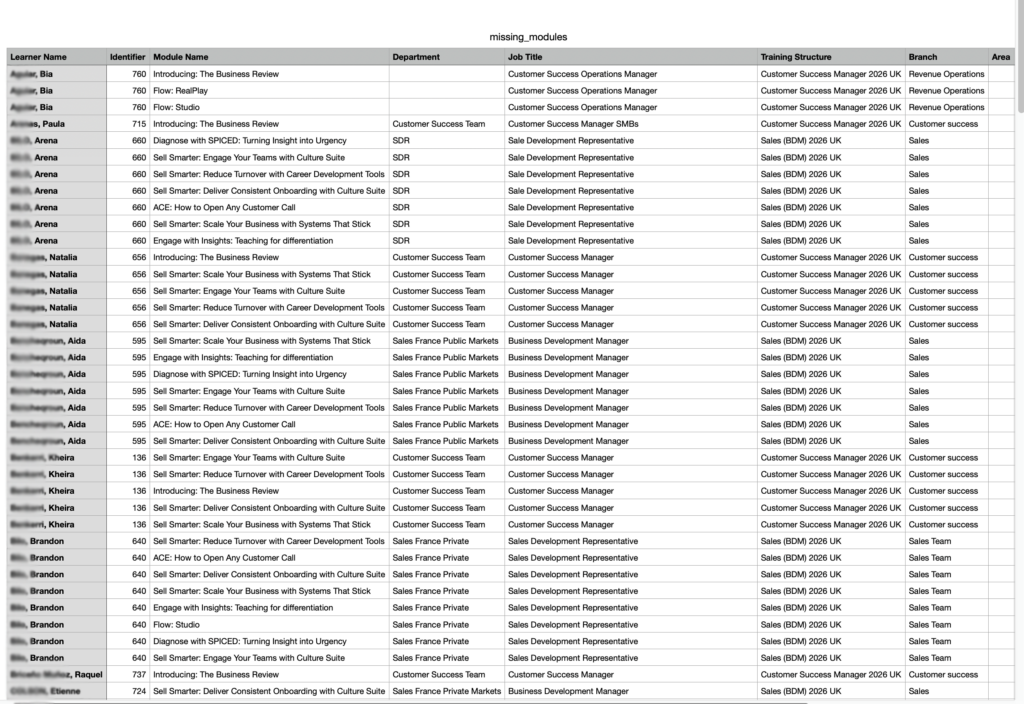
The report includes the following columns:
- Learner Name: the learner expected to have the module.
- Identifier: the learner's External ID. This is populated where learner identifiers are in use, and is empty for learners without an External ID.
- Module Name: the module expected for the learner but not currently allocated.
- Department: the learner's department, where in use.
- Job Title: the learner's job title.
- Training Structure: the Training Structure that the module is expected from.
- Branch: the learner's branch.
- Area: the learner's area, where in use.
One row appears for each missing module per learner, so a learner expecting several modules appears on several rows.
Investigate and resolve gaps
Each row represents a module the learner's current Training Structure expects them to have, but which has not been allocated. This can happen when a learner's job title or Training Structure changes, or when a module is added to a Training Structure that existing learners were not automatically assigned.
To resolve a gap, assign the missing module to the learner. See Assign learning and Edit training structures.
