


Start from: The Flow Learning platform.
- Navigate to Company > Learners.
- Select the relevant learner from the list.
- From the side panel, select External Training.
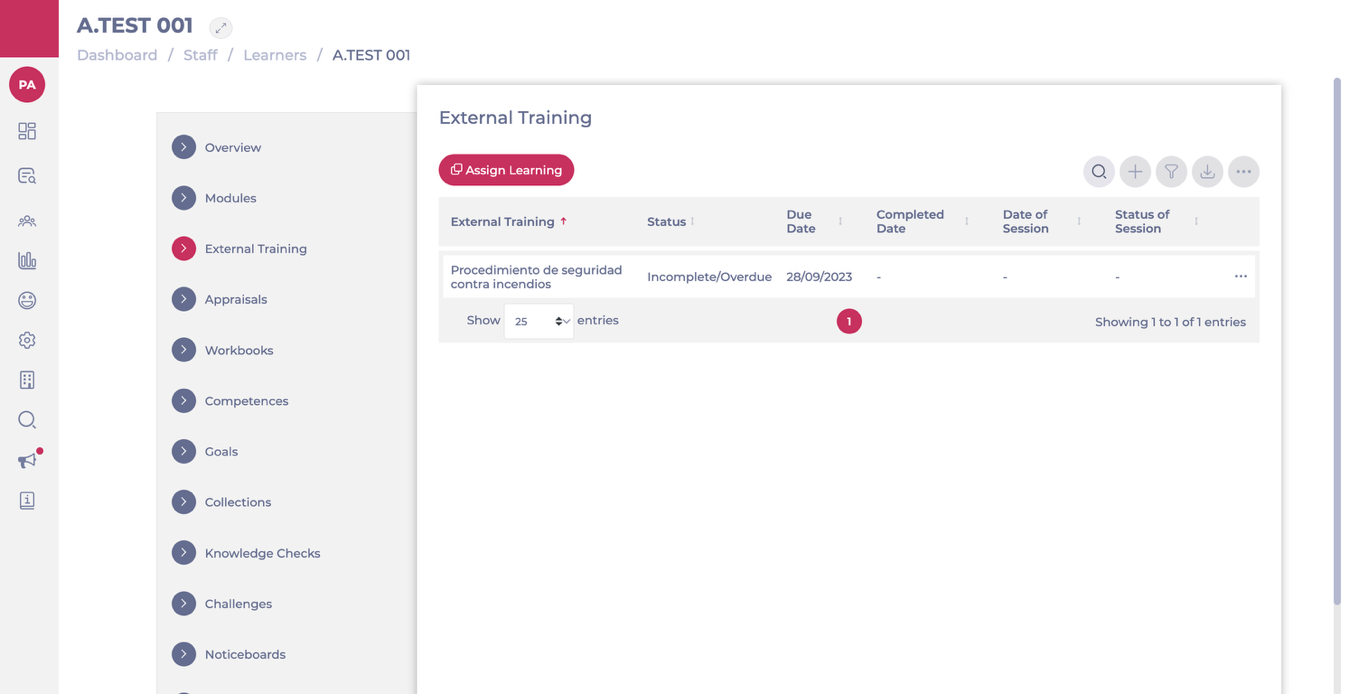
- Click the action menu (…) next to the training record and choose Edit.
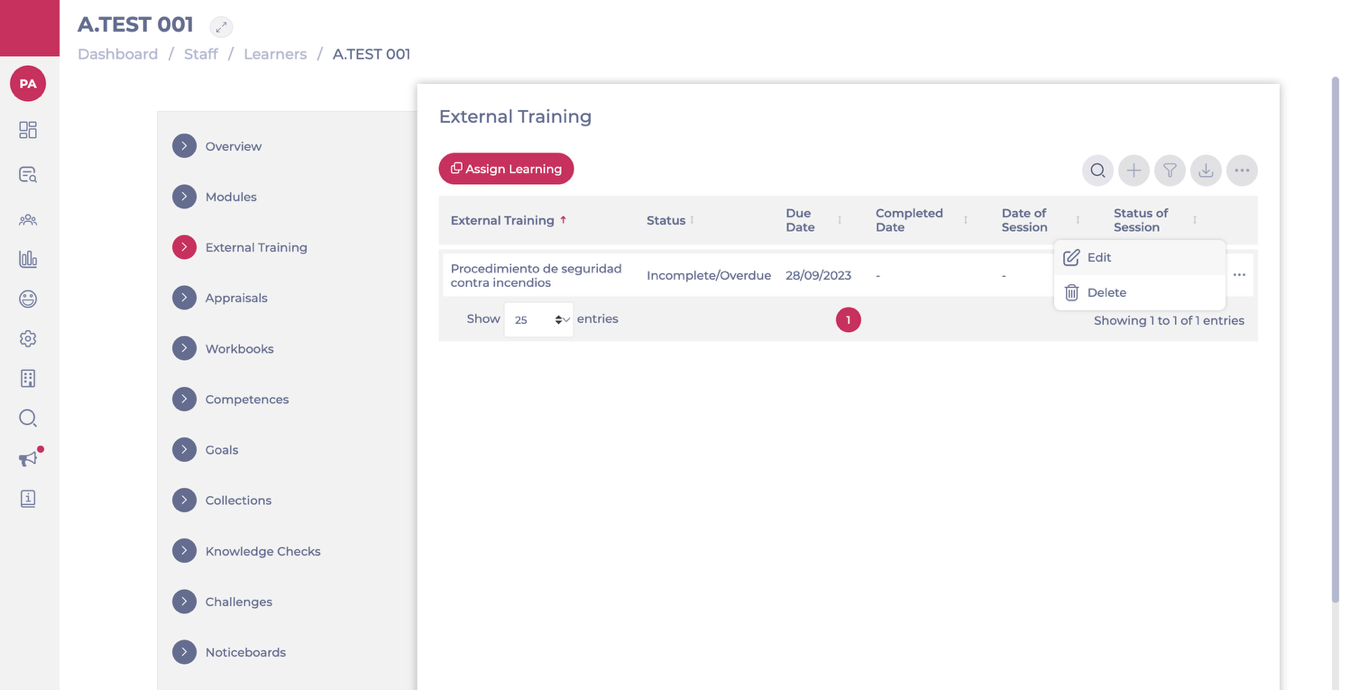
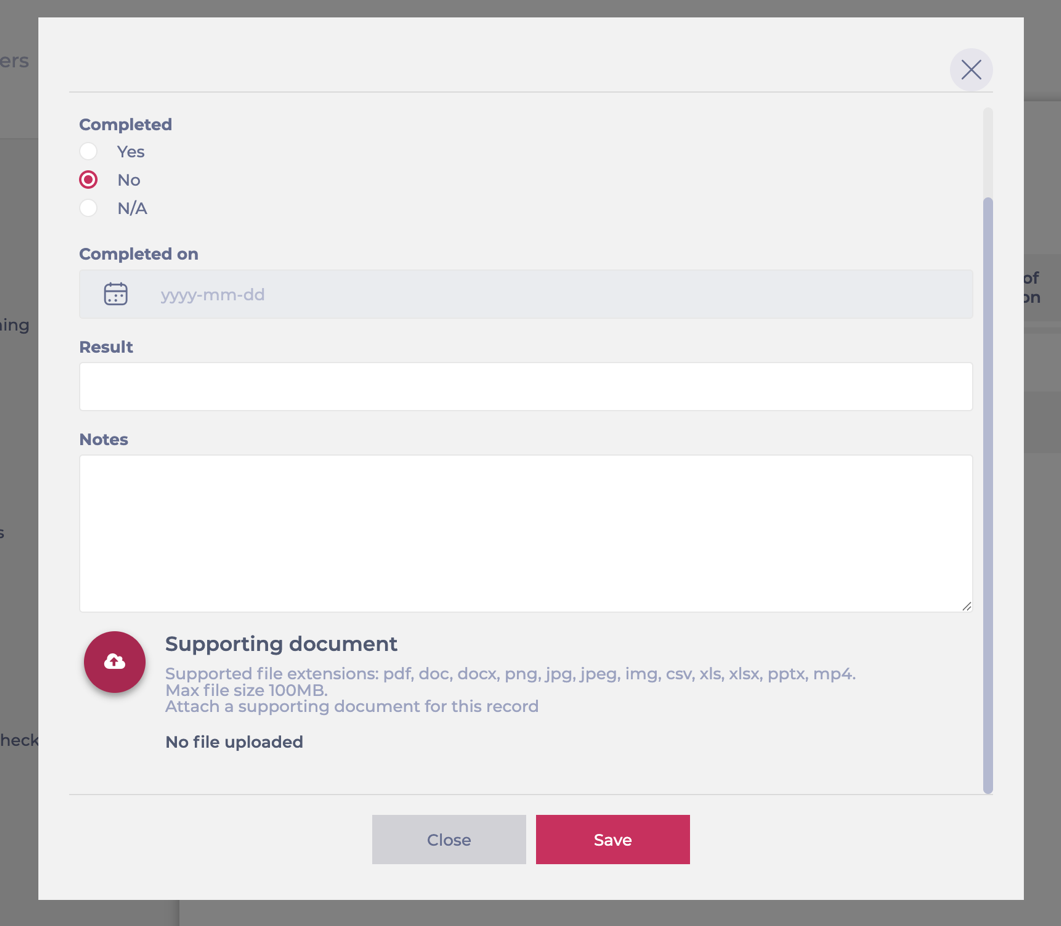
- In the pop-up window, scroll down to Supporting document.
- Upload the relevant file.
- Select Save to attach the document to the training record.
A typical use case is uploading a training certificate after a learner has attended an external workshop.
For example, if an employee attends a Food Safety Level 2 course, the manager can upload the certificate of completion as a supporting document. This ensures the training record is fully documented and provides proof of successful completion, which can then be used for compliance and audit purposes.
Note: To upload supporting documents (including certificates for historical training records), the training manager must have the permission Can upload historical training?. For details on how to assign this permission, see Set permissions for training managers.
Enable an automated certificate for an External Training
You can add a certificate to an External Training so that learners receive it automatically upon successful completion.
To enable and upload a certificate:
- Navigate to Learning & Development > L&D Settings.
- Select the External Training card.
- Open the relevant External Training template.
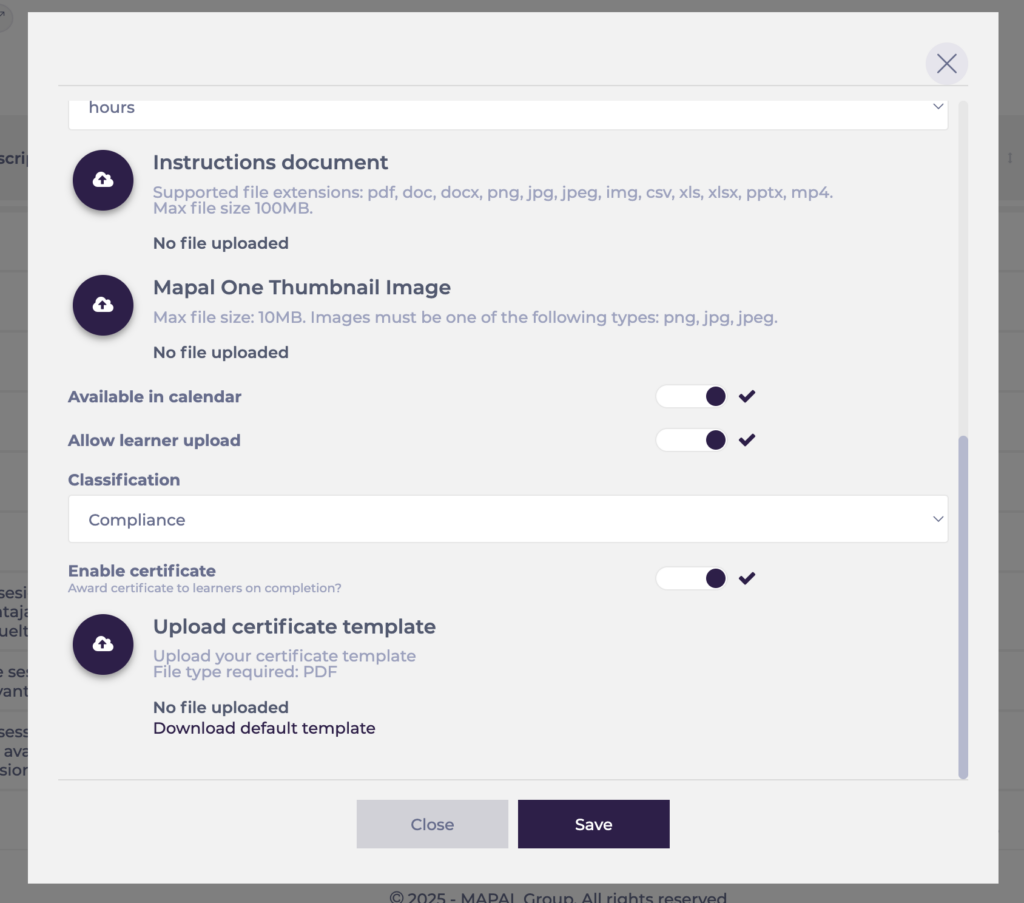
- Scroll down and toggle Enable certificate.
- Under Upload certificate template, select Upload to add your certificate template (PDF format).
- If you do not have a custom certificate, select Download default template and use it.
- The default template supports fields such as learner name, External Training name, certificate number, and completion date.
- If you upload your own template, make sure it supports these placeholders so that Flow can populate the details automatically.
- Select Save.
When the External Training is marked as complete, the system automatically generates the certificate from this template and attaches it to the learner’s External Training record.
