


Start from: The Flow Learning dashboard.
Disable a workbook template
- Navigate to Learning & Development > L&D Settings.
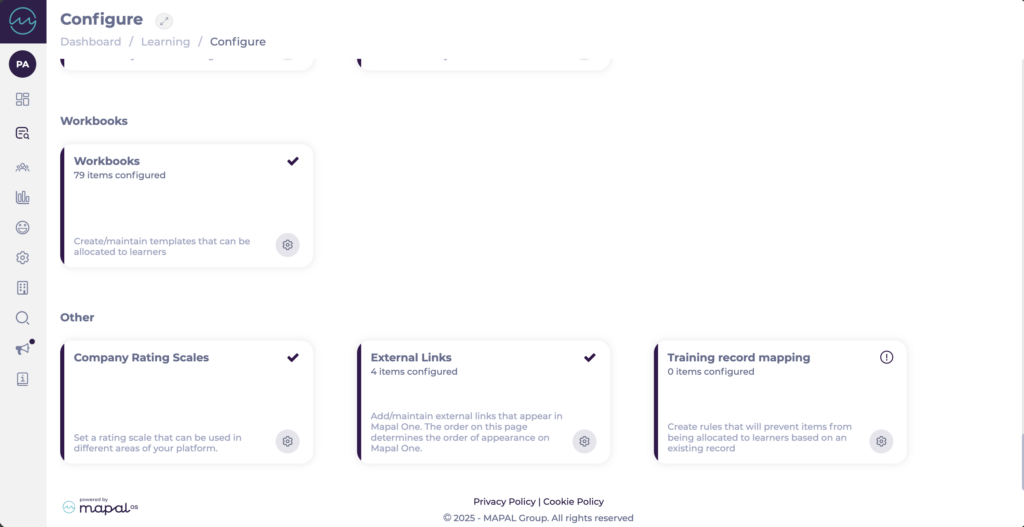
- Scroll down to Workbooks.
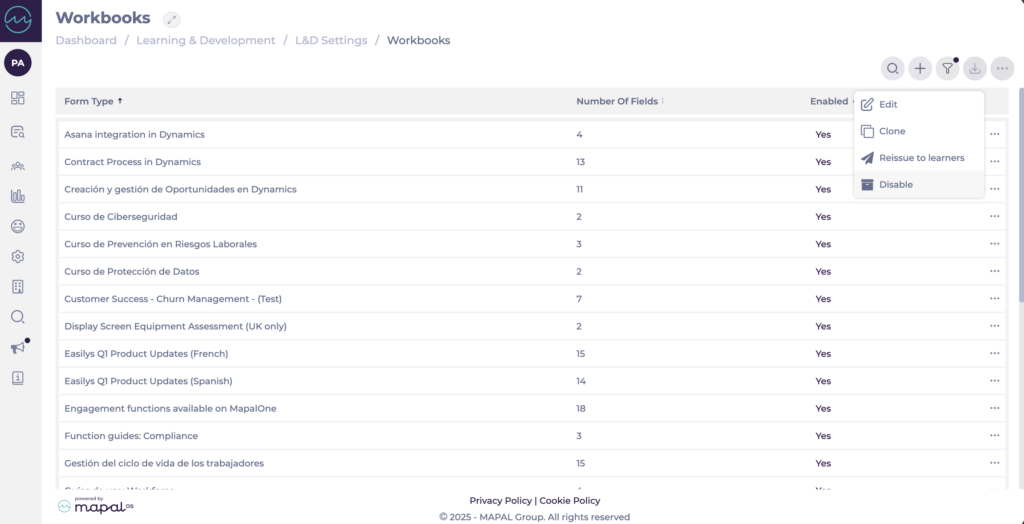
- Locate the specific workbook template you want to disable (use Search or Filter if needed).
- Select the action menu (…) for that workbook.
- Select Disable.
- Confirm if the disabling of the Workbook.
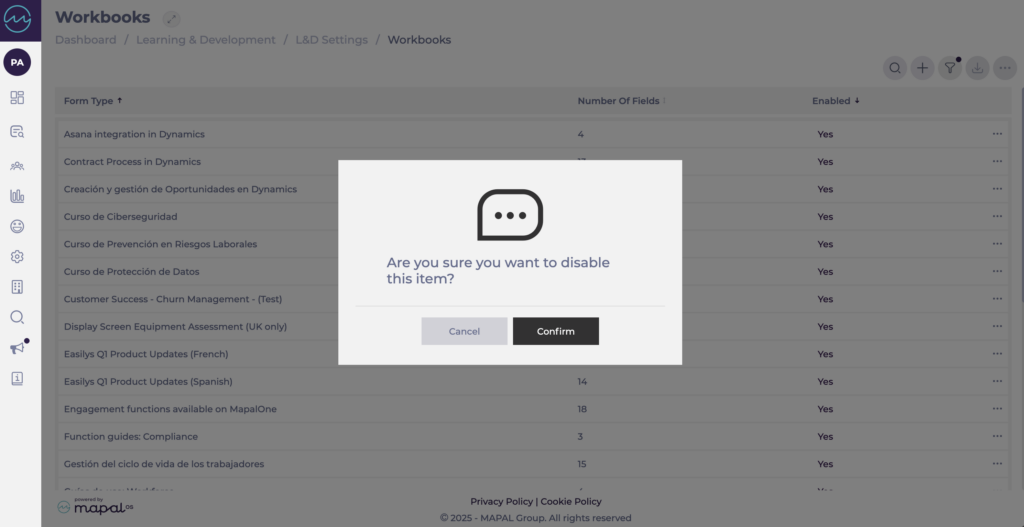
The workbook template is now disabled.
How disabled workbook templates behave in Training Structures
When you disable a workbook template:
- It is removed from Training Structures, in the same way disabled modules are handled.
- It will no longer be issued to learners as part of any Training Structure.
You do not need to manually edit Training Structures to remove disabled workbook templates; only active workbook templates are considered when issuing training.
