


Get the template
First, you’ll need to apply dynamic fields before uploading them to Flow.
You can download the certificate template file that you need from here:
You can copy and paste the required dynamic fields to your own certificates.
What dynamic fields can I use?
From these templates, we have the following dynamic fields set up:
- Modules: Learner’s Name, Course Completed, Date completed, Certificate Number.
- Collections: Learner’s Name, Collection Completed, Date completed, Certificate Number.
- External training: Learner's Name, External Training Completed, Date completed, Certificate Number.
It's worth keeping these in mind when creating your own certificate file.
Adding the dynamic fields to your own certificate
- Open your certificate in Adobe Acrobat.
- Select Prepare Form on the panel that appears on the left-hand side.
- Once you have selected this, it will then show the dynamic fields that have been added to the template you have chosen. Hold the shift key on your keyboard, select the dynamic field boxes, and the hit CTRL+C on your keyboard to copy them.
- Open your own certificate file in Adobe Acrobat, and select “Prepare Form” on the left-hand side.
- Paste the dynamic fields that you copied onto your own certificate file using CTRL+V on your keyboard. You will need to adjust the boxes so that they match up to the fields built on your file.
- Once you have made your adjustments, you will need to save it as “certificate_template”.
Important: If the file name is different, it will not work.
Upload your certificate
Once you have added your dynamic fields and saved the file, you can then upload it to the platform.
Your modules certificate can be uploaded with any SCORM module that you add to your platform. They can also be added to any existing SCORM modules that you have on your platform, you just need to edit the SCORM and upload your certificate file.
Similarly, this can be done for your Collections and External Training items.
If you are uploading your certificate to existing items that learners have already completed, the system will update these items for the learner. Their new certificate will be available for them via their library on Mapal One, and managers can view the certificate via the learner’s profile on Flow Learning.
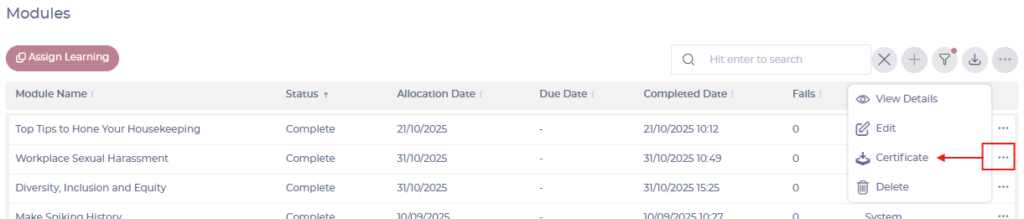
Note: Only completed modules will have certificates.
