


Start from: The Engagement dashboard.
- Navigate to Settings > Custom names.
Set a custom name
- Locate the section you want to rename.
- Enter the new name in the Custom Name field.
- Select Save.
Note: custom names are limited to 30 characters. A character counter appears beneath each field.
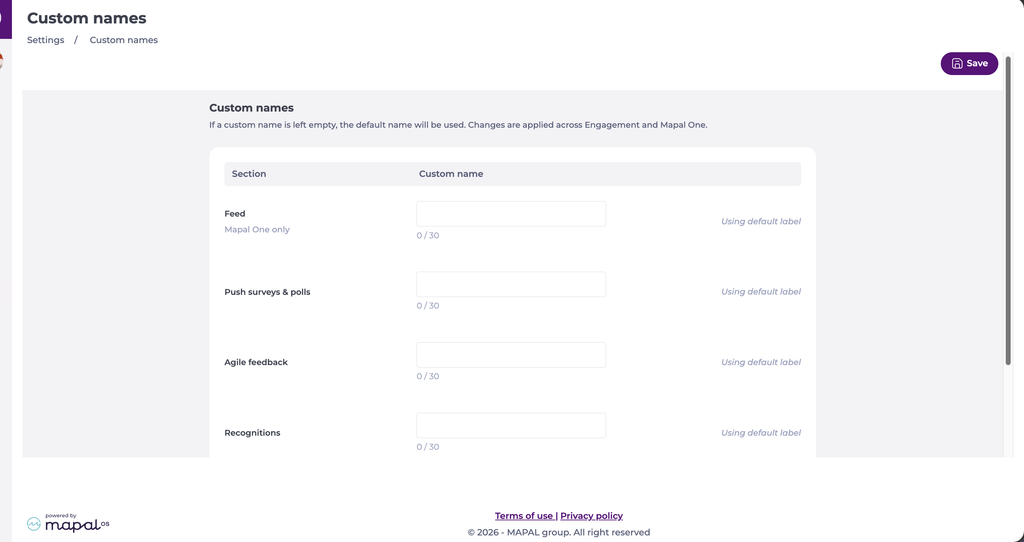
The new label appears throughout Engagement and Mapal One immediately after saving.
You can rename these sections: Recognitions, Communications, Feed, Suggestions Box, Push Surveys & Polls and Agile Feedback.
Keep the default name
Custom names are optional. Leave a field empty and the section keeps its default name. Sections without a custom value are marked Using default label, so you can rename only what you need.
Restore a default name
- Locate the section you want to revert.
- Select Restore Default.
- Select Save.
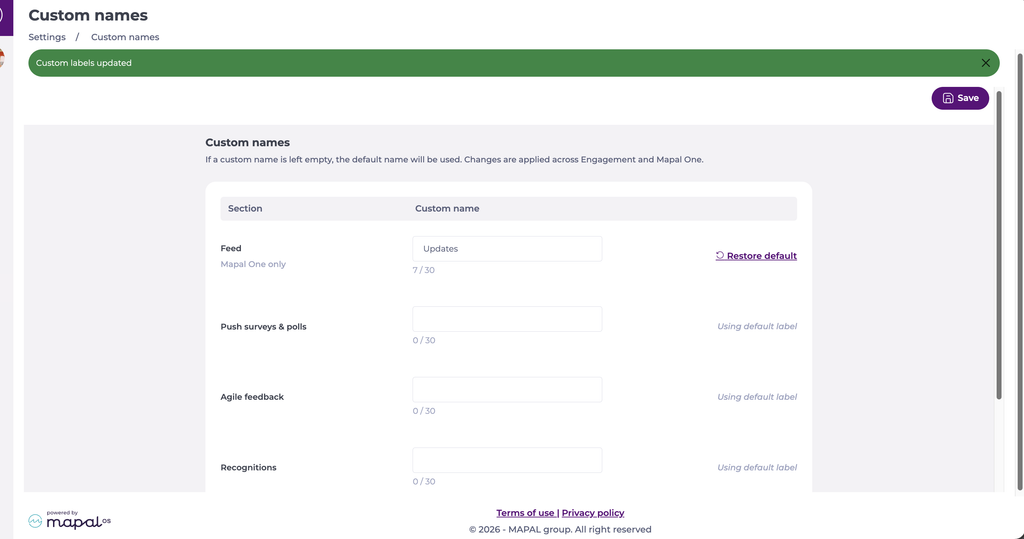
The section returns to its original name immediately after saving.
Note: only authorised company administrators can change custom names.
