
Start from: The Workforce module.
-
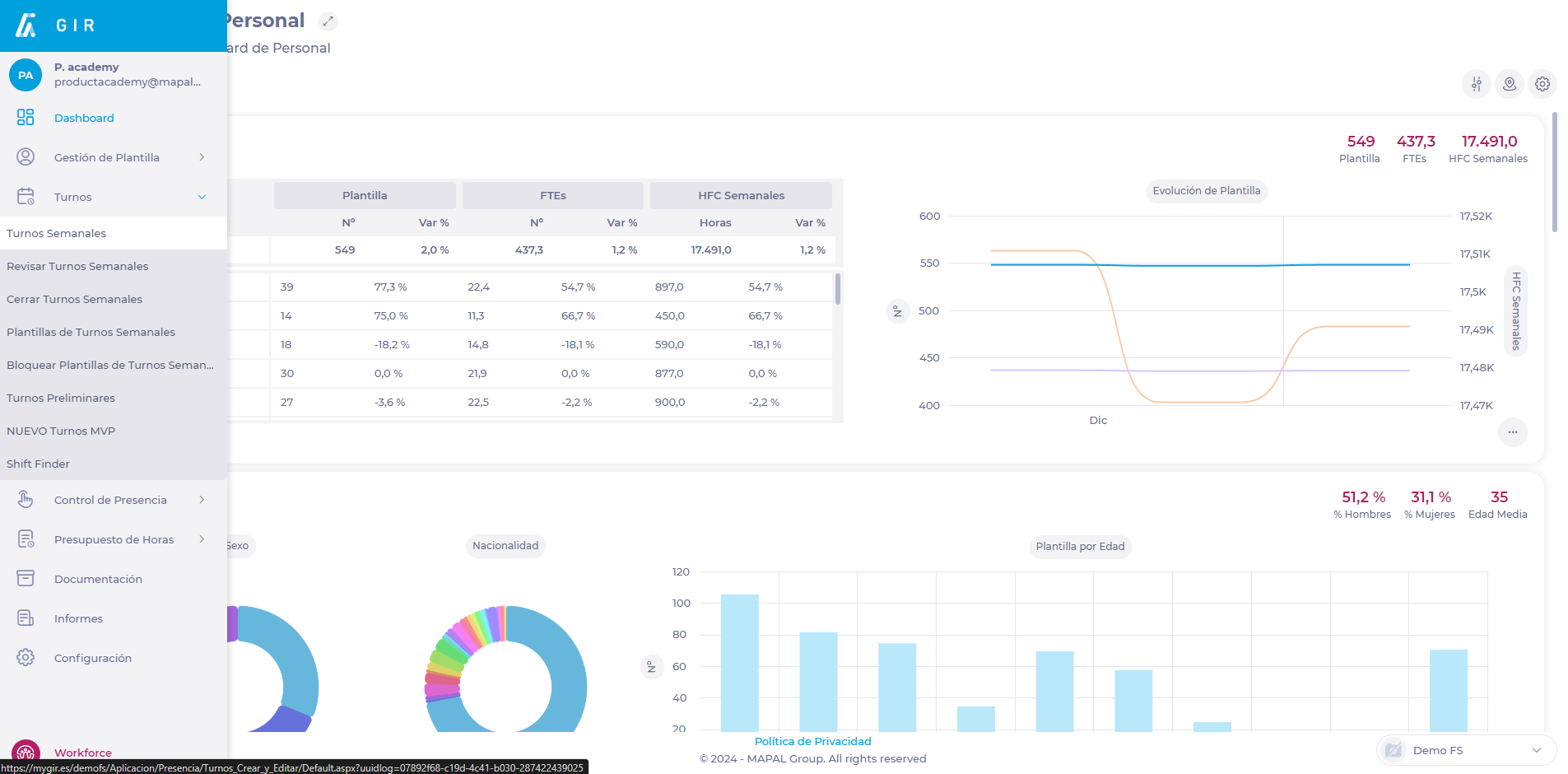
Select Scheduling > Weekly ROTAs from the main menu.
-
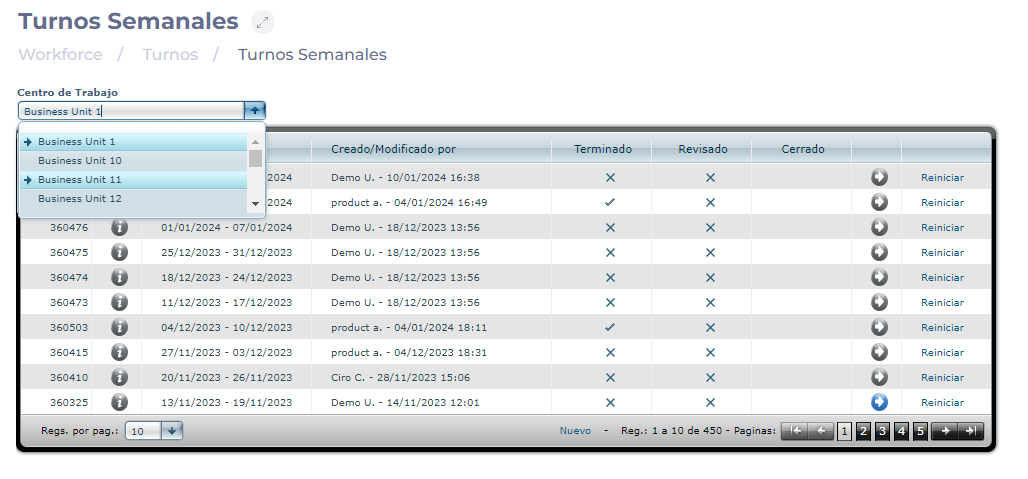
Select the Work Center where the shift you wish to analyze is located.
-
Select the Arrow icon in the field of the shift you wish to analyze.
-
On the Projected Shift screen, select the Analysis button.
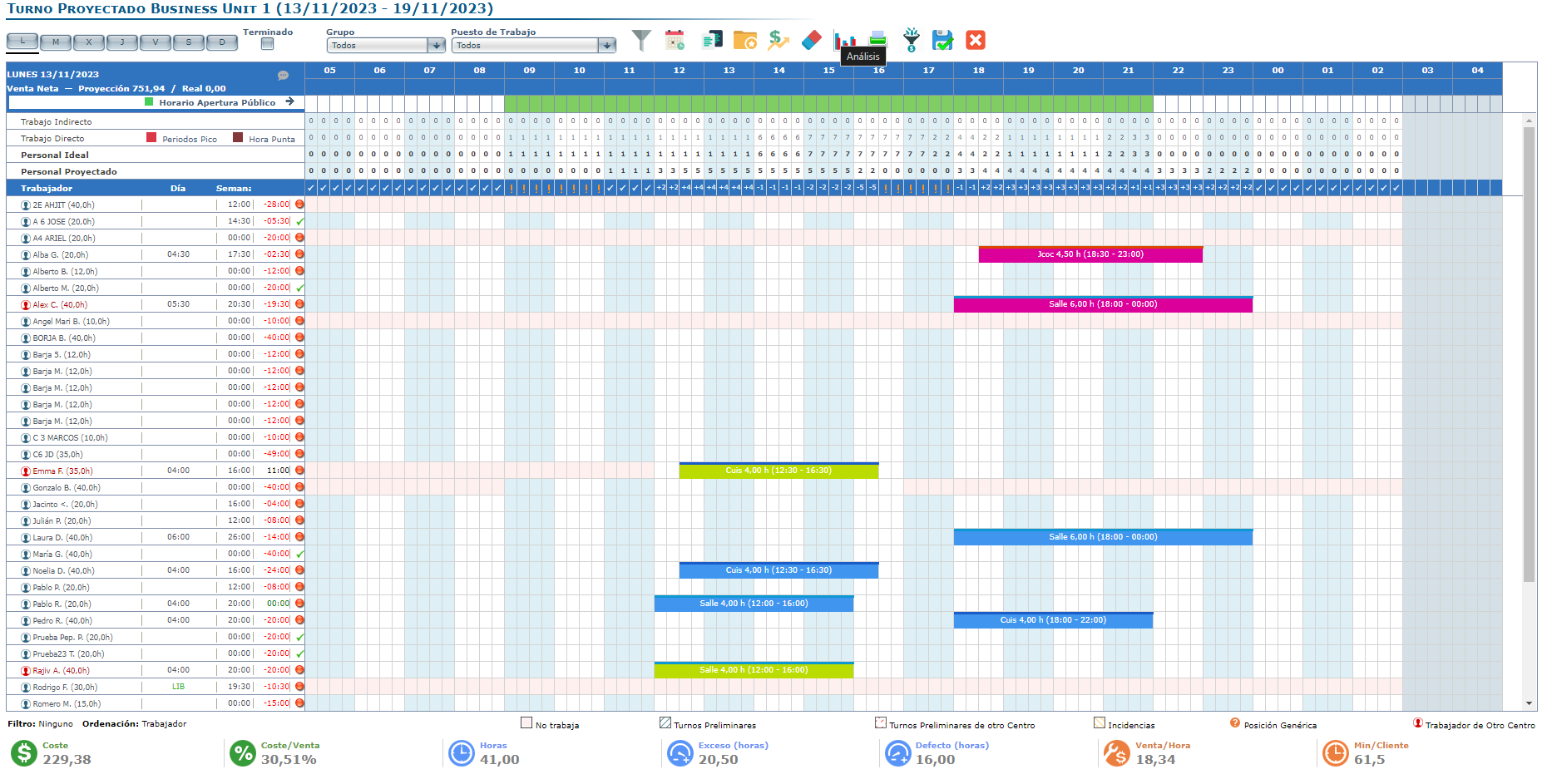
To learn more about shift analytics and all its variables, read View shift graphs and analytics.
-
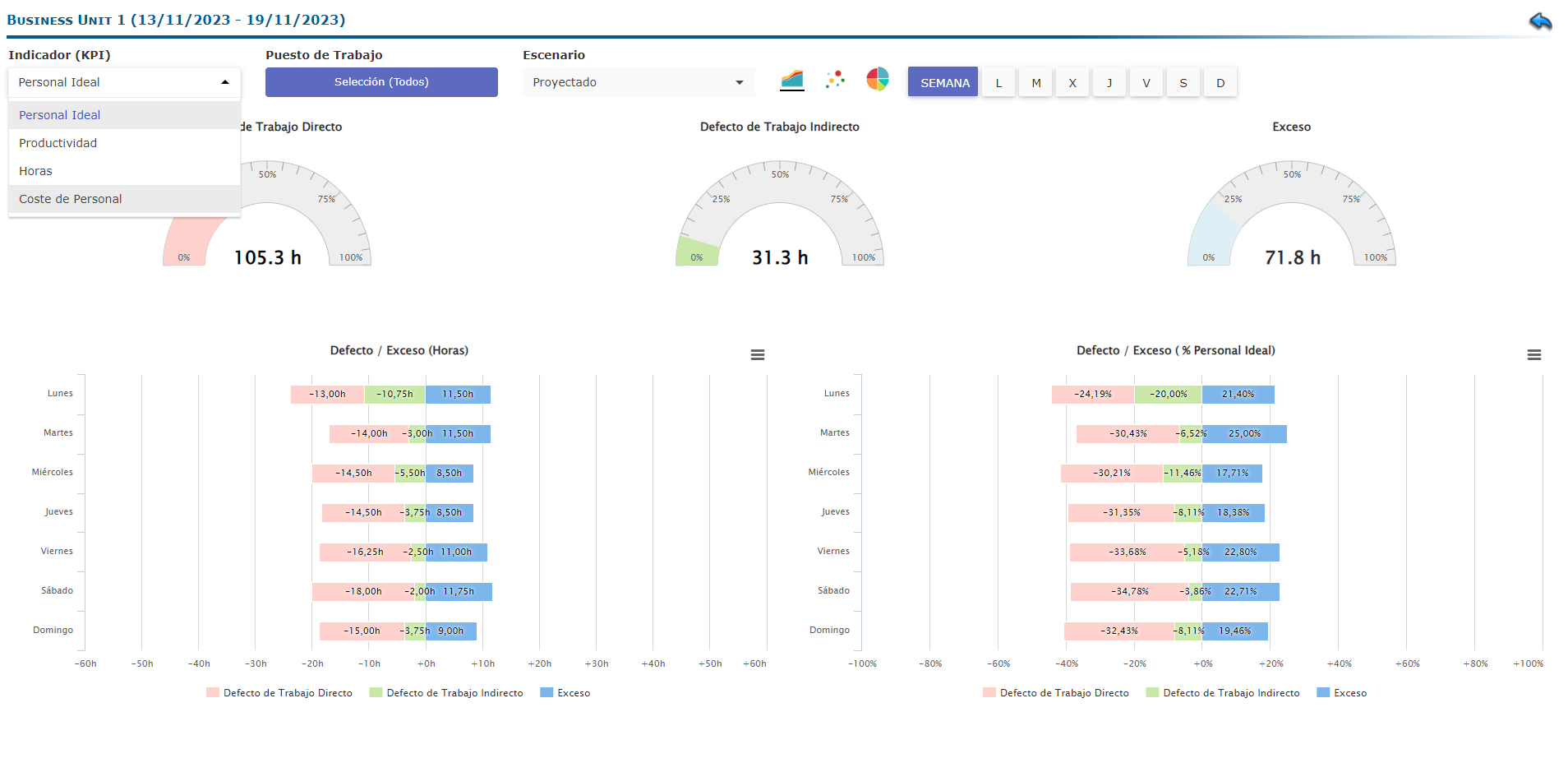
On the Analysis screen, select Cost of Labor from the KPIs dropdown.
-
Select the type of Cost to analyze. It can be Cost of Labor / Net Sales (%) or Cost of Labor / Hour.
-
Select the Scenario you wish to view. It can be Actual or Projected.
-
Select the specific comparison you wish to make. This comparison may vary depending on the specific scenario selected.

Note: Cost of Labor analytics is an overview of the work center over a period (weekly shift). A specific job or only one day of the week cannot be selected for this analysis.

Related Articles
Revise indirect work within the shift
- ROTAs
- Indirect work
The creation of workstations in the system allows for an efficient and timely organization of…
View shifts
- ROTAs
- Contracts
Contracts are, together with Labor Categories, one of the two entities that define an employee…
Set up sales forecast
- Scheduling
- ROTAs
- Forecasting
Plan shifts based on sales or traffic budgets, facilitating advanced forecasting of ideal staff, cost…
Assign an employee to a shift in a different center
- Workstations
- ROTAs
Workstation configuration is crucial for shift organization, as it helps shift managers assign the most…
Rate employees
- ROTAs
The Workforce scheduler integrates a favorites and sequences functionality. Favourite shifts are those most frequently…
Understand default and enabled workstations
- Workstations
- Absences
Holiday carryover between years allows employers to ensure that employees' labor benefits are maintained over…
Understand the importance of stars in optimization
- Shifts
- Scheduling
- Employees
Cash sheet records allow managers to properly track all the different varieties of financial transactions…
Configure shift optimization
- ROTAs
- Tasks
Optimization is a process performed by the system that allows employers to facilitate shift organization…
Understand how employees are considered for optimization
- Recognitions
- Business units
Workforce allows employers to easily recognize and manage employee tenure at a business unit through…
View productivity
- ROTAs
- Payroll
- Metrics
Workforce allows users to generate a wide variety of customized payroll incidences reports, making it…


