


Start from: The Workforce module.
For a new employee
To set work restrictions for a new employee, you can review Create an employee.
Once on the Employment information tab, fill in the required employment information for the period.
- Scroll down to Work restrictions (Shifts).
- Configure the work restrictions for each day of the week. You can set restrictions based on specific working hours (Works from, Works until), specific shifts, No restrictions or Does not work.
- Enable this option if you want to activate restrictions on bank holidays/holiday eves.

For an existing employee
- Select Workforce Management > Workforce 2.0 from the main menu.
- Use the filters at the top of the screen to refine the list of employees. To see all filtering options, see Filter the employee list.
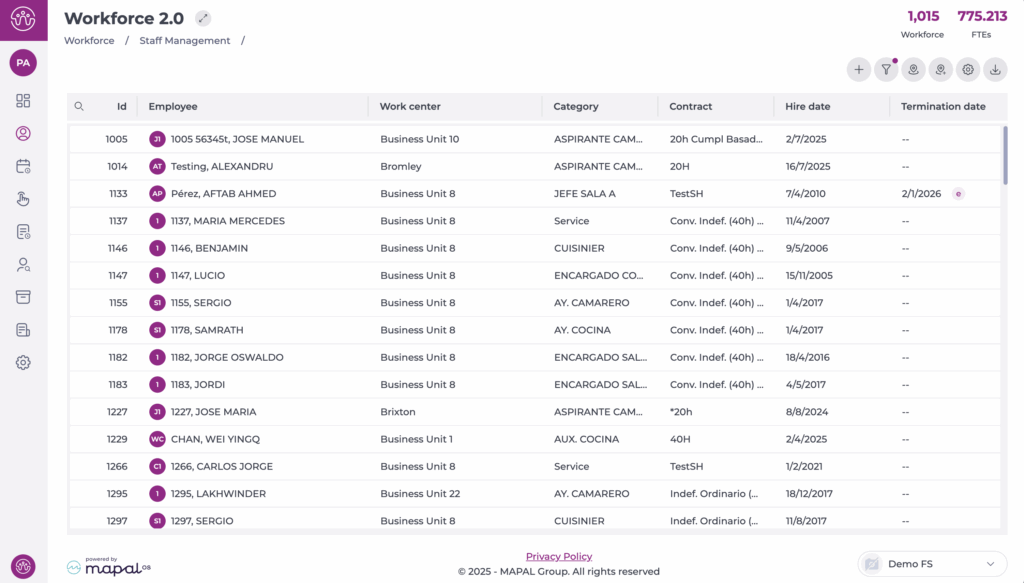
- Select the employee for whom you want to add or edit a work restriction.
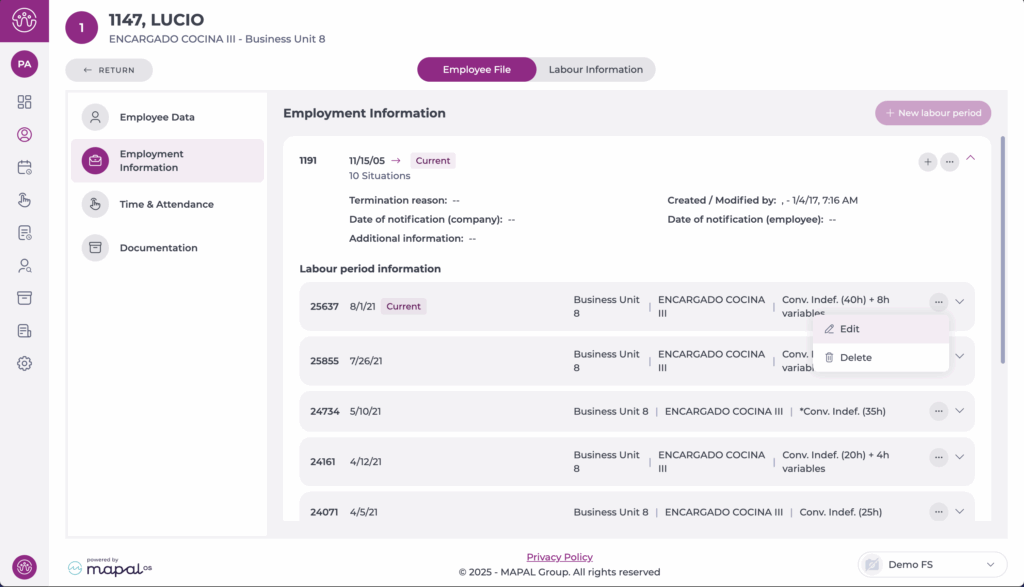
- Once in the employee's record, select the Employment information section.
- In the box with the employee's employment situation information, select Edit to modify an ongoing period.
- Configure the work restrictions for each working day. You can set restrictions based on specific working hours (Works from, Works until), specific shifts, No restrictions or Does not work.
- Additionally, it is possible to enable the option to activate restrictions on bank holidays/holiday eves.
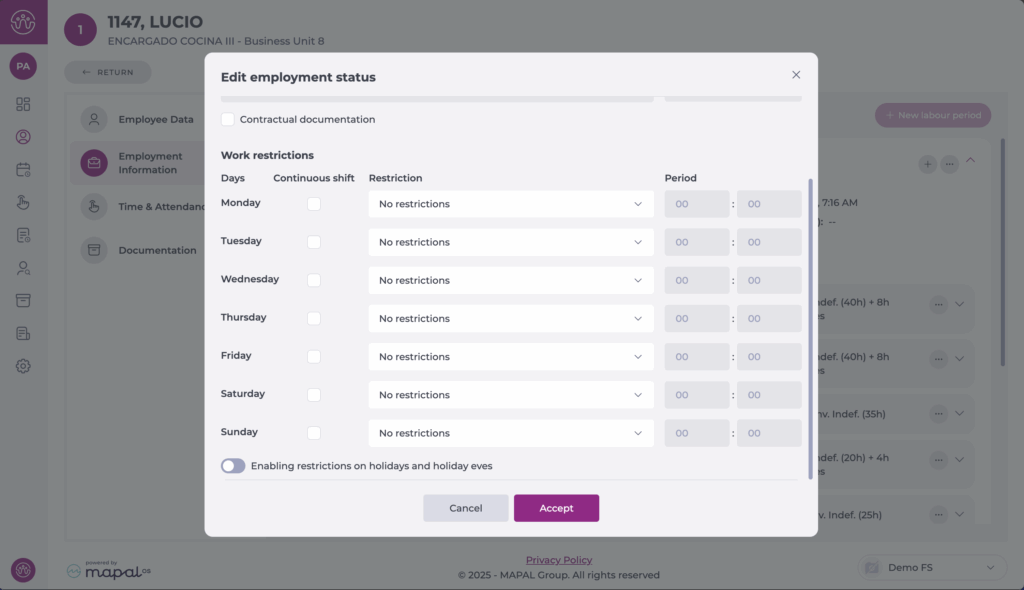
- Select Save to complete the configuration OR Cancel to discard the changes.
