


Start from: The Workforce module.
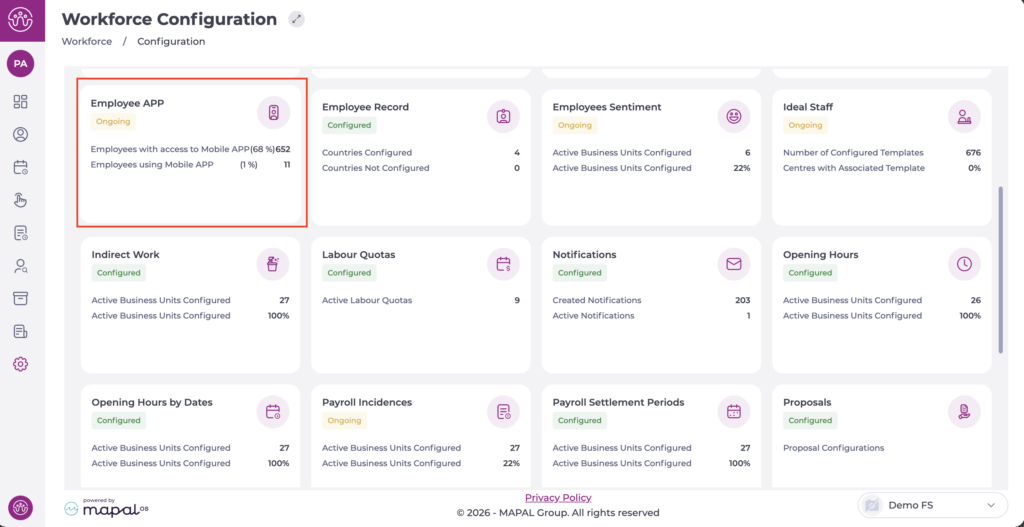
- Select Configuration > Employee APP from the main menu.
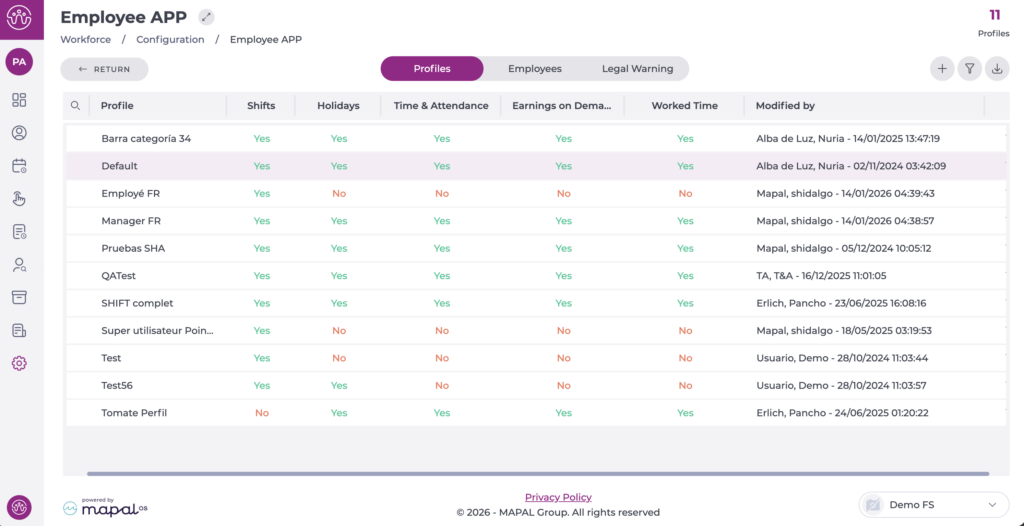
On the Profiles tab, you can see the list of profiles already created.
- Select the profile you want to edit.
In the pop-up window, begin editing the Time & attendance section by enabling the corresponding checkbox.
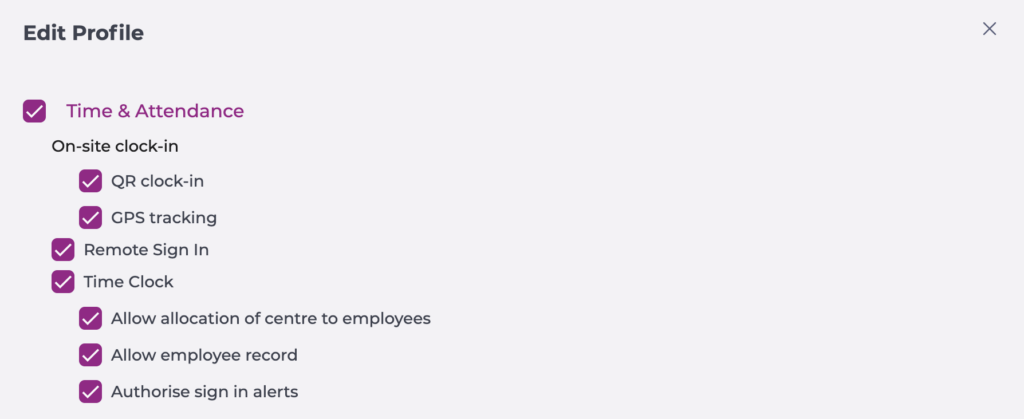
- Select QR clock-in if you want the employee to be able to clock in/out by scanning the QR code with their mobile app.
- Select GPS tracking if you want the employee to clock in/out based on their geolocation.
- Enable the Remote sign in option to allow shift recording from any location.
Enable the Time Clock section on profiles that need permission to register employees on the Smarthub.
- Allow allocation of centre to employees.
- Allow employee record, either by code or fingerprint registration.
- Authorise sign in alerts: To validate a clock-in even when it breaches an alert established in contracts or collective agreements.
Select Accept to save the configuration you have defined OR Cancel to discard the changes.
